
You’ll choose skirts when your prints have stable bases and excellent natural bed adhesion—they use minimal material while priming your nozzle and diagnosing potential issues. However, brims are your go-to solution for small-footprint models or warp-prone materials like ABS, creating adhesion anchors that dramatically improve first-layer success. Skirts offer maximum efficiency with single-layer outlines, while brims provide superior stability through extended surface contact. Understanding these fundamental differences will transform your printing strategy and success rates.
Understanding Skirts in 3D Printing
When you’re starting a 3D print, a skirt acts as your first line of defense against printing disasters. This perimeter outline printed around your model doesn’t touch the actual print, so it won’t improve bed adhesion like other methods. Instead, it serves as a diagnostic tool that primes your nozzle and verifies proper filament flow before your main print begins.
You’ll appreciate how skirts use minimal material while helping identify critical issues like bed leveling problems or nozzle clogs early.
Through your slicer software, you can customize the distance from your model, number of lines, and layer count. This cost-effective solution guarantees peak print quality by catching potential problems before they ruin your entire project.
Understanding Brims in 3D Printing
You’ve learned about skirts, and now it’s time to explore brims—the single-layer adhesion helper that wraps around your model’s base.
Understanding what brims are, how to configure their settings, and mastering removal techniques will give you another powerful tool for preventing warping and improving bed adhesion.
Let’s examine how brims can solve your printing challenges without the material waste of rafts.
What Are Brims
Brims act as adhesion anchors for your 3D prints, extending outward from your model’s base edges in a single, flat layer that greatly increases surface contact with the print bed.
Unlike rafts, they don’t create a foundation beneath your printed part—they’re simply extensions that increase the surface area for better bed adhesion.
This technique excels at helping you prevent warping, especially when working with models that have narrow bases or small footprints.
The brim provides essential stability during printing by enhancing adhesion to the build platform throughout the printing process.
You can customize brim width and line count in your slicer settings to match your specific needs.
While brims improve the first layer of the part’s adhesion considerably, you’ll need minimal cleanup afterward since they’re easy to remove.
Brim Setup Settings
Setting up your brim correctly in slicing software requires adjusting just a few key parameters to maximize adhesion effectiveness. You’ll need to configure your skirt offset to 0mm, ensuring the brim connects directly to your model’s base. The brim width determines how much surface area you’re adding for bed adhesion support.
| Parameter | Recommended Setting |
|---|---|
| Skirt Offset | 0mm |
| Brim Width | 5-10mm |
| Brim Lines | 3-8 lines |
| Layer Height | Match first layer |
| Print Speed | Reduced for first layer |
Customize the number of brim lines based on your print jobs’ stability requirements. Models with small footprints benefit from wider brims, while larger prints need fewer lines. Consider material consumption versus adhesion needs when configuring these brim setup settings for best print bed performance.
Brim Removal Techniques
Successfully removing a brim from your finished print requires timing and the right approach to avoid damaging your model. Wait until your print has cooled down before attempting brim removal, as this promotes cleaner brim detachment.
You’ll find brim removal generally easier than other adhesion methods due to its single-layer attachment, allowing simple peeling without tools.
For stubborn areas or intricate geometries, use a sharp knife or spatula to lift the brim away from your model. Remember that wider brim width provides better stability during printing but requires more effort to detach afterward.
After removal, you’ll likely need post-processing to smooth any rough edges left on your model’s base, especially for prints requiring high-quality finishes.
When to Use Skirts Vs Brims
You’ll need to choose between skirts and brims based on your specific print requirements and material characteristics.
Skirts work best when you’re printing larger models with stable bases using materials like PLA that don’t warp easily.
Brims become essential when you’re working with small-based objects, warp-prone materials like ABS, or any print where enhanced bed adhesion is critical for success.
Skirt Usage Scenarios
Many 3D printing scenarios call for a simple skirt rather than the more robust brim option.
You’ll find skirt usage scenarios particularly effective when your model already has a stable base with sufficient contact areas on the print bed.
Since skirts primarily serve for nozzle priming and bed leveling verification, they’re perfect for larger prints where minimal adhesion support is needed.
Consider using skirts when:
- Your model has excellent natural bed adhesion with wide, flat bottom surfaces
- Material usage efficiency is a priority for long print jobs
- Warping isn’t a concern with materials like PLA in controlled environments
- Quick setup is essential for testing prints or prototypes
Skirts excel in 3D printing situations where you need basic preparation without additional adhesion support or material waste.
Brim Application Cases
Three key scenarios determine whether you’ll benefit more from a brim than a skirt in your 3D printing projects.
First, you’ll need a brim when printing objects with small bases or intricate designs. The brim increases surface area for better bed adhesion and reduces warping risks that could compromise your printed parts.
| Scenario | Brim Benefit | Material Impact |
|---|---|---|
| Small bases | Enhanced stability | Less filament waste |
| High-temperature materials | Prevents warping | Faster than rafts |
| Large models | Improved first layer adhesion | Better surface contact |
Second, when using high-temperature materials like ABS that’re prone to warping, a brim offers efficient adhesion without excessive material consumption.
Third, for printing large models requiring enhanced stability, brims secure first layer adhesion more effectively than skirts, ensuring successful prints.
Slicer Settings and Configuration

Achieving perfect first-layer adhesion starts in your slicer software, where strategic configuration choices can make or break your print’s success.
Your printing software offers several critical parameters that directly impact bed adhesion and prevent warping or detachment.
Key slicer configurations for ideal adhesion:
- Skirt offset – Set to zero to create brims instead of diagnostic skirts.
- Brim Width – Adjust extension distance based on your model’s adhesion requirements.
- Line Count – Increase skirt lines to detect filament inconsistencies and bed leveling issues.
- Raft Base Layers – Configure thicker values for warp-prone materials like ABS.
The air gap parameter in raft settings creates separation between the raft’s top layer and your part, enabling easier removal.
Making the ideal choice between these adhesion methods depends on understanding these fundamental settings.
Material Usage and Print Time Comparison
Beyond configuration choices, you’ll want to contemplate how each adhesion method impacts your filament budget and printing schedule. Understanding material usage and print time differences helps you select the most efficient technique for your 3D printing projects.
| Adhesion Techniques | Material Usage | Print Duration |
|---|---|---|
| Skirt | Minimal filament | Shortest time |
| Brim | Moderate consumption | Medium duration |
| Raft | Highest usage | Longest time |
Skirts offer maximum efficiency, requiring only single-layer outlines that consume minimal material. Brims increase filament usage slightly by adding perimeter lines around your model but remain faster than rafts. Rafts demand the most resources, printing multiple layers beneath your object, making them least efficient for both material and time considerations. Choose based on your project’s adhesion requirements versus efficiency needs.
Removal Techniques and Post-Processing
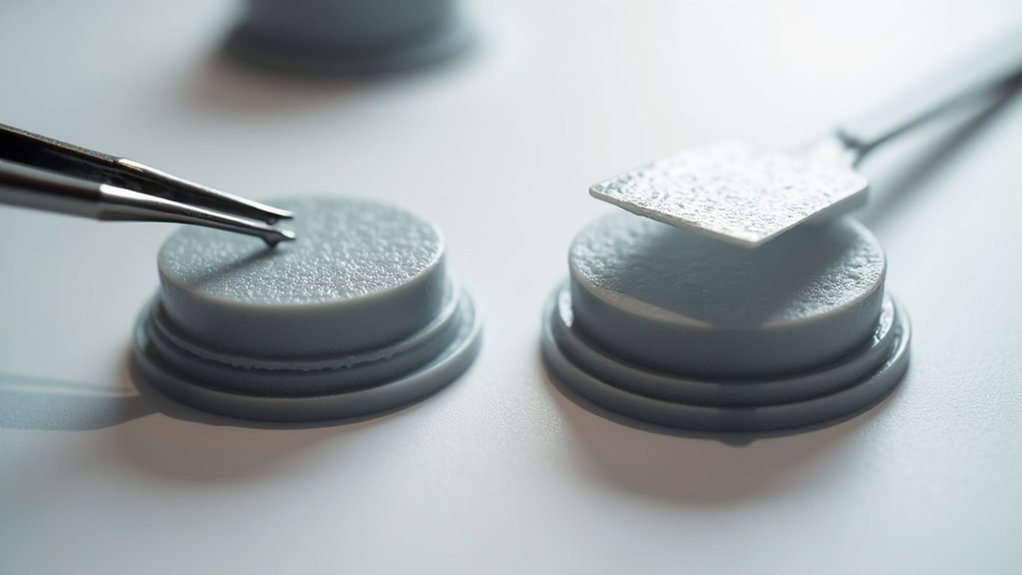
After selecting the most efficient adhesion method for your project, you’ll need to properly remove these supports without damaging your print.
The separation distance between your adhesion aid and the main print affects removal techniques and post-processing requirements.
For brim removal, you can start peeling away the material with your fingers or use a sharp knife for cleaner separation.
Raft removal typically requires more effort, often needing pliers or tweezers to grip stubborn sections.
Essential post-processing steps include:
- Wait for complete cooling before attempting removal
- Use heat guns on low settings for intricate designs
- Sand rough edges for a smooth finish
- Remove any remaining adhesion aid fragments
Proper technique guarantees your final print maintains its intended quality and dimensional accuracy.
Performance Analysis for Different Print Scenarios
When you’re deciding between adhesion methods, understanding how each performs across different print scenarios becomes essential for achieving ideal results.
For prints with small contact area, you’ll find that a brim dramatically improves bed adhesion by increasing surface area around your model’s base. This enhancement leads to superior print success rates compared to skirts, which only provide nozzle priming benefits.
When working with materials prone to warping like ABS, you should choose a brim over a skirt since the direct connection stabilizes your print throughout the process.
However, for larger models with adequate base contact, a skirt often suffices while consuming less filament. Your material choice and model geometry ultimately determine which method prevents warping most effectively in specific print scenarios.
Frequently Asked Questions
What Is the Difference Between Bed Adhesion Brim and Skirt?
You’ll find that a brim connects directly to your model’s base, improving adhesion by increasing surface contact. A skirt doesn’t touch your print but circles around it, primarily helping you prime the nozzle.
Do Brims Help With Adhesion?
Yes, brims greatly help with adhesion by increasing your print’s contact area with the bed. They’re especially effective for models with small footprints, preventing warping and providing essential stability during initial layers.
What Is the Best Adhesion Type for 3D Printing?
You’ll find brims work best for most prints since they’re efficient and effective. For challenging materials or complex geometries, rafts provide superior adhesion. Skirts don’t improve adhesion but help with calibration.
How Does a Skirt Improve Adhesion?
A skirt doesn’t directly improve adhesion but helps you identify issues beforehand. It primes your extruder, guarantees consistent filament flow, and lets you verify bed leveling before printing your actual model.




Leave a Reply