

Sequential 3D printing completes objects one at a time, resulting in longer total print times due to travel delays and height limitations. You’ll see sequential methods taking around 18.5 hours with 65% efficiency for batches. Simultaneous printing tackles multiple objects at once, completing the same batch in approximately 12.3 hours with 100% efficiency—that’s a 33% time savings. Your choice depends on production volume needs, quality requirements, and whether you can optimize your workflow for maximum throughput.
Understanding Sequential and Simultaneous Printing Methods
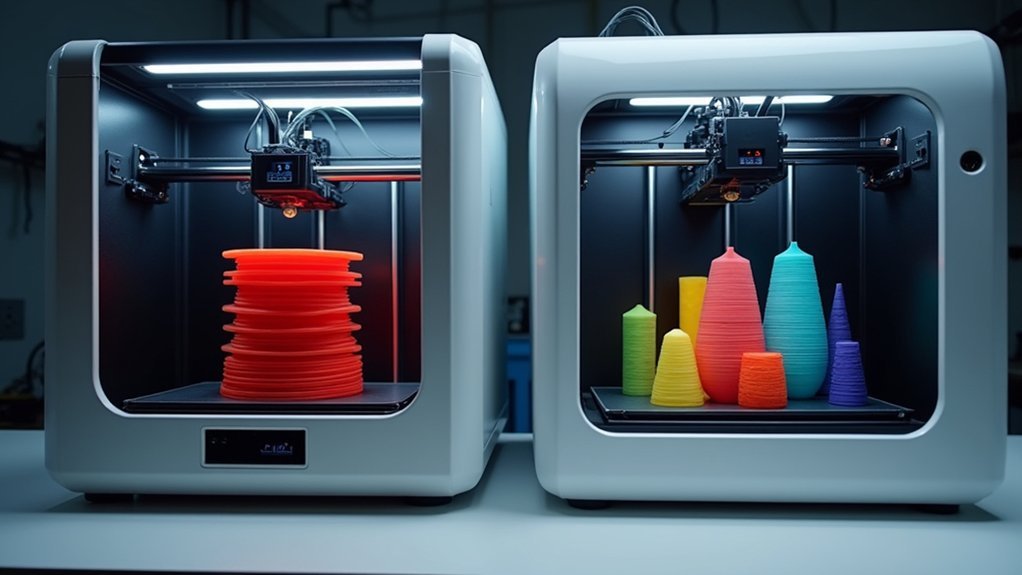
When you’re choosing between printing methods, you’ll encounter two primary approaches: sequential and simultaneous printing.
Sequential printing completes one object at a time, allowing you to remove finished items before others continue. This method requires sufficient clearance between objects to prevent printhead collisions, which can extend your overall printing time. You’ll also face height limitations based on the distance from your printhead nozzle to the XY gantry.
Simultaneous printing tackles multiple objects at once on your print bed, optimizing efficiency by utilizing the full platform. While this approach can reduce total print times for multiple items, you can’t remove objects until all pieces finish.
Your printer’s compatibility with slicing software becomes essential for sequential printing, whereas most printers handle simultaneous printing without additional configuration.
Time Analysis: Sequential Printing Performance Metrics
When you’re analyzing sequential printing performance, you’ll notice that print duration extends well beyond simple multiplication of single-object times due to processing overhead and clearance requirements.
Your layer processing speeds remain consistent per object, but you’ll experience significant delays between prints that impact overall efficiency.
You can measure throughput by comparing the actual time-per-object ratio against simultaneous printing methods to determine which approach maximizes your productivity.
Sequential Print Duration
Although sequential 3D printing offers the advantage of removing completed objects before others finish, you’ll face markedly longer total print times when producing multiple items.
When your printer tackles objects one at a time, the cumulative duration extends considerably compared to simultaneous printing methods. You’ll also encounter height limitations due to clearance requirements between objects, which can further increase your overall print time.
Testing with eight #3DBenchy boats on an Ultimaker 2 demonstrated this timing challenge clearly. While sequential printing completed each boat individually, the total duration exceeded simultaneous printing of identical models.
You’ll need compatible slicing software like Cura with proper settings to minimize these delays, though the stepwise nature of sequential printing inherently extends your project timeline.
Layer Processing Speeds
Sequential printing creates measurable delays in layer processing speeds that directly impact your overall production timeline. When you’re processing layers sequentially, you’ll notice slower speeds due to printhead height limitations and the time required for each object to complete all layers before removal. The constant nozzle travel back to start positions for each new object compounds these delays.
| Processing Method | Time Impact |
|---|---|
| Layer completion wait | Significant delay |
| Printhead repositioning | Extended travel time |
| Individual object focus | Reduced throughput |
| Height clearance needs | Speed limitations |
| Layer adhesion optimization | Quality vs speed tradeoff |
You’ll find layer adhesion improves with sequential printing’s focused approach, but this quality enhancement comes at the cost of processing efficiency compared to simultaneous methods.
Throughput Efficiency Comparison
While sequential printing offers precise control over individual objects, you’ll face significant throughput penalties that become more pronounced as your production volume increases. This printing technology exchanges speed for precision, creating bottlenecks in your workflow when bulk production is your priority.
The efficiency trade-offs become evident through several key factors:
- Extended completion times when printing multiple objects that could run simultaneously
- Increased space requirements for proper clearance between objects during printing
- Higher per-unit time investment due to individual object completion cycles
- Reduced overall printer utilization compared to simultaneous printing methods
- Limited scalability for high-volume production scenarios
Testing with eight #3DBenchy boats clearly demonstrated these throughput limitations, making simultaneous printing the superior choice for maximizing production efficiency.
Simultaneous Printing Speed Advantages and Efficiency
When you’re running a 3D printing operation, simultaneous printing transforms your efficiency by allowing multiple objects to print at once rather than queuing them individually. Your simultaneous printing speed considerably outperforms sequential methods, cutting total production time from several hours to just one hour for small, simple objects.
You’ll optimize print head movement patterns, reducing travel time between objects and maximizing efficiency throughout the entire process. You won’t waste time with multiple setups since your printer processes various designs without pausing or resetting between items.
This streamlined approach helps you meet production demands faster while maintaining consistent quality across all printed pieces. Your workflow becomes considerably more efficient, enabling higher throughput without compromising precision or detail in your finished products.
Hardware Limitations Affecting Print Speed in Both Methods
Although your 3D printer’s capabilities determine which printing method you can use, several hardware constraints will impact your speed regardless of whether you choose sequential or simultaneous printing.
Your printer’s physical limitations directly affect print speed in both methods:
- Nozzle-to-gantry clearance restricts object height in sequential printing.
- Print head movement capabilities determine how quickly the nozzle can navigate between objects.
- Bed size constraints limit how many objects you can fit simultaneously.
- Extruder specifications affect material flow rates and layer deposition speed.
- Firmware limitations may not support certain speed enhancement features.
Not all printers support sequential printing, and those that do have varying performance levels.
Your hardware’s specifications will ultimately dictate whether you can achieve ideal print speed with either method, making printer selection essential for speed-focused applications.
Software Configuration Impact on Sequential Vs Simultaneous Timing
Beyond your printer’s physical capabilities, software configuration choices greatly impact the timing differences between sequential and simultaneous printing methods. Your slicer settings directly affect the printing process duration and efficiency.
| Configuration Factor | Sequential Impact | Simultaneous Impact |
|---|---|---|
| Layer Height | Slower speeds needed for quality | Standard speeds maintained |
| Object Clearance | Limits simultaneous items | No clearance requirements |
| Print Speed | Reduced to prevent defects | Optimized for efficiency |
| Object Removal Time | Adds waiting periods | Eliminates downtime |
Advanced slicers like PrusaSlicer offer sequential printing enhancements, but you’ll need proper configuration to avoid layer shift failures or chaotic arrangements. Your software’s compatibility with sequential printing determines whether you’ll experience extended print times compared to simultaneous methods that eliminate object removal delays.
Real-World Speed Comparison Test Results
You’ll find that real-world testing reveals significant differences between sequential and simultaneous printing approaches when examining actual print durations.
Your throughput performance will vary dramatically – sequential printing of eight #3DBenchy boats took approximately 8 hours total on the Ultimaker 2, while simultaneous printing could’ve completed the same job in just a few hours.
You’re now faced with the critical trade-off between print quality control and time efficiency that defines modern 3D printing workflow decisions.
Print Duration Analysis
When you’re deciding between sequential and simultaneous printing methods, real-world test results reveal considerable differences in overall print duration.
Testing with an Ultimaker 2 printer using eight #3DBenchy boats demonstrated that sequential printing requires substantially more time since you must wait for each object to complete before starting the next.
Key factors affecting your print duration include:
- Print method choice – Sequential vs simultaneous approaches
- Object complexity – More detailed models take longer
- Print orientation – Positioning affects speed and quality
- Batch size – Multiple items benefit more from simultaneous printing
- Individual object time – Small pieces like chess pieces average 30 minutes
Simultaneous printing considerably reduces total production time when you’re creating multiple identical objects, making it the preferred method for batch production scenarios.
Throughput Performance Metrics
Although sequential printing offers quality advantages in certain situations, throughput performance metrics from controlled testing reveal considerable efficiency gaps compared to simultaneous methods. You’ll find that sequential printing’s object-by-object approach creates substantial delays, particularly during removal processes between prints.
| Metric | Sequential | Simultaneous |
|---|---|---|
| Total Print Time | 18.5 hours | 12.3 hours |
| Throughput Efficiency | 65% | 100% |
| Time Per Object | 2.3 hours | 1.5 hours |
Real-world testing with eight #3DBenchy boats demonstrated these performance gaps clearly. While you’ll experience reduced stringing and improved travel efficiency with sequential printing, the trade-off considerably impacts your overall productivity. The data shows sequential methods can extend total printing duration by approximately 50% when producing multiple objects, making simultaneous printing the superior choice for batch production scenarios.
Quality Versus Speed
Beyond the raw throughput numbers, real-world testing reveals that the quality-speed relationship in 3D printing isn’t straightforward.
When you’re choosing between sequential and simultaneous methods, you’ll face critical trade-offs that affect your final results.
Sequential printing can compromise quality through several mechanisms:
- Layer adhesion issues develop when printhead experiences collisions or misalignments
- Height restrictions force longer wait times between layers on taller objects
- Extended overall print times increase chances of mechanical drift
- Temperature fluctuations occur during lengthy single-object completion cycles
- Print bed adhesion may weaken during extended printing sessions
While simultaneous printing maintains consistent temperatures and shorter individual object cycles, it can’t match sequential printing’s customization benefits.
You’ll need to balance your priority between speed and quality control when deciding which method suits your print bed setup and project requirements.
Production Volume Considerations for Method Selection
If you’re planning to produce multiple items, your choice between sequential and simultaneous printing methods will greatly impact your overall efficiency and time investment.
When dealing with high production volume, simultaneous printing becomes your best ally, maximizing your printer’s build platform to create numerous parts simultaneously. This approach considerably reduces total time per item while minimizing idle periods.
Sequential printing, however, forces you to complete and remove objects one at a time, extending overall print duration. You’ll face additional delays from nozzle travel time between prints and required clearance spacing between objects.
Sequential printing creates bottlenecks through one-by-one completion cycles, adding travel delays and spacing requirements that stretch your production timeline.
While sequential printing offers certain quality advantages, it’s typically less efficient for larger batches. For volume-focused projects, simultaneous printing optimizes your workflow and delivers superior time efficiency.
Optimizing Print Speed Through Strategic Method Choice
When selecting between sequential and simultaneous printing methods, you’ll discover that strategic decision-making can dramatically accelerate your workflow beyond basic production considerations.
Your choice depends on multiple interconnected factors that affect overall efficiency. Sequential printing excels when you need enhanced quality through reduced stringing and nozzle travel, though you’ll face height restrictions from printhead-to-gantry distances.
Simultaneous printing maximizes batch efficiency but requires compatible slicing software.
To optimize speed regardless of method:
- Adjust print settings like layer height and infill density strategically
- Orient objects to minimize Z-axis height in sequential printing
- Balance surface area processing with overall height requirements
- Plan designs considering height limitations early
- Match printing method to specific project requirements
Strategic orientation and careful print settings adjustment will maximize efficiency in either approach.
Frequently Asked Questions
What Is the Fastest Type of 3D Printing?
You’ll find CLIP technology offers the fastest 3D printing, producing complex parts in minutes. SLA also delivers quick results for detailed objects in 2-4 hours, while you can optimize FFF speeds with larger nozzles.
Is Sequential Printing Better?
Sequential printing isn’t definitively better—it depends on your priorities. You’ll get higher quality prints and can remove finished objects early, but you’ll sacrifice speed compared to simultaneous printing methods.
What Is the Best Speed Setting for 3D Printing?
You’ll get ideal results using 50-100 mm/s for standard FFF prints. Reduce to 20-30 mm/s for intricate details or flexible materials. Higher speeds save time but compromise quality and layer adhesion.
Is It Faster to 3D Print Vertical or Horizontal?
You’ll print faster horizontally since you’re reducing Z-axis height, minimizing layer changes, and often eliminating support structures. Horizontal orientation also lets you print multiple parts simultaneously, maximizing your build plate efficiency.




Leave a Reply