
You can slash 3D print post-processing time by optimizing print settings to minimize support structures, selecting appropriate layer heights for your application, and designing parts with cleaning access in mind. Choose smart print orientations that reduce overhangs, invest in automated washing and curing equipment, and implement batch processing workflows to handle multiple parts simultaneously. Vapor smoothing with chemical solvents can eliminate manual sanding entirely. These strategies will transform your workflow efficiency and production speed.
Optimize Print Settings to Minimize Support Structures
When you’re looking to cut down post-processing time, optimizing your print settings to minimize support structures is one of the most effective strategies you can employ.
Design your models with overhangs angled at 45 degrees or less, as your printer can bridge these gaps effectively without additional supports. Use variable layer heights to focus detail where needed while maintaining speed elsewhere.
Orient your prints strategically—angle them or lay them flat to reduce support requirements while improving quality. Experiment with your slicer’s support density and pattern settings to find the sweet spot between adequate support and minimal material use.
These adjustments will greatly reduce your post-processing time while maintaining print integrity.
Choose the Right Layer Height for Your Application
Consider variable layer height settings—use thicker layers for your model’s bulk and thinner layers for detailed areas. This optimizes both speed and quality intelligently.
Match your layer height to your part’s purpose. Rapid prototypes can handle larger layer heights, while final production pieces might need finer settings.
Yes, larger heights create more visible layer lines, but strategic selection based on application reduces overall finishing time.
Design Parts With Post-Processing in Mind
Since post-processing often consumes more time than the actual printing, smart design choices during the modeling phase can dramatically cut your finishing workload. When you design parts with post-processing in mind, you’ll reduce the amount of time spent cleaning and finishing.
Create through holes instead of dead ends to facilitate easier powder removal. Avoid sharp internal turns and use curved channels to enhance cleaning tool access. Add fillets at sharp corners to prevent debris trapping and simplify cleaning. Incorporate ribbing in flat parts to minimize warping, which reduces corrective post-processing steps and improves surface texture consistency.
Use threaded inserts rather than modeling threads directly to achieve better precision and durability while streamlining assembly processes.
Select Appropriate Print Orientation
You’ll dramatically cut post-processing time by choosing the right print orientation from the start.
Smart orientation decisions minimize support structures, optimize how layer lines appear on visible surfaces, and reduce defects that require extensive cleanup work.
Your part’s geometry should guide these choices, as the wrong orientation can create hours of additional sanding, support removal, and surface refinement.
Minimize Support Requirements
When you position your 3D model strategically before printing, you’ll dramatically cut down on support structures and the tedious cleanup that follows.
To minimize support requirements during the printing process, orient flatter parts horizontally whenever possible. This eliminates unnecessary supports while maintaining print quality. You can also incorporate draft angles and curved surfaces into your design, which naturally reduce overhang issues and simplify support removal.
Take advantage of your slicer’s support generation algorithms – they’ll optimize placement based on your part’s specific geometry.
Before finalizing orientation, evaluate your design for internal channels or voids that might complicate support removal. Smart positioning often eliminates these complications entirely.
These post-processing techniques will save you significant time and material while improving your final results.
Optimize Layer Lines
Three key orientation strategies will minimize visible layer lines and deliver smoother surface finishes straight from your printer.
When you optimize layer lines through strategic positioning, you’ll dramatically reduce time spent on post-processing methods.
Position your model with the longest flat side down to create a stable foundation that naturally produces smooth surfaces. This orientation eliminates the stepped appearance common in vertical prints while reducing support requirements.
Consider these essential orientation techniques:
- Angle complex geometries to minimize horizontal layer visibility on prominent surfaces
- Use variable layer heights with thicker bottom layers and finer top layers
- Test multiple orientations in your slicer before committing to a print
- Prioritize aesthetic faces by positioning them away from build plate contact
Strategic orientation choices eliminate hours of sanding and filling work.
Reduce Surface Defects
Print orientation directly controls where surface defects appear on your finished model, making it your most powerful tool for achieving professional-quality results without extensive post-processing. You’ll minimize layer lines and support marks by carefully positioning complex geometries. Place your largest flat surface against the build plate for superior adhesion and reduced warping.
| Orientation Strategy | Surface Quality Benefit | Post Processing Impact |
|---|---|---|
| Largest face down | Better adhesion, smoother finish | Minimal cleanup required |
| Angled positioning | Fewer supports needed | Reduced support removal |
| Gradual shifts | Enhanced material flow | Less sanding necessary |
Strategic angling reduces support requirements, decreasing removal efforts while improving your printed parts’ overall surface quality. Design gradual shifts and rounded edges to enhance material flow, creating fewer imperfections that require correction.
Use Automated Washing and Curing Equipment
You’ll dramatically cut your post-processing time by investing in automated washing and curing equipment like the Form Wash and Form Cure systems.
These machines use controlled agitation and programmable cycles to clean parts more efficiently than manual soaking methods while delivering consistent curing results.
The automation eliminates guesswork and reduces hands-on labor, letting you focus on other tasks while your parts complete their post-processing cycle.
Automated Equipment Benefits
While manual washing and curing processes can consume hours of your valuable production time, automated equipment transforms these tedious tasks into efficient, hands-off operations.
Automated systems like the Form Wash and Form Cure deliver precise, controlled conditions that optimize polymerization while you focus on other critical tasks.
The key benefits of automated post-processing equipment include:
- Reduced labor costs – Fewer personnel needed to manage washing and curing stages
- Enhanced part quality – Consistent exposure times and temperatures improve mechanical properties
- Faster turnaround times – Streamlined workflow increases production throughput
- Improved surface finishes – Precision agitation and controlled curing deliver superior results
Form Wash Efficiency
Among the most impactful automated solutions, the Form Wash stands out for its ability to transform resin removal from a time-consuming manual process into an efficient, hands-free operation.
You’ll drastically reduce manual work by leveraging agitation technology that thoroughly removes excess resin without constant monitoring. The Form Wash handles multiple parts simultaneously, maximizing your throughput while you focus on other tasks.
When implementing the two-wash method, you can set up dirty and clean wash cycles that automatically maintain ideal cleaning standards.
This eliminates the guesswork and inconsistency of manual soaking methods. You’ll find your post-processing workflow becomes predictable and scalable, allowing you to process larger batches with minimal intervention while ensuring consistently clean results.
Consistent Curing Results
After completing the washing phase, automated curing equipment like the Form Cure delivers the precise temperature and UV exposure control that’s essential for achieving consistent material properties.
You’ll eliminate the guesswork that comes with manual post-curing methods, ensuring ideal solidification every time.
The controlled environment provides several key advantages:
- Temperature consistency – Maintains exact heat levels throughout the entire curing cycle
- UV exposure uniformity – Delivers even light distribution across all part surfaces
- Timing precision – Automatically controls cure duration for repeatable results
- Reduced variability – Minimizes human error that leads to inconsistent part quality
Implement Batch Processing Workflows
Setting up batch processing workflows can dramatically cut down your post-processing time by handling multiple parts simultaneously rather than treating each piece as an individual task.
You’ll maximize efficiency by organizing parts according to material type and required post-processing methods, preventing contamination while ensuring consistent results across your batch.
Invest in automated washing and curing machines like Form Wash and Form Cure to handle large quantities with minimal manual intervention.
Schedule these batch operations during non-peak hours or production downtime to optimize equipment usage and minimize idle periods.
Regular maintenance and calibration of your post-processing equipment prevents unexpected delays from malfunctions, keeping your batch processing workflows running smoothly and maintaining consistent processing speeds throughout your production cycle.
Apply Vapor Smoothing for Chemical Surface Finishing
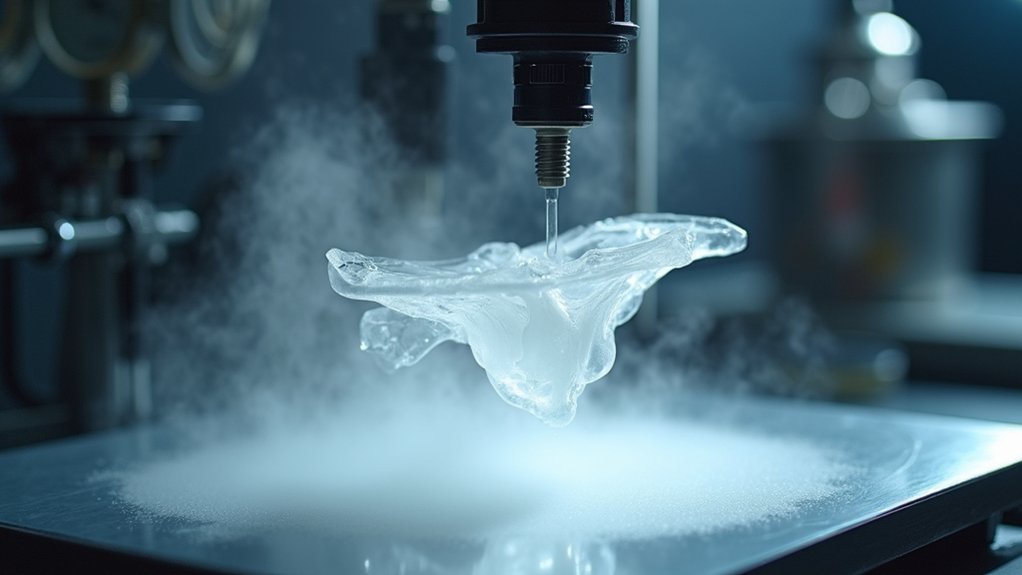
While batch processing maximizes efficiency through volume, vapor smoothing revolutionizes your surface finishing approach by eliminating manual sanding entirely.
This chemical technique exposes your 3D printed parts to vaporized solvents, softening the outer layer to create a smooth surface without manual intervention.
You’ll greatly reduce post-processing time since vapor smoothing treats all exposed surfaces uniformly in one step. The process works particularly well with thermoplastics like ABS and PLA, markedly reducing visible layer lines.
Essential vapor smoothing requirements:
- Temperature control – Maintain precise heat levels throughout the process
- Compatible solvents – Use acetone for ABS, ethyl acetate for PLA
- Proper ventilation – Guarantee safe chemical vapor handling
- Timing precision – Avoid over-exposure that damages structural integrity
You’ll also gain improved mechanical properties as vapor smoothing relieves internal material stresses.
Frequently Asked Questions
How to Reduce Time in 3D Printing?
You can reduce 3D printing time by using variable layer heights, grouping small prints together, increasing print speeds, designing layouts that minimize supports, and implementing dual extrusion with soluble supports.
What Are the Options for SLA Post Processing?
You’ll need washing with isopropyl alcohol using two-wash method, post-curing with UV light for resin solidification, and surface finishing through sanding, buffing, or polishing for smooth results.
How to Make 3D Prints Print Faster?
You can speed up 3D printing by increasing print speeds, using larger nozzles, implementing variable layer heights, optimizing designs to minimize supports, and printing multiple parts simultaneously on your build plate.
Can You Smooth PLA With Isopropyl Alcohol?
You can’t effectively smooth PLA with isopropyl alcohol because PLA doesn’t dissolve in IPA. Instead, try sanding with fine-grit sandpaper, heat gun treatment, or applying coatings for better results.




Leave a Reply