
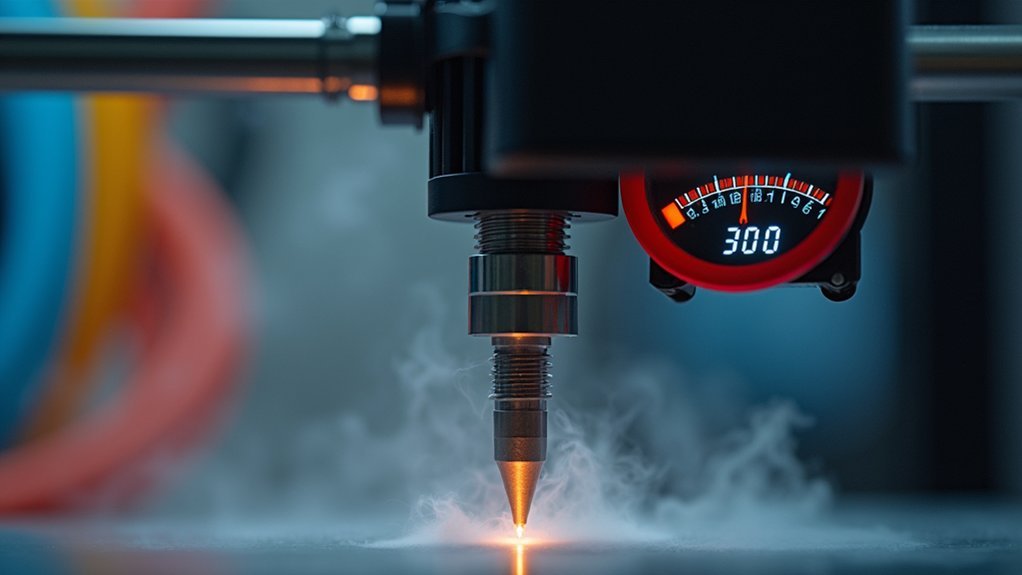
You’ll dramatically extend your nozzle’s lifespan by maintaining precise temperature control between 210-220°C when printing metal-filled filaments. Start with 215°C for most metal PLA variants and adjust in 5-degree increments to find your sweet spot. Avoid temperatures above 225°C, which accelerate abrasive wear and cause carbonization. Use hardened steel or ruby nozzles instead of brass, and implement consistent thermal management to prevent damaging temperature fluctuations. Master these fundamentals to access advanced preservation techniques.
Understanding Metal Filament Properties and Abrasive Characteristics
Metal filaments pack a punch when it comes to abrasiveness, containing particles of stainless steel, aluminum, or other metals that act like microscopic sandpaper against your nozzle.
This abrasive material creates significant challenges for 3D printing, as these metallic particles constantly grind against your nozzle’s interior surfaces during extrusion.
Unlike standard PLA, metal filaments demand higher printing temperatures, which compounds the wear problem by softening brass nozzles and making them more susceptible to erosion.
You’ll notice nozzle wear manifesting as under-extrusion, inconsistent layer adhesion, and poor print quality.
The abrasive nature of these filaments can quickly degrade standard brass nozzles, requiring you to upgrade to hardened steel or ruby alternatives for sustained printing performance.
Optimal Temperature Ranges for Different Metal-Filled Filaments
You’ll need to adjust your extruder temperature based on the specific metal content in your filament, as brass-filled materials typically print well at 210-215°C while stainless steel variants often require 215-220°C.
Setting your temperature too high above 230°C will accelerate nozzle wear through increased friction and residue buildup from degraded filament.
Start with conservative temperatures and increase in 5-degree increments until you achieve proper flow, as this approach minimizes abrasive damage while maintaining print quality.
Temperature Guidelines by Metal
Different metal-filled filaments require specific temperature ranges to achieve ideal flow while minimizing nozzle wear.
When working with brass or bronze-infused materials, you’ll want to set your extruder between 215-225°C with your heated bed at 60°C.
For stainless steel blends, increase your extrusion temperature to 220-250°C to guarantee proper material flow and prevent clogs.
These temperature guidelines help you avoid the damaging effects of excessive heat. Running high temperatures beyond 250°C causes filament degradation and creates burnt residues that accelerate nozzle wear through increased friction.
To prevent nozzle damage, fine-tune your settings in 5°C increments until you find the sweet spot for each specific filament. Maintaining consistent temperatures throughout your print prevents uneven extrusion patterns.
Heat Settings Impact Wear
While temperature control affects every aspect of 3D printing, it’s particularly critical when working with metal-filled filaments that can rapidly degrade your nozzle.
Running temperatures too high accelerates filament degradation, creating residue buildup that clogs your nozzle and increases wear. Conversely, insufficient heat causes poor flow, forcing your extruder to work harder and creating inconsistent pressure that damages nozzles over time.
You’ll want to fine-tune your temperature in 5°C increments within the 210°C to 230°C range for peak results.
Monitor your filament’s performance closely—proper temperature balance guarantees smooth extrusion while minimizing abrasive contact.
Remember that maintaining consistent bed temperature around 60°C also reduces nozzle stress by preventing warping-related extrusion irregularities.
Temperature Calibration Techniques for Metal PLA and Composites
Since metal-filled PLA and composite filaments contain abrasive particles that can accelerate nozzle wear, calibrating your printer’s temperature becomes critical for extending hardware life.
Proper temperature calibration techniques for metal-infused PLA help prevent nozzle wear while maintaining print quality.
Start with the recommended 215°C hotend temperature and 60°C bed temperature as your baseline. Fine-tune these settings systematically:
- Increment Testing: Adjust temperatures in 5-degree steps (210°C to 220°C) to find your ideal range
- Test Print Evaluation: Run small calibration prints at each temperature to assess quality and extrusion consistency
- Continuous Monitoring: Track temperature fluctuations during printing, as variations increase wear rates
Avoid excessive heat that degrades filament and increases friction.
Consistent temperature control reduces abrasive particle impact on your nozzle.
Nozzle Material Selection for High-Temperature Metal Printing
Beyond temperature control, your nozzle material choice directly impacts how well your printer handles metal-filled filaments. Standard brass nozzles won’t survive the abrasive nature of these materials, making nozzle material selection critical for high-temperature applications.
Hardened steel nozzles offer superior durability and wear resistance when working with metal-infused filaments. For exceptional performance, consider Olsson Ruby nozzles, which provide outstanding hardness and thermal stability under demanding conditions.
While stainless steel nozzles resist abrasion well, their lower thermal conductivity can compromise melt flow efficiency.
Maintain extrusion temperatures around 215°C to prevent filament degradation and excessive nozzle wear. Regular inspection and maintenance are essential—monitor for wear signs and replace nozzles promptly.
Don’t forget cleaning the nozzle regularly to maintain peak performance and extend its lifespan during metal printing projects.
Monitoring Temperature Fluctuations During Extended Print Jobs
As metal-filled filaments demand sustained high temperatures throughout extended print sessions, you’ll need robust temperature monitoring systems to protect your nozzle investment.
These abrasive materials operating at 215°C create significant thermal stress that can accelerate wear without proper oversight.
Essential Temperature Monitoring Strategies:
- Install temperature sensors or thermocouples to track real-time nozzle stability and prevent thermal degradation that contributes to premature wear.
- Implement temperature logging systems for continuous monitoring, enabling prompt adjustments when temperature fluctuations occur during long prints.
- Calibrate settings in 5-10°C increments during regular maintenance checks to optimize extrusion performance.
You should adjust print speeds and layer heights based on temperature readings, using slower initial layers to reduce thermal stress.
This proactive approach maintains consistent high temperature operation while minimizing nozzle degradation.
Heat Creep Prevention and Thermal Management Systems
While monitoring temperatures protects your nozzle from thermal stress, managing heat distribution throughout your hotend assembly prevents the equally damaging effects of heat creep. When heat travels upward through the filament path, it causes premature melting and potential clogs that’ll damage your nozzle during metal filaments printing.
| Component | Function |
|---|---|
| Cooling Fan | Directs airflow at heat break area |
| All-Metal Hotend | Provides superior thermal stability |
| Proper Insulation | Prevents upward heat conduction |
| Temperature Calibration | Guarantees ideal melting conditions |
| Heat Break Design | Creates thermal barrier zone |
Effective thermal management systems require multiple approaches. You’ll need cooling fans targeting the heat break, quality insulation around your hotend, and regular temperature calibration. All-metal hotends offer better thermal stability for high-temperature applications, while proper insulation maintains filament integrity throughout extended printing sessions.
Temperature-Related Clogs and Prevention Strategies
You’ll encounter temperature-related clogs when heat creep causes filament to soften prematurely in the cold zone, creating blockages that can damage your nozzle.
Setting ideal temperatures around 215°C for metal-infused PLA prevents incomplete melting while avoiding excessive heat that contributes to this problem.
Regular cooling system maintenance guarantees your hotend’s thermal barriers function properly, keeping heat where it belongs and preventing the upstream softening that leads to costly jams.
Heat Creep Causes
When heat travels beyond its intended zone in your hotend, it creates one of the most frustrating problems you’ll encounter with metal filament printing: heat creep. This thermal migration causes partial melting in areas where filament should remain solid, leading to devastating clogs that’ll ruin your prints and potentially damage your equipment.
Understanding what triggers heat creep helps you implement effective temperature control strategies:
- Inadequate cooling systems that can’t dissipate heat properly from the hotend assembly
- Excessive hotend temperatures that cause heat to migrate upward through the filament path
- Blocked cooling ducts that restrict airflow and compromise your printer’s thermal management
Metal-infused filaments are particularly susceptible because they conduct heat more efficiently than standard materials, making proper filament flow dependent on precise thermal boundaries.
Optimal Temperature Settings
Since metal-infused filaments require precise thermal control to prevent clogs, you’ll need to establish ideal temperature settings that balance proper melting with thermal stability. Start with 215°C for your print temperature and 60°C for your bed temperature as baseline settings.
| Temperature Range | Result | Action Needed |
|---|---|---|
| Too Low (<210°C) | Under-extrusion, incomplete melting | Increase by 5°C increments |
| Ideal (210-220°C) | Smooth flow, consistent quality | Maintain settings |
| Too High (>225°C) | Filament degradation, carbonization | Decrease temperature |
Conduct small test prints at 5-degree intervals to fine-tune your settings. High-quality filament stored properly to prevent moisture absorption will respond more predictably to temperature adjustments. Monitor consistently, as temperature variations cause carbonization or incomplete melting, both contributing to nozzle clogs and excessive wear.
Cooling System Maintenance
While ideal temperatures form the foundation of successful metal filament printing, your cooling system’s condition directly impacts whether those temperatures remain stable throughout the print.
A poorly maintained cooling system creates temperature fluctuations that degrade filament quality and accelerate nozzle wear through carbonization and clogging.
To prevent these issues and maintain peak performance:
- Clean dust buildup from fans and heatsinks monthly – This guarantees proper airflow and prevents overheating that compromises filament integrity.
- Monitor cooling fan performance regularly – Replace failing components before they cause temperature spikes leading to clogs.
- Adjust first-layer cooling settings appropriately – Proper cooling prevents warping while maintaining consistent temperatures that reduce nozzle stress.
Regular cooling system maintenance directly correlates with extended nozzle life and consistent print quality.
Extruder Temperature Settings for Wear Reduction
Managing your extruder temperature correctly forms the foundation of preventing premature nozzle wear when printing with metal-infused filaments.
You’ll want to maintain temperatures around 215°C for best results, as excessive heat accelerates wear over time and causes filament degradation. Fine-tune your settings in 5-degree increments to achieve proper melting while reducing friction during extrusion.
Optimal 215°C temperatures prevent excessive wear while gradual 5-degree adjustments ensure proper melting and reduced friction during metal filament extrusion.
You should consistently monitor temperatures throughout printing, since prolonged high-heat exposure increases build-up and nozzle damage.
Consider upgrading to a hardened steel nozzle when using higher temperatures, as it offers superior wear resistance compared to standard brass alternatives.
Running small test prints at different temperature settings helps you identify ideal conditions for specific metal filaments, balancing print quality with minimal nozzle wear.
Thermal Cycling Effects on Nozzle Longevity
When you repeatedly heat and cool your nozzle during printing, you’re creating thermal cycling that damages the material through expansion and contraction.
These temperature fluctuations cause microfractures and material fatigue that’ll greatly reduce your nozzle’s lifespan, especially with abrasive metal filaments.
You can prevent this thermal stress by maintaining consistent temperatures and avoiding excessive heat that accelerates wear rates by over 50%.
Temperature Fluctuation Damage
Although temperature fluctuations might seem like minor printing hiccups, they’re actually delivering devastating blows to your nozzle’s structural integrity through relentless thermal cycling.
Each temperature swing forces your nozzle material to expand and contract repeatedly, creating micro-cracks that compromise performance over time.
When you consistently operate at high temperatures without proper control, you’re accelerating thermal degradation that leads to under-extrusion and inconsistent filament flow.
This becomes particularly problematic with abrasive metal filaments, where excessive heat increases friction and thermal stress.
Critical Temperature Control Strategies:
- Maintain stable printing temperatures in 5°C increments to minimize thermal cycling effects
- Monitor temperature settings regularly during extended print sessions to prevent overheating
- Make rapid adjustments when detecting temperature variations to preserve nozzle integrity
Repeated Heating Cycles
Every time you fire up your 3D printer for another session, you’re subjecting your nozzle to thermal fatigue that accumulates invisibly beneath the surface.
Each thermal cycling event forces expansion and contraction in the nozzle material, gradually weakening its structural integrity. These repeated heating cycles create micro-cracks that eventually lead to premature failure, especially when you’re working with demanding metal filaments.
You can considerably extend your nozzle’s lifespan by maintaining consistent printing temperatures throughout your sessions.
Research shows that nozzles operating under stable thermal conditions experience markedly less wear than those subjected to constant temperature fluctuations. This stability translates directly into improved print quality and consistency.
Monitor your temperature settings regularly and avoid unnecessary heating cycles to protect your investment and guarantee reliable performance.
Thermal Stress Prevention
Since thermal stress accumulates with each heating cycle, you’ll need to implement targeted prevention strategies that address the root causes of nozzle degradation. Proper temperature control becomes essential for maintaining nozzle integrity and achieving high-quality prints consistently.
- Maintain steady temperatures – Keep your nozzle within the recommended range for your specific filament type, avoiding unnecessary temperature spikes that create additional stress on the metal components.
- Implement gradual heating protocols – Warm up your nozzle slowly to prevent thermal shock, allowing the metal to expand uniformly and reducing the formation of microcracks.
- Monitor environmental conditions – Guarantee stable ambient temperatures around your printer to minimize external factors that contribute to thermal cycling effects and premature nozzle wear.
Temperature Testing Methods for Metal Filament Compatibility
When you’re working with metal filaments, finding the right temperature becomes critical for both print quality and nozzle longevity. Effective temperature testing methods involve adjusting your print temperature in 5-10°C increments to identify the ideal melting point that guarantees smooth filament flow while minimizing nozzle wear.
Start with metal-infused PLA at around 215°C with a 60°C heated bed. Use small test prints to evaluate how different temperature settings affect filament behavior and nozzle integrity.
You’ll want to maintain slower first layer speeds to reduce stress on your nozzle during these tests.
Regularly check your nozzle temperature calibration, as incorrect temperatures can cause overheating or insufficient melting. Both conditions accelerate nozzle degradation when working with abrasive metal filaments.
Heat Break Maintenance and Temperature Gradient Control
Your heat break serves as the thermal barrier that prevents unwanted heat transfer from reaching the cold end of your extruder, and proper maintenance directly impacts nozzle longevity when printing with metal filaments.
A properly maintained heat break is essential for preventing thermal creep and extending nozzle life during metal filament printing operations.
When you don’t maintain this component properly, premature filament softening occurs, leading to clogs and excessive nozzle wear.
To optimize your heat break performance:
- Inspect and clean regularly – Remove carbonized residue buildup that impedes heat transfer efficiency
- Monitor temperature gradient consistency – Guarantee proper separation between hot and cold zones
- Implement adequate cooling – Use sufficient airflow around the heat break assembly
You’ll need to heat the nozzle to 215-235°C for metal filaments while maintaining thermal control.
Clean the nozzle systematically to prevent residue accumulation. Proper temperature gradient management reduces wear considerably.
Long-Term Temperature Management Best Practices
Effective temperature control extends far beyond initial setup and requires consistent monitoring throughout your metal filament printing journey.
You’ll need to maintain stable printing temperatures around 215°C for metal-infused PLA, preventing nozzle degradation while ensuring proper filament flow. Set your bed temperature to approximately 60°C to improve adhesion and reduce extruder workload on your steel nozzles.
Fine-tune temperatures in 5-degree increments to find ideal settings for each specific filament. Run print trials with shorter test pieces to assess material behavior at various temperatures before committing to longer prints.
Consistent hotend calibration is essential—temperature fluctuations cause uneven filament melting and increased friction. This systematic approach to temperature control will greatly extend your nozzle’s lifespan while maintaining print quality.
Frequently Asked Questions
What Temperature Should a Metal Filament Nozzle Be?
You should set your metal filament nozzle temperature around 215°C for metal-infused PLA, but you’ll need 240°C+ for hardened steel nozzles with abrasive filaments to prevent clogging.
How Long Does a Hardened Steel Nozzle Last?
You’ll get up to 1000 hours from a hardened steel nozzle with abrasive filaments. That’s much longer than brass nozzles, which only last a few hundred hours under similar conditions.
Why Does the Filament Keep Wrapping Around the Nozzle?
You’re likely experiencing filament wrapping because your nozzle temperature’s incorrect, bed adhesion’s poor, or your Z-axis isn’t calibrated properly. Check if moisture’s affected your filament or you’re using wrong nozzle diameter.
Does Nozzle Temperature Affect Bed Adhesion?
Nozzle temperature doesn’t directly affect bed adhesion, but it influences how your filament flows and bonds to the print surface. You’ll get better adhesion by optimizing bed temperature and leveling instead.




Leave a Reply