
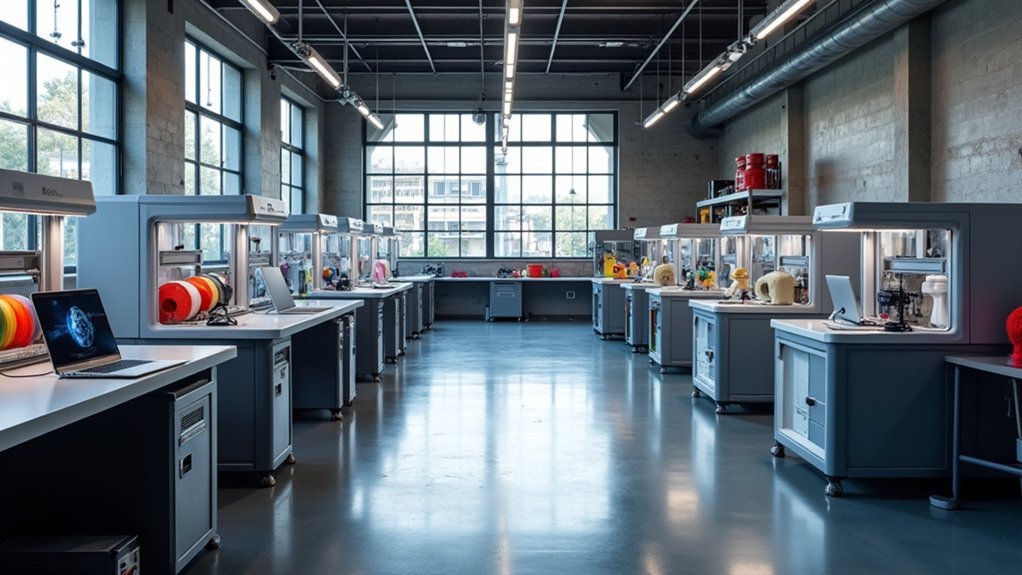
You’ll need to start by conducting a thorough market analysis to identify your target niche among engineers, artists, and professionals, then budget $1,000-$10,000+ for equipment plus operational costs. Choose between FDM or DLP technology based on your applications, select a strategic location near potential clients, and design workflows for quality control. Establish competitive pricing starting around $1.124 per hour for break-even, develop targeted marketing strategies, and plan for scalability with modular equipment that can grow with demand—we’ll explore each critical step below.
Conduct a Comprehensive Needs Assessment for Your Facility
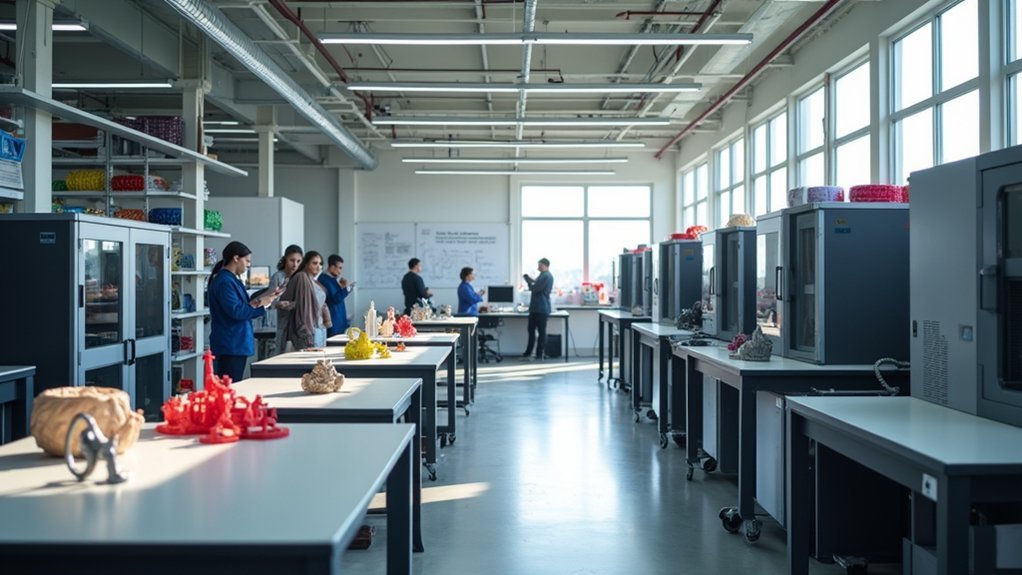
Before you invest in expensive equipment or commit to specific technologies, you’ll need to conduct a thorough needs assessment that maps out exactly what your 3D printing facility should accomplish.
Start by identifying your potential user groups—engineers, artists, educators, and other professionals—to understand their specific applications and requirements. Evaluate your existing resources, including current equipment, software, and staff expertise, to determine what gaps need filling.
Survey potential clients to analyze market demand and identify key challenges your facility can solve.
Consider consolidating services across multiple departments to maximize equipment utilization and broaden your project scope. Document all findings from your needs assessment to create a clear roadmap for selecting appropriate printers, materials, and infrastructure that’ll guarantee your facility’s success.
Define Your Commercial 3D Printing Niche and Target Market
Success in commercial 3D printing hinges on carving out a specific niche that aligns with your local market’s needs and your facility’s capabilities.
Commercial 3D printing success requires identifying a specialized niche that matches both local market demands and your facility’s unique capabilities.
When you define your commercial 3D printing niche and target market, you’ll capture up to 65% of demand by specializing rather than trying to serve everyone.
Consider these profitable niches for your 3D printing business:
- Professional prototyping services – Target engineers in architecture, medicine, and manufacturing who need rapid iteration capabilities.
- Local community services – Serve businesses and individuals lacking equipment, offering hard-to-find replacement parts and custom solutions.
- Entertainment products – Create toys, collectibles, and models featuring popular media characters for children and collectors.
Research your competitors thoroughly to identify market gaps.
Understanding your target audience’s specific applications helps you tailor offerings and establish a unique selling proposition in this competitive landscape.
Calculate Startup Costs and Develop Your Budget Plan

While your 3D printing niche determines your revenue potential, accurate financial planning guarantees you’ll have sufficient capital to launch and sustain operations. Your startup costs will typically range from $1,000 to $10,000, depending on printer specifications and facility requirements.
Beyond equipment purchases, you’ll need to budget for essential software, marketing campaigns, and workspace rental fees. A thorough setup including a MakerBot Replicator 218 with necessary software and licensing can total approximately $14,725.
Don’t overlook material expenses—filaments and resins greatly impact your project costs and profit margins.
Develop a detailed budget that accounts for ongoing operational expenses, then continuously monitor your costs versus revenues to maintain profitability in this competitive market.
Select the Right Location and Design Your Workspace Layout
Strategic location selection can make or break your 3D printing facility’s success, so you’ll want to target areas with high concentrations of potential clients.
Your 3D printing business success hinges entirely on choosing the right location with abundant potential clients nearby.
Focus on neighborhoods near engineering firms, architecture studios, and art schools where demand for 3D printing services runs high.
When designing your workspace layout, consider these essential elements:
- Printer configuration – Install 3-5 printers for high-volume operations or 2 for smaller production needs
- Safety systems – Implement proper ventilation and air filtration to handle material fumes
- Collaborative zones – Create dedicated areas for team communication and project management
Ensure your location provides ample electrical outlets, ergonomic furniture, and space for laptops and software.
This strategic approach to location and layout design will optimize both productivity and client accessibility.
Choose Industrial-Grade 3D Printers and Equipment

You’ll need to evaluate your facility’s production volume requirements to determine the scale and capacity of printers required for your operations.
Compare FDM versus DLP technologies, as FDM printers offer versatility and material range while DLP provides higher precision for detailed work.
Assess open-source options alongside commercial solutions to find the right balance between customization flexibility and manufacturer support for your specific business needs.
Evaluate Production Volume Requirements
Determining your production volume needs forms the foundation for selecting the right industrial-grade 3D printing equipment.
When you evaluate production volume requirements, you’ll establish whether your printing service demands high-capacity or moderate-throughput operations.
Consider these key factors when reviewing your production needs:
- High-volume operations – Require 3-5 industrial-grade printers to meet demanding production schedules and client deliverables.
- Lower-volume operations – Need approximately 2 printers to handle moderate workloads efficiently.
- Scalability planning – Account for future growth potential when determining initial equipment investments.
Your production volume review directly impacts equipment selection, facility space requirements, and operational costs.
Compare FDM Vs DLP
Once you’ve established your production volume requirements, selecting between FDM and DLP technology becomes your next critical decision. Each technology offers distinct advantages that’ll shape your facility’s capabilities and operational costs.
| Factor | FDM | DLP |
|---|---|---|
| Initial Investment | $3,000-$10,000 | Starting at $2,000 |
| Build Volume | Large prototypes capable | Limited size, detailed items |
| Material Cost | Thermoplastic filaments | Higher-cost liquid resins |
| Maintenance | Regular filament changes | Resin handling, post-processing |
FDM printers excel at creating functional parts with thermoplastics that withstand higher temperatures, making them ideal for prototyping and versatile production. DLP technology provides superior resolution and faster speeds, perfect for detailed models like dental molds. Consider your specific application requirements when choosing.
Assess Open-Source Options
While industrial-grade printers offer proven reliability, open-source 3D printers present compelling advantages that shouldn’t be overlooked when building your facility.
These systems deliver significant cost savings while providing exceptional flexibility through third-party software integration and customizable accessories that enhance your production capabilities.
When evaluating open-source 3D printers, focus on these critical factors:
- Material compatibility – Select models supporting multiple plastics and resins to accommodate diverse client projects and expand your service offerings.
- Community support – Choose printers with active user groups providing valuable troubleshooting assistance and operational insights.
- Long-term costs – Calculate maintenance expenses and consumable costs to guarantee they align with your budget and business objectives.
Open-source 3D printers can effectively complement industrial models like the CreatBot D600, creating a versatile production environment.
Source Quality Materials and Establish Supply Chain Partnerships
The foundation of any successful 3D printing operation rests on securing high-quality materials and building strong supplier relationships. When you source quality materials from reputable manufacturers, you’ll guarantee consistent performance and product durability. Look for suppliers who provide detailed specifications and certifications.
| Material Type | Key Considerations |
|---|---|
| Plastics | Temperature resistance, flexibility |
| Metals | Strength specifications, purity levels |
| Specialty Filaments | Unique properties, compatibility |
| Resins | Curing time, surface finish |
| Support Materials | Solubility, removal ease |
Diversify your material options to attract broader clientele. Implement just-in-time inventory systems to manage costs without overstocking. You’ll want to regularly evaluate partnerships and renegotiate terms to secure competitive pricing that’ll greatly affect your operational expenses.
Install Essential Software and Digital Infrastructure
You’ll need to invest in robust CAD software like Blender or SolidWorks to create and modify your 3D models effectively.
Your facility requires reliable network management systems that can handle multiple printers simultaneously and enable remote monitoring capabilities.
These digital foundations will streamline your workflow from initial design through final production, making your operation more efficient and scalable.
CAD Software Selection
Choosing the right CAD software forms the foundation of your 3D printing workflow, directly impacting everything from design capabilities to final print quality.
Your CAD software selection should align with your team’s skill level and specific manufacturing needs.
Consider these essential factors when making your decision:
- Compatibility requirements – Verify your chosen software works seamlessly with your 3D printers, whether you’re using FDM or SLA technologies.
- Integrated preparation tools – Look for programs that include slicing capabilities to convert models into printer-readable formats.
- Collaboration features – Cloud-based solutions enable multiple team members to work simultaneously while tracking all project changes.
Popular options include Blender for advanced users, SolidWorks for professional applications, and TinkerCAD for beginners.
Remember to maintain regular software updates for peak performance.
Network Management Systems
With your CAD software in place, establishing a robust network management system becomes your next priority for creating an efficient 3D printing operation. Implement a centralized system that connects all your 3D printers, enabling remote monitoring and control to enhance efficiency and reduce downtime.
Utilize software solutions like Cura Connect or 3D Printer OS to streamline job management and scheduling. These platforms optimize workflow and resource allocation across multiple printers. Ascertain all printers have compatible software and licenses supporting your desired file formats and materials.
Invest in robust Wi-Fi infrastructure to guarantee reliable connectivity for seamless commercial operation. Regular software updates are essential for leveraging new features and maintaining security.
This foundation prevents compatibility issues and keeps your facility competitive while protecting against vulnerabilities.
Hire and Train Qualified Technical Personnel
The success of your 3D printing facility depends heavily on assembling a team of skilled technical personnel who can operate equipment efficiently and deliver consistent, high-quality results.
When hiring, prioritize candidates with proven experience in 3D modeling and printing techniques to minimize training time and maximize output quality.
Your detailed training program should focus on three critical areas:
- Technology-specific education – Train staff on your facility’s FDM or DLP printers and materials to guarantee peak performance.
- Management software proficiency – Implement training on collaborative tools like Ultimaker Print Management Cluster Software for seamless workflow coordination.
- Continuous learning initiatives – Establish ongoing education programs to keep your team current with industry advancements and best practices.
This investment in personnel development directly translates to improved project success rates.
Implement Production Workflow and Quality Control Systems
Streamline your 3D printing operations by establishing a thorough production workflow that maps every stage from initial design file preparation through final quality inspection.
Document each phase including printing, post-processing, and quality checks to guarantee consistent output. Deploy enterprise management software to track production phases, manage inventory, and enhance team communication for improved workflow efficiency.
Create a robust quality control system featuring regular inspections against specified tolerances and standards. This guarantees reliability and consistency across all printed items.
Develop standardized troubleshooting procedures for common printing issues, training staff to handle equipment malfunctions and material inconsistencies effectively.
Integrate customer feedback into your quality processes to continuously improve products and adapt to market demands, fostering responsiveness throughout your facility.
Establish Pricing Models and Service Offerings
You’ll need to build a thorough cost structure analysis that accounts for material expenses, operational costs, and labor to determine your baseline pricing at $1.124 per hour for break-even operations.
Develop tiered service offerings that range from basic prints for cost-conscious customers to premium customized designs that command higher margins based on complexity and specialization.
Research your competitors’ pricing strategies and position your services competitively while ensuring profitability through platforms like 3D Hubs and your professional website.
Cost Structure Analysis
Building a profitable 3D printing facility requires understanding three core cost components: materials, operational expenses, and labor. Your cost structure analysis forms the foundation for sustainable pricing in commercial 3D printing.
When you start small with your new business, it’s hard to know exact operational costs until you track real data from your type of 3D printer.
Consider these essential cost factors:
- Material costs – ABS filament for a 4.25-hour print job costs approximately $1.80 for 72g
- Operational expenses – Electricity and equipment maintenance averaging $0.449 per hour
- Labor and service offerings – Technical know-how, lead times, and customer satisfaction efforts
Your pricing models should reflect these realities. Charging $1/hour creates losses, while $5.41/hour generates profit margins necessary for sustainable additive manufacturing business methods.
Service Tier Development
Strategic service tiers transform your cost analysis into actionable revenue streams that attract diverse customer segments.
Your service tier development should establish three distinct levels: basic printing for simple designs at competitive rates, advanced options for complex projects requiring specialized expertise, and premium services including design assistance, post-processing, and expedited delivery.
Consider implementing subscription models for frequent users, offering fixed monthly fees for predetermined print hours or materials. This approach builds customer loyalty while ensuring steady cash flow.
Use your cost structure—from $1/hr loss to $5.41/hr profit potential—to price each tier appropriately.
Conduct market research to identify unique selling propositions that differentiate your offerings.
Whether it’s faster turnaround times, superior quality, or specialized materials for niche markets, these differentiators justify premium pricing and attract specific customer segments.
Competitive Pricing Strategy
Once you’ve defined your service tiers, your pricing strategy becomes the foundation that determines whether customers choose your facility over competitors.
Your competitive pricing strategy must balance profitability with market appeal while covering essential operational costs.
Start by calculating your break-even point at approximately $1.124 per hour of printing, then build your profit margin from there.
Research local and online competitors to position your rates strategically between $5.41 to $10 per hour for high-quality prints.
Structure your competitive pricing strategy around these key elements:
- Cost analysis – Include material costs, labor, overhead, electricity consumption (0.07 kWh per hour), and maintenance expenses.
- Market positioning – Price competitively while maintaining reasonable profit margins.
- Value communication – Justify pricing through unique design capabilities, quick turnaround times, and quality assurance.
Develop Marketing Strategies to Reach Industrial Clients
Successful industrial 3D printing facilities don’t rely on luck to attract clients—they implement targeted marketing strategies that showcase expertise and build trust within their target markets.
Start by creating a professional website featuring case studies and testimonials from previous industrial clients. This establishes credibility and demonstrates your printing capabilities effectively.
Utilize LinkedIn for targeted outreach, sharing informative content about industry trends to position yourself as a thought leader in additive manufacturing.
Attend trade shows and conferences to network with stakeholders and demonstrate your technology firsthand.
Implement content marketing through white papers and blog posts addressing specific industrial challenges.
Leverage Google Ads targeting industrial keywords to guarantee visibility when potential clients search for 3D printing solutions, maximizing your facility’s reach.
Set Up Project Management and Customer Communication Tools
While attracting industrial clients is essential, managing their projects efficiently requires robust systems that streamline operations and maintain clear communication channels.
You’ll need extensive project management software to coordinate workflows and track deliverables across multiple concurrent projects.
Start by implementing these critical systems:
- Deploy specialized project management software like Ultimaker Print Management Cluster Software or 3D Printer OS to coordinate printing workflows and monitor production status.
- Install collaboration platforms such as Slack or Trello for real-time communication, file sharing, and progress updates among team members.
- Integrate CRM systems to manage client interactions, track project statuses, and enhance customer service delivery.
Establish clear communication protocols ensuring everyone understands timelines and expectations.
Regularly evaluate your tools based on team feedback to maintain operational efficiency.
Plan for Scalability and Future Technology Upgrades
After establishing effective project management systems, you must design your facility with growth in mind to avoid costly restructuring as demand increases.
Starting a 3D printing business requires strategic planning for expansion from day one.
Begin with 3-5 printers for high-volume production, guaranteeing capacity grows alongside demand without overinvestment.
Choose modular printer options that allow easy upgrades and technology integration as new advancements become available.
Implement robust software like Cura Connect to manage multiple printers and streamline operations efficiently.
Allocate budget for future technology upgrades by identifying key advancements in materials and printer capabilities.
Establish continuous assessment processes for production needs and technology trends.
This approach guarantees you’ll make informed strategic decisions about scaling equipment and upgrading capabilities over time.
Frequently Asked Questions
How Much Does It Cost to Start a 3D Printing Business?
You’ll need $1,000 to $10,000 to start your 3D printing business. This covers your printer, materials, software, and workspace costs. Higher-end printers like MakerBot’s cost around $8,000, but you’ve got affordable options available.
Is a 3D Printing Business Profitable?
You’ll find 3D printing businesses profitable when you target diverse industries like engineering, architecture, and medicine. You can increase revenue by offering design services, custom products, and catering to clients without equipment.
Do You Need a License for 3D Printing?
You don’t need a specific license for 3D printing itself, but you’ll need a business license for commercial operations. Check local zoning laws and industry regulations, especially for medical devices.
What Is the Average Price for a Personal as Well as Commercial 3D Printer?
You’ll pay $200-$2,500 for personal 3D printers, while commercial models cost $5,000-$50,000 for mid-range options. High-end industrial printers exceed $100,000, plus you’ll need additional software and maintenance expenses.

Leave a Reply