
Your glow-in-the-dark filament’s shelf life typically ranges from 12-24 months when stored properly at 18-25°C with 40-50% humidity in airtight containers. Poor storage conditions can reduce this to just 6-12 months, with noticeable glow degradation after 8-10 months. The actual glow duration of printed objects varies from 30 minutes to over 10 hours depending on print thickness and charging exposure. Premium brands maintain better longevity and performance throughout their lifespan, offering enhanced durability compared to budget alternatives.
Understanding Phosphorescent Materials in 3D Printing Filaments
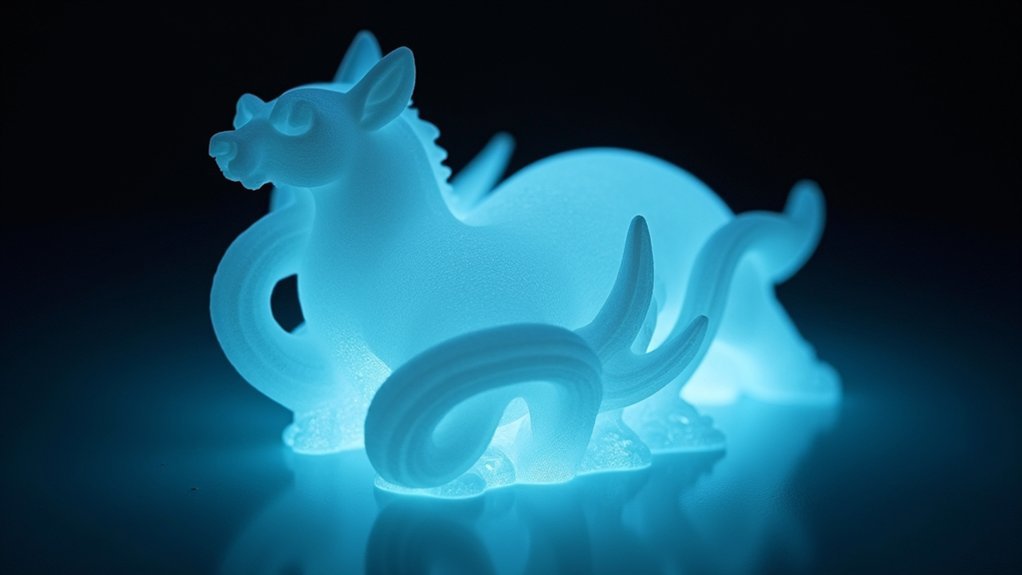
When you’re exploring glow-in-the-dark 3D printing, you’re working with phosphorescent materials that have been carefully integrated into standard PLA filament. These additives absorb light energy and slowly release it over time, creating that distinctive glowing effect you see in darkness.
You’ll find that most glow filaments use PLA as their base material, which means you’ll retain the same printing benefits like warp-free performance and excellent layer adhesion. The phosphorescent particles don’t noticeably alter the filament’s core properties, so you can print confidently using familiar settings.
These materials offer versatility for decorative items, novelty toys, safety markers, and artistic projects. You can control the intensity of the glow effect by adjusting your wall thickness and infill density during the printing process. They’re also biodegradable and non-toxic, making them safe for classroom and office environments while maintaining the eco-friendly characteristics of standard PLA.
Factors That Determine Glow-in-the-Dark Filament Shelf Life
Several key factors determine how long your glow-in-the-dark filament will maintain its quality and performance capabilities.
Environmental conditions play the biggest role—humidity causes your filament to absorb moisture, making prints brittle and causing extrusion problems. Temperature fluctuations and UV exposure from direct sunlight will degrade the material over time.
Your storage practices greatly impact shelf life. You’ll get best results storing filament in cool, dry environments between 65-85°F with 40-50% humidity.
Avoid basements and attics where conditions fluctuate wildly. Use airtight containers with desiccants for opened spools.
The packaging quality matters too. Multi-layer, resealable packaging with low water vapor transmission rates protects better than basic wrapping.
Handle your filament gently and monitor it regularly for signs of degradation. With proper storage techniques, you can extend your glow filament’s usable life up to 12 months.
Proper Storage Techniques for Maximum Filament Longevity
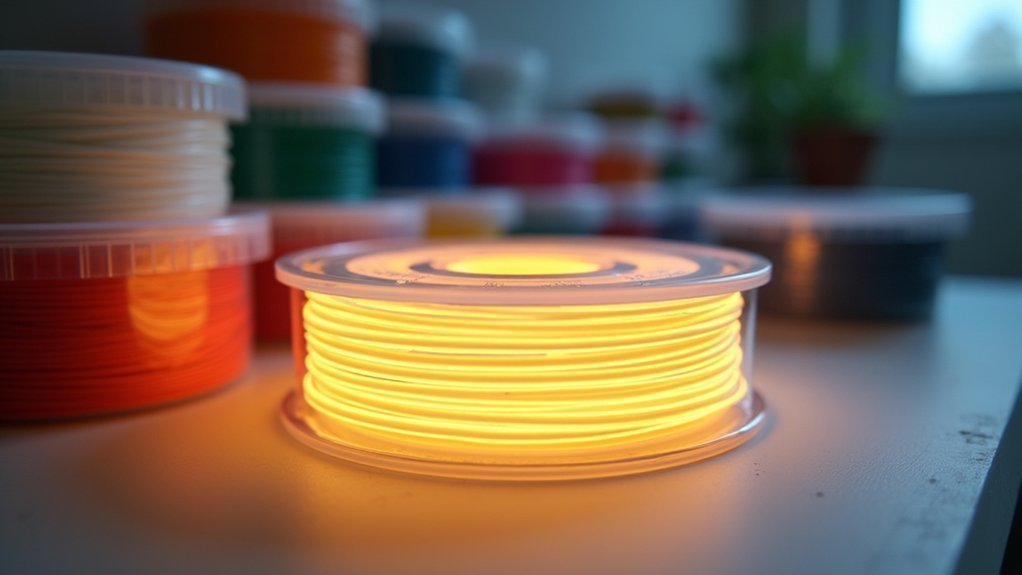
Protecting your glow-in-the-dark filament requires specific storage techniques that’ll keep it printing beautifully for months or even years. Store your filament in airtight containers with rubber seals to prevent moisture absorption, which degrades print quality.
Add desiccant packets to maintain humidity levels between 10-20%, especially essential for moisture-sensitive glow filaments. Keep containers away from direct sunlight and heat sources to prevent UV degradation of the phosphorescent particles.
For budget-friendly solutions, use thick zip-lock bags with silica gel packets inside airtight boxes for double protection. Label containers with filament type and purchase date to track age and prioritize older stock.
Monitor humidity with hygrometers and replace saturated desiccants regularly. Inspect your filament periodically for brittleness or discoloration indicating degradation. Consider using a filament dry box during printing to maintain optimal conditions and prevent moisture exposure while the filament feeds into your printer.
Signs of Glow Filament Degradation and Quality Loss
You’ll notice several telltale signs when your glow filament starts deteriorating, ranging from obvious visual changes to shifts in physical properties and reduced luminescent performance.
These degradation indicators typically appear gradually, so monitoring your filament’s appearance, handling characteristics, and glow output helps you catch quality loss early. The strontium aluminate particles responsible for the phosphorescent properties can settle or clump over time, affecting the filament’s ability to absorb and release light energy effectively.
Recognizing these warning signs prevents printing failures and guarantees you replace your filament before it compromises your projects.
Visual Degradation Indicators
Discoloration serves as one of the earliest warning signs that your glow filament is beginning to deteriorate.
You’ll notice the vibrant colors start fading or shifting to unwanted hues, signaling that the phosphorescent particles are breaking down. As degradation progresses, your filament develops haze or cloudiness, creating a milky appearance that wasn’t present when new.
Physical changes become apparent when you handle the material. The filament turns brittle and stiff, making it prone to cracking or snapping during unspooling.
You’ll also observe increased opacity as the once-translucent material loses its clarity, directly impacting its ability to glow effectively.
Color consistency becomes another telltale indicator. Instead of uniform coloring throughout the spool, you’ll spot variations and patches of different shades across the filament’s length. Additionally, the surface may show signs of mechanical stress from improper storage on tightly wound spools, creating weak points that compromise the filament’s structural integrity.
Physical Property Changes
As glow filament degrades, its mechanical properties shift dramatically from the original specifications.
You’ll notice increased material brittleness when your prints become more fragile and prone to cracking under minimal stress. This brittleness often results from inconsistent extrusion caused by moisture absorption or improper storage conditions.
Your prints’ structural integrity suffers considerably as degraded filament creates weak layer adhesion, leading to separation during use.
The tensile strength decreases substantially, making objects unable to withstand normal handling forces they once could manage easily.
Bending and impact resistance also deteriorate as the filament’s molecular structure breaks down. The glow particles within the filament contribute to this degradation by making the material more abrasive and reducing overall structural cohesion.
You’ll find that prints that previously flexed without issue now snap under light pressure, indicating the glow particles have compromised the base material’s flexibility and overall durability.
Glow Performance Decline
When your glow filament begins to degrade, the most noticeable change occurs in its luminescent performance rather than its printing characteristics.
You’ll first notice reduced glow duration as your filament’s ability to maintain its luminescence diminishes over time. The brightness intensity will also decrease considerably, making your prints appear dimmer than when using fresh material.
Degraded filament won’t charge as effectively under UV light, resulting in inconsistent charging across your printed objects.
You’ll observe uneven glowing areas where some sections maintain their luminescence while others fade quickly. The glow will fade faster than expected after each charging cycle.
These performance issues stem from moisture exposure, direct sunlight damage, or poor storage conditions that break down the phosphorescent materials responsible for the glowing effect. Additionally, you may notice signal fluctuations in the filament’s overall luminescent output, indicating potential internal degradation of the glow-producing compounds.
How Print Thickness Affects Glowing Duration
You’ll notice that print thickness markedly impacts how long your glow filament maintains its luminous effect.
Thicker prints generally produce brighter glows and seem to last longer, but there’s a sweet spot where additional material volume stops providing meaningful benefits.
Understanding the relationship between thin versus thick prints helps you optimize your design for the best glowing performance without wasting filament. Testing revealed that 3 mm thick samples provided optimal results for measuring both brightness and glow duration consistently.
Thin Vs Thick Prints
Print thickness dramatically influences how long your glow-in-the-dark objects will shine after the lights go out.
Thin prints contain less phosphorescent material, resulting in shorter glow durations and dimmer visibility. You’ll notice they fade quickly because there’s simply less glowing material to store and emit light energy.
Thick prints offer significant advantages with longer-lasting, brighter glows. They contain more phosphorescent particles that absorb and store greater amounts of light energy.
When you compare them side-by-side, thicker prints appear more vibrant and maintain their glow much longer than their thinner counterparts.
For decorative projects requiring prolonged glow effects, you’ll achieve better results with thicker prints. The filament quality also plays a crucial role in determining how long your prints will continue glowing in darkness.
They’re also more durable due to increased material volume, making them ideal for functional items.
Material Volume Impact
Since the volume of material directly determines how much phosphorescent content your print contains, understanding this relationship becomes vital for achieving ideal glow performance.
You’ll find that larger prints consistently glow longer because they contain more phosphor particles per cubic unit. When you increase your print’s thickness, you’re fundamentally packing more glow-producing material into the same surface area, resulting in markedly extended glow duration.
Your layer height settings also play an important role in this equation. Thicker layers allow more phosphor particles to accumulate, creating a denser concentration of glow material.
This means you can optimize your print configuration by choosing thicker layers when glow duration matters more than surface finish. The glow effect becomes stronger when your prints are exposed to UV light before use. Remember that efficient phosphor distribution in thicker prints enhances overall glow effects considerably.
Optimal Thickness Guidelines
When determining the ideal thickness for your glow filament prints, aim for layer heights between 0.15 and 0.3 mm to achieve the perfect balance of glow duration and print quality.
Thicker layers deposit more phosphorescent pigment per layer, greatly boosting your print’s light absorption and emission capabilities. You’ll notice that 0.3 mm layers create more intense, longer-lasting glows compared to thinner alternatives.
Here’s what you should consider for best results:
- Use 0.4 mm nozzles with hardened steel construction to prevent wear from abrasive phosphorescent particles
- Maintain consistent layer heights throughout your print to avoid dim spots or uneven glow distribution
- Avoid layers below 0.1 mm as they reduce pigment volume and create disappointing glow effects
Consistent thickness guarantees uniform phosphorescent coverage across your entire print. Additionally, increasing your wall counts can significantly improve glow visibility by adding more material density to capture and emit light.
Charging Methods for Optimal Glow Performance
To maximize your glow filament’s brightness and duration, you’ll need to understand how different light sources affect charging performance.
Direct sunlight provides the most effective charging, producing the strongest and longest-lasting glow. UV light sources outperform regular indoor lighting, while standard LED or incandescent bulbs typically lack sufficient intensity for full charging.
For best results, expose your prints to high-intensity white or UV lights for several minutes. Studio lights with 200W power and daylight color temperature work well indoors.
Rotate your parts during charging to guarantee uniform coverage across all luminescent surfaces.
Store filaments in dry conditions to preserve phosphor particles and maintain charging efficiency. The modern pigment responsible for the glow effect is strontium aluminate, which has replaced older radioactive materials.
Overcharging provides diminishing returns, so focus on consistent, adequate exposure rather than extended charging sessions.
Color Variations and Their Impact on Glow Duration
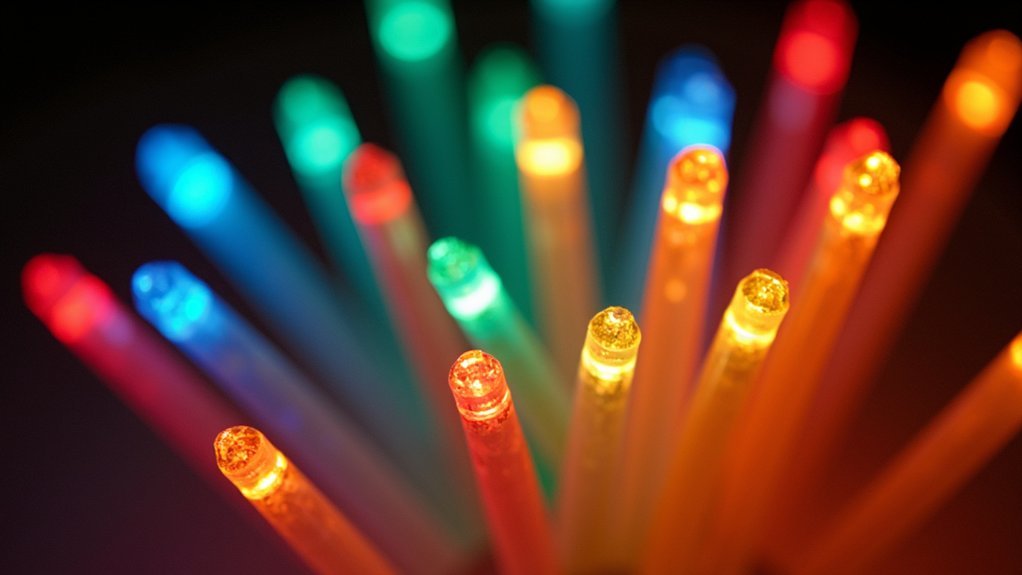
While all glow filaments share similar phosphorescent technology, the color you choose greatly affects how long your prints will maintain their luminescent effect.
Green glow filaments deliver the brightest and longest-lasting performance, making them your best choice for extended visibility. Blue filaments offer decent brightness and duration, with Nobufil standing out among blue options for superior performance. Red filaments typically provide the shortest glow duration, often fading within 30 minutes of charging.
Green glow filaments offer the best brightness and duration, while red variants fade quickly within thirty minutes of charging.
Your color choice directly impacts visibility in dark environments:
- Green filaments maintain brightness for several hours after charging
- Blue options offer moderate glow duration but excellent visibility
- Red and rainbow variants sacrifice longevity for aesthetic appeal
When selecting glow filament, prioritize green for maximum duration or blue for balanced performance and visual appeal. Most glow filaments require precise temperature control similar to PLA, typically printing at 205±15°C for optimal results.
Environmental Conditions That Reduce Filament Lifespan
You’ll find that environmental conditions play an essential role in determining how long your glow filament remains effective.
High humidity can weaken the material by causing moisture absorption, while extreme temperatures—both hot and cold—will damage the filament’s structure and reduce its glow capabilities.
Even UV light, which charges your filament, can actually degrade the material over time with prolonged exposure. Direct sunlight should be avoided as it can lead to color changes that indicate chemical breakdown of the filament.
Humidity and Moisture Damage
Since glow filaments often contain hygroscopic materials that naturally absorb moisture from the surrounding air, humidity becomes one of the most significant environmental threats to both print quality and glow performance.
When your filament absorbs moisture, you’ll notice several telltale symptoms that indicate damage has occurred.
You’ll hear popping or hissing sounds during printing as moisture turns to steam and escapes. Your prints will suffer from excessive stringing, bubbling, and rough surface finishes that diminish the glow effect’s visual appeal.
To protect your investment:
- Store filaments in sealed containers with desiccant packets
- Maintain storage humidity between 30-50% relative humidity
- Dry moisture-damaged filament before use to restore print quality
Proper humidity control preserves both mechanical strength and glow duration. Premium manufacturers utilize multi-layer packaging that provides superior moisture protection compared to standard single-layer bags.
Temperature Extremes Impact
Beyond moisture concerns, temperature extremes pose another serious threat to your glow filament’s longevity and performance.
High temperatures above your filament’s glass threshold point (around 61°C for PLA-based glow filaments) cause brittleness and deformation while accelerating phosphorescent material breakdown. You’ll notice reduced glow duration and quality when storing filament above 30°C or printing above 240°C, which risks burning and discoloration.
Cold temperatures create different problems. Extremely low storage conditions make your filament brittle and prone to cracking during handling.
Thermal cycling between hot and cold induces stress fractures that weaken the material structure.
Store your glow filament between 18-25°C for ideal preservation. This stable temperature range maintains both mechanical properties and phosphorescent efficacy, ensuring up to 24 months of usable shelf life. Temperature fluctuations can also introduce contaminants that compromise print quality and cause nozzle blockage issues.
UV Light Exposure
While temperature fluctuations weaken glow filament gradually, UV light exposure delivers immediate and irreversible damage to both the polymer structure and phosphorescent particles.
You’ll notice discoloration and yellowing within days of direct sunlight exposure, followed by brittleness that makes your filament snap during printing.
Glow filaments are particularly vulnerable since their phosphorescent additives can degrade under UV radiation, reducing their charging ability and brightness.
You’re fundamentally fighting a two-front battle: polymer degradation and phosphor deterioration. Outdoor exposure tests have shown that color-changing pigments in specialty filaments fail within just two days of UV exposure, demonstrating how rapidly UV damage occurs.
- Store your glow filament in UV-blocking containers or opaque bags immediately after opening
- Keep spools away from windows and bright workshop lights that emit UV radiation
- Choose darker storage locations like closets or cabinets to maximize lifespan
Moisture Protection Strategies for Long-Term Storage
When you’re investing in quality glow filament, protecting it from moisture becomes essential for maximizing its lifespan and maintaining consistent printing performance.
Store your unopened spools in original packaging or vacuum-sealed bags with desiccant packets to eliminate air and moisture exposure. For daily use, invest in a dry cabinet that maintains humidity below 20% relative humidity through active control systems.
Monitor storage conditions using hygrometers and replace desiccants regularly to maintain effectiveness. Silica gel packets work well inside sealed containers, but guarantee you’re using sufficient quantities relative to container volume. Professional adsorption dryers offer superior moisture removal compared to traditional oven baking or simple dehumidifier methods.
Avoid storing filament in open areas where humidity fluctuates, as moisture absorption leads to brittleness, printing defects, and reduced tensile strength that’ll compromise your glow-in-the-dark prints.
UV Light Effects on Filament Quality and Performance
UV light plays an essential role in charging your glow filament, but you’ll need to understand its double-edged nature on filament performance.
While UV exposure activates the phosphorescent particles that create the glowing effect, prolonged exposure can degrade your filament’s structural integrity and cause color changes over time.
You’ll want to find the sweet spot for ideal charging duration that maximizes glow intensity without compromising your filament’s long-term quality. The base material of your glow filament determines its UV resistance, with some formulations offering better protection against environmental degradation than others.
UV Charging Effectiveness
How effectively does UV light charge your glow filament while simultaneously affecting its long-term quality and performance?
UV charging creates a delicate balance between achieving bright, long-lasting glow and maintaining structural integrity. Your filament’s phosphorescent materials absorb high-energy UV light and re-emit it as visible glow, but this same energy gradually degrades the plastic matrix.
Charging efficiency depends on several key factors:
- UV intensity and exposure duration – Stronger sources charge faster but may accelerate material breakdown.
- Filament composition – Semi-transparent materials glow brighter yet suffer more UV penetration damage.
- Repeated charging cycles – Multiple exposures maintain glow ability while slowly reducing overall brightness capacity.
You’ll notice diminishing returns with excessive UV exposure, as phosphorescent compounds degrade alongside the base polymer, ultimately shortening your filament’s functional lifespan. Extended UV exposure significantly reduces plastic deformation capabilities, with materials losing up to 61% of their original flexibility after prolonged radiation exposure.
Prolonged Exposure Damage
While your glow filament benefits from UV charging, extended exposure creates mounting damage that’ll progressively compromise both appearance and structural performance.
UV radiation breaks down polymer chains in your filament material, reducing molecular weight and mechanical strength over time. You’ll notice color bleaching first, followed by increasing brittleness as photodegradation alters the chemical composition.
Surface erosion and microcracking develop with prolonged exposure, diminishing your print’s structural integrity. The thermal stress from sunlight synergizes with UV damage, accelerating warping in sensitive materials. UVB radiation causes the most severe chemical degradation and drives the rapid deterioration you’ll observe in outdoor applications.
Since most glow filaments use PLA as their base, they’re particularly vulnerable to this degradation process.
You can protect your prints with UV-blocking coatings, controlled shielding from direct sunlight, or proper storage to slow these degradation kinetics considerably.
Optimal Light Duration
Finding the sweet spot for UV exposure maximizes your glow filament’s performance without compromising its structural integrity.
You’ll want to aim for 30 minutes of UV or bright sunlight exposure to achieve peak brightness. This duration allows the phosphorescent particles to absorb maximum energy without degrading the filament’s properties through overexposure.
Short exposures under a few minutes won’t provide enough energy for a satisfying glow, while excessive charging beyond recommended times offers diminishing returns and may weaken your filament over repeated cycles. The luminous effect creates a unique printing experience that enhances visibility in dark environments.
- Consistent exposure: Guarantee uniform lighting across your entire print for even glow distribution
- Indoor alternatives: Match outdoor sunlight intensity when using artificial UV sources indoors
- Storage timing: Charge your prints just before use for maximum visible impact
Temperature Control for Preserving Glow Properties
Because glow filament contains photoluminescent particles that can degrade under improper conditions, maintaining the right temperature during storage becomes essential for preserving its unique properties.
You’ll want to store your filament in a cool, dry environment at approximately 20°C. Avoid basements, attics, or areas with significant temperature fluctuations that can compromise the material’s integrity.
Keep your filament away from heat sources and direct sunlight, which can cause thermal degradation. Consistent storage conditions lead to reliable printing results and help maintain the photoluminescent properties over time.
Use airtight containers with desiccants to maintain humidity below 20% RH, preventing moisture absorption that leads to brittleness and diminished glow properties. Vacuum bags work exceptionally well for long-term storage.
After printing sessions, always return your filament to cool storage conditions to prevent ongoing thermal damage.
Brand Quality Differences in Filament Durability
Beyond proper storage conditions, the brand you choose greatly impacts how long your glow filament will maintain its luminescent properties and overall durability.
Premium brands like ColorFabb’s GlowFill use PLA-PHA blends that enhance toughness and inter-layer adhesion, resulting in prints that last longer. Meanwhile, Overture’s Green Glowing PLA maintains visible glow for over 10 hours, while Nobufil and Amolen blue variants glow for 8+ hours.
Key factors that differentiate brand quality include:
- Phosphor particle quality – finer distribution reduces abrasion and maintains consistent glow
- Manufacturing processes – better pigment dispersion leads to improved glow longevity
- Material formulation – higher-quality blends offer superior mechanical strength and print reliability
You’ll find that investing in reputable brands typically means better durability and longer-lasting glow performance. User reviews consistently highlight performance differences between budget and premium glow filament options.
Maintenance Requirements for Abrasive Glow Materials
While glow filaments offer stunning visual effects, their phosphorescent particles make them inherently abrasive and require specific maintenance protocols to guarantee consistent performance.
You’ll need to dry your glow filament at 55°C for eight hours before use, removing moisture that degrades print quality. Store filaments vacuum-sealed with desiccants in dry environments to prevent moisture absorption and contamination.
Print temperatures between 200°C-230°C with heated beds at 50°C-70°C work best. You can safely use brass nozzles, though watch for extruder blockages caused by heat creep and filament softening. Regular flushing of glow filament after completing prints helps prevent accumulation of phosphorescent particles that can cause future blockages.
Use 0.4mm nozzles for best results—avoid 0.2mm sizes. Handle filament carefully to prevent mechanical stress and breakage. Brief UV exposure rejuvenates glow intensity, but prolonged exposure damages phosphorescent properties permanently.
Expected Lifespan Ranges for Different Storage Scenarios
When stored under ideal conditions, glow filament typically maintains its printing quality for 18-24 months, though the phosphorescent properties begin degrading after 12-15 months regardless of storage methods.
Different storage scenarios greatly impact your glow filament’s lifespan:
Storage conditions dramatically affect how long your glow filament remains usable for 3D printing projects.
- Optimal storage (18-25°C, 40-50% humidity, original packaging): You’ll get maximum 24 months of print quality with 15 months of full glow intensity.
- Average home storage (room temperature, variable humidity): Expect 12-18 months of usable filament with noticeable glow reduction after 8-10 months.
- Poor storage (exposed to heat, moisture, UV light): Your filament may degrade within 6-12 months, with glow properties failing as early as 4-6 months.
Using dry boxes with silica gel packs appreciably extends these timeframes while protecting both printability and luminescent characteristics. If you experience recurring issues with filament degradation or need technical assistance with storage methods, consult troubleshooting resources for comprehensive guidance.
Frequently Asked Questions
Can I Mix Glow-In-The-Dark Filament With Regular Filament During Printing?
You can mix glow-in-the-dark filament with regular filament, but you’ll face compatibility issues, inconsistent print quality, increased nozzle wear, and potential layer adhesion problems that may cause print failures.
Will Glow Filament Work in Multi-Color 3D Printers Without Contamination?
You’ll face contamination risks when using glow filament in multi-color printers. The abrasive particles can mix between colors, affecting accuracy. You’ll need precise temperature control and compatible filaments to minimize cross-contamination issues.
How Much Does Glow Filament Cost Compared to Standard PLA Filament?
You’ll pay $23-$48 per kg for glow filament compared to $15-$25 for standard PLA. That’s roughly $2-$23 more per kg, though bulk purchases can reduce glow filament costs considerably.
Can Glow-In-The-Dark Prints Be Painted Without Losing Their Glowing Properties?
You can paint glow-in-the-dark prints while preserving their glowing properties by using thin layers, avoiding overpaint on glowing areas, and choosing UV-permeable paints that won’t block phosphor charging or interfere with phosphorescence.
Is Glow Filament Safe for Children’s Toys and Food-Contact Applications?
You can safely use glow filament for supervised children’s toys if they’re non-toxic and age-appropriate. However, you shouldn’t use glow filament for food-contact applications since it lacks proper food-grade certifications.
In Summary
You’ll get the best longevity from your glow filament by storing it properly in airtight containers with desiccants. While the phosphorescent properties won’t degrade considerably over time, moisture exposure can ruin print quality within months. You can expect 2-3 years of shelf life with proper storage, though cheaper brands may deteriorate faster. Remember that thicker prints glow longer, and you’ll need to maintain your printer more frequently due to the material’s abrasive nature.


Leave a Reply