

You’ll achieve ideal building performance with tools like Autodesk Revit for integrated energy modeling, SketchUp Pro with Sefaira extensions for real-time analysis, and Rhino 3D with Grasshopper for parametric studies. IES VE delivers thorough energy simulation, while OpenStudio provides open-source flexibility. ArchiCAD EcoDesigner handles environmental impact assessments, Bentley MicroStation tackles structural analysis, and Ladybug Tools offers climate-responsive design capabilities within your existing workflow. These powerful solutions will transform how you approach sustainable design optimization.
Autodesk Revit for Energy Modeling and Thermal Analysis
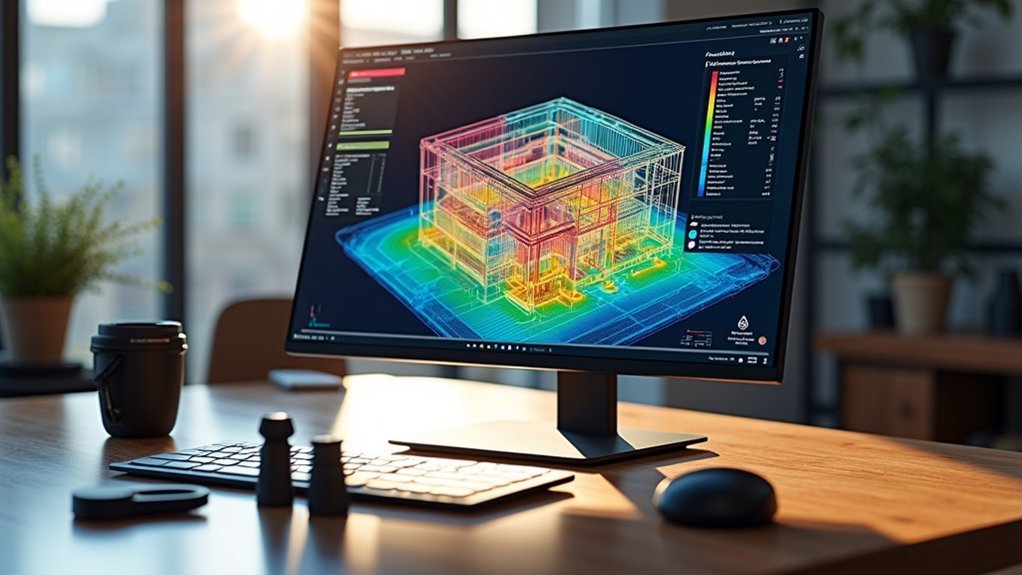
When you’re developing building prototypes, Autodesk Revit serves as a thorough platform that integrates energy modeling and thermal analysis directly into your design workflow.
You’ll access powerful simulation capabilities that evaluate energy efficiency from early building design stages through detailed performance assessments.
The software connects seamlessly with Autodesk Insight, enabling you to analyze heating and cooling loads using dynamic thermal models. You can simulate various scenarios including HVAC systems, building orientation, and material selections to optimize energy performance.
Revit supports EnergyPlus and IES simulation engines, delivering accurate performance data for informed decision-making.
Through whole-building energy simulations, you’ll assess daylighting, thermal comfort, and energy consumption patterns.
This extensive approach helps you achieve compliance with energy codes while advancing sustainable building projects through data-driven design optimization.
Sketchup Pro With Energy Extensions for Building Performance
You’ll discover that SketchUp Pro’s energy extensions like Sefaira transform your 3D models into powerful performance analysis tools.
These add-ons let you evaluate energy efficiency, daylighting, and thermal comfort while you’re still designing, giving you instant feedback on your decisions.
You can run simulations with different materials and building orientations to see how each choice affects energy consumption and sustainability goals.
Energy Analysis Features
SketchUp Pro transforms into a thorough building performance analysis platform once you integrate energy analysis extensions like Sefaira, giving you the power to evaluate energy consumption, daylighting, and thermal comfort in real-time as you design.
These energy analysis features enable you to simulate multiple design scenarios during your design process, helping identify energy-efficient options early. You’ll generate detailed reports providing insights into energy use intensity and carbon emissions, ensuring compliance with sustainability standards.
The parametric modeling capabilities facilitate real-time collaboration by offering immediate feedback collection on how design changes impact building performance.
This integration streamlines your workflow, allowing seamless shifts from design to energy modeling without switching platforms, making prototype tests more efficient and accurate.
Performance Simulation Capabilities
Beyond basic energy analysis, performance simulation capabilities in SketchUp Pro equipped with extensions like Sefaira and Eneroth let you dive deep into thorough building behavior modeling.
These tools enable extensive energy performance evaluation through detailed energy models that simulate real-world conditions.
You’ll conduct real-time analysis examining:
- HVAC system efficiency and thermal performance
- Daylighting optimization and natural illumination patterns
- Insulation effectiveness across different materials
- Energy usage patterns throughout seasonal variations
- Compliance verification with efficiency standards
The visualization capabilities help you make informed design decisions by presenting complex data clearly.
You can assess energy performance scenarios before construction, identifying cost-saving opportunities early.
This analysis supports iterative design processes, ensuring your prototypes meet sustainability goals while maintaining functionality and aesthetic appeal.
Rhino 3D With Grasshopper for Parametric Performance Studies
When you’re exploring parametric design for building performance analysis, Rhino 3D with Grasshopper transforms complex architectural challenges into manageable, data-driven solutions.
You’ll create parametric models that dynamically adjust based on structural integrity and environmental impact criteria. Grasshopper’s visual programming interface eliminates the need for extensive coding knowledge, making sophisticated analysis accessible to architects and designers.
Parametric models adapt in real-time to structural and environmental criteria through Grasshopper’s intuitive visual programming interface.
You can integrate performance analysis tools like Ladybug and Honeybee directly into your workflow, receiving real-time feedback on energy consumption and daylight analysis that enhances sustainability decisions.
The platform’s optimization algorithms let you evaluate multiple design iterations rapidly, improving your process efficiency. Through iterative testing and refinement, you’ll develop innovative architectural solutions that respond effectively to site conditions and user needs.
ArchiCAD EcoDesigner for Environmental Impact Assessment
You’ll find ArchiCAD EcoDesigner seamlessly integrates lifecycle assessment and carbon footprint calculations into your BIM workflow, making environmental impact analysis an integral part of your design process.
The tool’s core features let you evaluate energy consumption, material usage, and sustainability metrics in real-time as you modify your building prototype.
You can quickly analyze building efficiency across different design scenarios, comparing environmental performance data to optimize both resource consumption and compliance with green building standards.
EcoDesigner Core Features
Since environmental impact assessment has become a critical component of modern architectural practice, EcoDesigner Core delivers thorough sustainability analysis directly within ArchiCAD’s design environment.
This tool streamlines testing environmental performance throughout your development process, providing immediate feedback on design decisions. You’ll find the user-friendly interface enhances usability while generating detailed reports for green certification requirements.
Key features include:
- Energy consumption analysis for optimizing building performance
- Carbon emissions tracking throughout the design process
- Material usage assessment for sustainable construction choices
- LEED and BREEAM standards compliance support
- Scenario simulation for comparing different design approaches
The product enables you to evaluate various materials and construction methods before finalizing projects, ensuring your designs meet industry sustainability benchmarks while maintaining architectural integrity.
Environmental Performance Metrics
Building on these extensive analysis capabilities, ArchiCAD EcoDesigner measures environmental performance through specific metrics that give you precise insights into your project’s sustainability profile.
You’ll track energy consumption patterns, CO2 emissions levels, and overall environmental footprint to develop eco-friendly design solutions. The software integrates these environmental performance metrics directly into your design workflow, enabling real-time optimization of materials and building systems.
You can leverage thorough reporting features to visualize performance data and communicate results effectively to clients and stakeholders.
This integration supports your pursuit of sustainable architecture while ensuring compliance with green building standards and certifications. By analyzing these metrics throughout development, you’ll make informed decisions that reduce environmental impact and enhance building performance from concept to completion.
Building Efficiency Analysis
ArchiCAD EcoDesigner transforms your design process by delivering extensive building efficiency analysis that extends far beyond basic energy calculations.
You’ll receive real-time user feedback on energy performance while exploring different design scenarios to optimize your building’s environmental impact.
The tool’s extensive database empowers you to make data-driven decisions about resource use and sustainability standards compliance:
- Compare energy analysis results across multiple design iterations
- Access detailed material environmental impact assessments
- Evaluate carbon footprint implications for each design choice
- Generate reports supporting LEED and BREEAM certifications
- Optimize building efficiency before construction begins
You can analyze various design scenarios simultaneously, enabling informed decisions that enhance energy performance.
The integrated approach guarantees you’re meeting sustainability standards while maintaining design integrity and cost-effectiveness throughout your project development.
Bentley MicroStation for Structural Performance Analysis
Precision defines Bentley MicroStation’s approach to structural performance analysis, offering engineers a thorough CAD platform that seamlessly integrates advanced modeling and simulation capabilities.
You’ll find extensive design tools that support civil engineering projects while analyzing structural integrity and optimizing performance under various loading conditions.
The software’s parametric modeling enables rapid iterations, letting you modify designs and instantly visualize impacts on structural performance.
You’ll benefit from exceptional interoperability with RAM Structural System and STAAD.Pro, facilitating seamless data exchange and enhanced collaboration among multidisciplinary teams.
MicroStation’s prototype testing features generate detailed reports and compelling visualizations, helping you communicate findings effectively to stakeholders.
These performance analysis features streamline your workflow while ensuring accurate assessment of building prototypes throughout the development process.
ANSYS Discovery for Computational Fluid Dynamics Testing
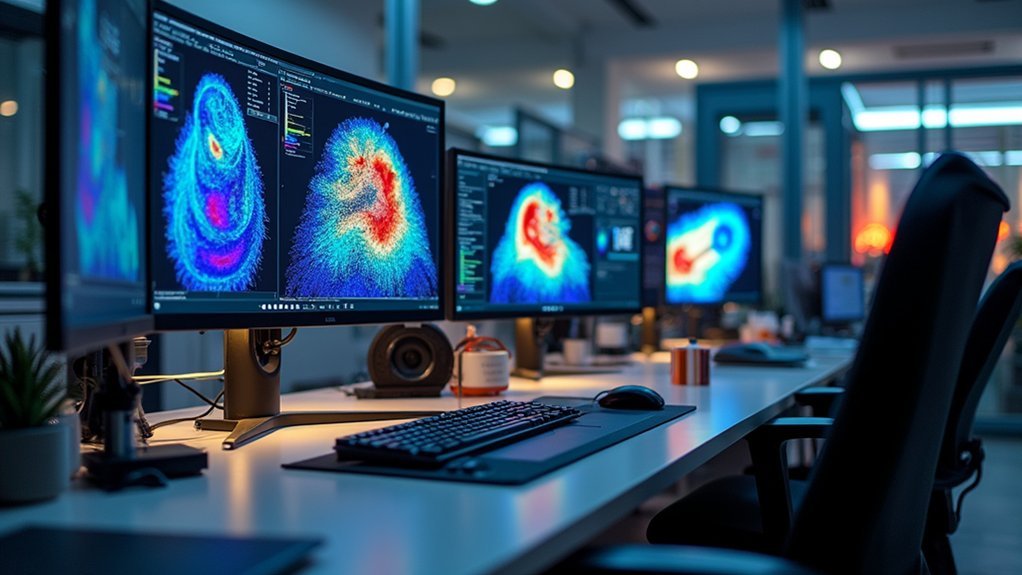
When you need to visualize fluid flow and heat transfer phenomena in real-time, ANSYS Discovery transforms computational fluid dynamics testing by delivering immediate simulation feedback as you design your prototypes.
This powerful platform accelerates prototype building through integrated CAD tools that enable rapid design iterations. You’ll test fluid behavior changes instantly without lengthy simulation runs, making performance analysis more efficient than traditional methods.
ANSYS Discovery’s extensive simulation capabilities include:
ANSYS Discovery delivers comprehensive simulation tools that streamline fluid dynamics analysis through intuitive workflows and real-time visualization capabilities.
- Steady-state and transient analyses for various operational conditions
- Advanced meshing techniques with intuitive setup workflows
- Real-time visualization of complex fluid dynamics
- Built-in optimization tools for design refinement
- Accessible interface suitable for all engineering skill levels
You can leverage these features to assess dynamic scenarios and improve overall efficiency in fluid-related applications while reducing preparation time considerably.
Twinmotion for Real-Time Lighting and Solar Analysis
You’ll find Twinmotion’s real-time lighting features transform how you visualize natural light interactions with your architectural designs throughout different times and seasons.
The software’s built-in solar analysis capabilities let you compute solar exposure and perform shadow studies that directly impact your building’s energy efficiency optimization.
These performance optimization tools provide immediate visual feedback and detailed reports, helping you make informed design decisions while maintaining compliance with sustainability standards.
Real-Time Lighting Features
As architectural visualization demands increasingly sophisticated lighting analysis, Twinmotion’s real-time lighting features transform how you evaluate and adjust illumination in your designs.
Real users benefit from immediate visual feedback when manipulating light sources, streamlining their design workflow considerably. You can simulate lighting scenarios instantly, enhancing architectural presentations with realistic lighting effects.
The software’s intuitive interface empowers your design process through:
- Dynamic adjustment of light intensity, color, and direction
- Real-time visualization of natural and artificial lighting scenarios
- Immediate feedback for enhanced decision-making
- High-quality rendering capabilities for professional presentations
- Seamless integration of lighting analysis into design workflows
These features guarantee stakeholders gain thorough understanding of how light interacts with your designs, facilitating better-informed decisions throughout the project development cycle.
Solar Analysis Capabilities
Building upon Twinmotion’s real-time lighting capabilities, the software’s solar analysis features deliver extensive insights into how sunlight impacts your architectural designs throughout different times and seasons.
You can track the sun’s movement using the solar path feature, enabling you to optimize energy efficiency by understanding seasonal variations. The software lets you adjust time settings and geographic locations to analyze how these changes affect natural lighting conditions in your 3D environments.
Twinmotion’s intuitive interface provides instant feedback, empowering designers to make informed decisions about window placements and shading strategies.
You’ll maximize natural light utilization while minimizing unwanted heat gain. The software also exports solar analysis results as thorough visualizations, making it effortless to communicate design performance and intentions to stakeholders and clients effectively.
Performance Optimization Tools
Three core optimization features within Twinmotion transform how you analyze and refine your architectural prototypes’ performance in real-time environments.
These performance optimization tools enable designers to conduct thorough performance analysis while visualizing immediate impacts on energy efficiency and natural lighting conditions.
Twinmotion’s real-time rendering capabilities deliver instant feedback through:
- Dynamic sun positioning and shadow analysis across different seasons
- Immediate lighting condition adjustments for energy efficiency testing
- Seamless integration with CAD and BIM tools for streamlined workflows
- Interactive 3D environments that respond to design modifications instantly
- Data-driven visualization tools for stakeholder presentations
You’ll make faster, more informed decisions by utilizing these optimization features.
The software eliminates lengthy rendering delays, allowing you to test multiple design iterations quickly. Stakeholders can witness performance changes immediately, enabling collaborative refinement of prototypes without extensive rework or time-consuming analysis cycles.
IES VE for Comprehensive Building Energy Simulation
When you’re developing building prototypes that demand rigorous energy analysis, IES VE (Integrated Environmental Solutions Virtual Environment) stands out as a thorough simulation tool that’ll transform how you approach building performance optimization.
This extensive platform enables detailed energy analysis, daylighting assessments, and thermal comfort evaluations throughout your product development process.
You’ll benefit from real-time visualization capabilities that let you make informed decisions early in design phases, preventing costly modifications later. The software seamlessly integrates with CAD and BIM platforms, enhancing collaboration between your design team members.
IES VE supports compliance with international building codes and standards like LEED and BREEAM, streamlining certification processes. Its robust modeling capabilities provide the extensive UX research foundation you need for creating high-performing, sustainable building prototypes that meet rigorous environmental standards.
OpenStudio for Advanced Energy Modeling Workflows
OpenStudio delivers powerful open-source capabilities that complement commercial solutions like IES VE, offering you complete control over your energy modeling workflows without licensing constraints.
OpenStudio provides open-source energy modeling freedom, eliminating licensing restrictions while maintaining professional-grade simulation capabilities for complete workflow control.
This platform integrates seamlessly with EnergyPlus for thorough building energy performance analysis while providing a user-friendly graphical interface that simplifies complex energy simulation tasks.
OpenStudio’s versatility supports diverse building systems and enables detailed performance evaluations through:
- Advanced HVAC system modeling with precise control strategies
- Renewable energy integration for sustainable design optimization
- Robust plugin architecture enabling extensive customization options
- Multi-building type compatibility for various project scales
- Seamless workflow integration with existing design processes
You’ll appreciate OpenStudio’s flexibility for prototype analysis, especially when requiring specific customization for unique project requirements without additional software costs.
Ladybug Tools for Climate-Responsive Design Analysis
Although climate data analysis traditionally required separate software applications, Ladybug Tools transforms this process by delivering extensive environmental analysis capabilities directly within Grasshopper’s parametric design environment.
You’ll access thorough climate-responsive design analysis through this open-source plugin, enabling real-time building performance optimization.
You can simulate solar radiation, daylighting, and energy efficiency while evaluating performance metrics like thermal comfort and water usage.
The platform’s rich climate data library helps you make informed decisions about site orientation and design strategies based on local environmental conditions.
Sustainability assessments become streamlined through colorful visualization tools that display environmental impacts via charts and graphs.
Architects and designers benefit from enhanced stakeholder communication, making complex building performance data accessible and actionable throughout your design workflow.
Frequently Asked Questions
Which Tool Is Best for Prototyping?
You’ll find Figma’s your best choice for prototyping, offering top-rated collaborative features with 4.6 user satisfaction. It’s perfect when you’re working with teams and need real-time design collaboration capabilities.
What Are Some Ways to Test the Effectiveness of a Prototype?
You’ll want to conduct moderated usability testing, run A/B tests between versions, implement heatmaps for click tracking, analyze completion rates, and gather qualitative feedback through post-test surveys.
Which Integrated Tool Allows Developers to Test and Analyze a Prototype?
You’ll find Maze offers the most extensive integrated solution, letting you test prototypes and analyze performance through usability scores, path analysis, and heatmaps for both moderated and unmoderated testing sessions.
Which User Testing Methods Are Most Effective for Evaluating Prototypes?
You’ll find moderated testing and think-aloud protocols most effective for deep insights, while A/B testing provides quantifiable data. You can use unmoderated testing for larger samples and genuine reactions.

Leave a Reply