
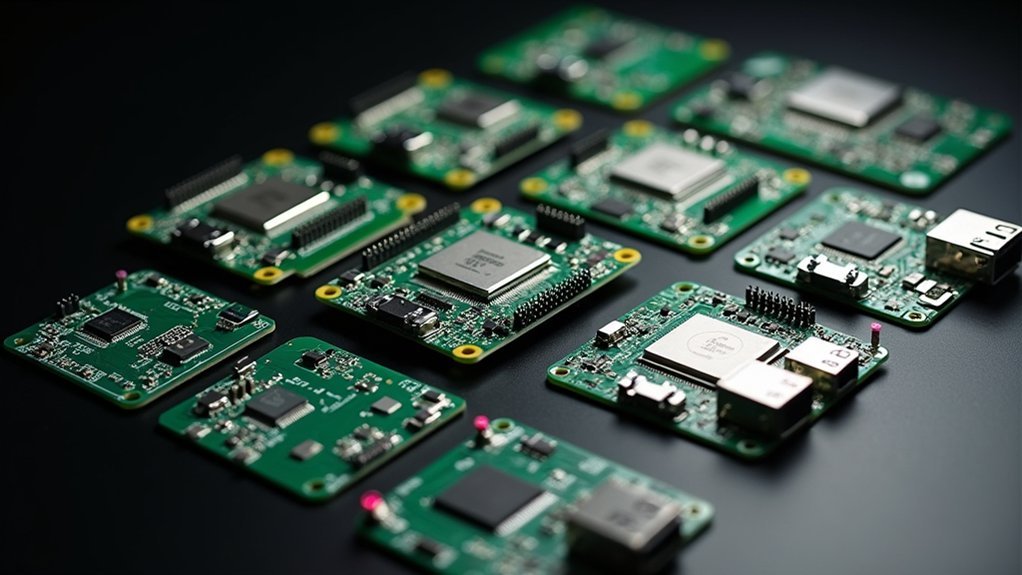
You’re probably frustrated with your 3D printer’s sluggish performance, excessive noise, or limited features. The good news? A control board upgrade can transform your printing experience entirely. Whether you’re running an entry-level machine or seeking professional-grade capabilities, the right motherboard will enable faster processing, quieter operation, and advanced functionality. But choosing from dozens of options isn’t straightforward—each board serves different needs and budgets.
BIGTREETECH SKR Mini E3 V3.0 Control Board for Ender-3 3D Printers
The BIGTREETECH SKR Mini E3 V3.0 transforms your Ender-3 series printer into a whisper-quiet powerhouse through its integrated TMC2209 UART stepper drivers, making it the ideal upgrade for makers who value peaceful printing sessions. You’ll benefit from the STM32G0B1RET6 chip’s enhanced processing power and 512KB EEPROM storage, enabling advanced features like Linear Advance and auto-bed leveling.
Installation’s straightforward, though you’ll need technical skills for firmware configuration and custom wiring, especially with BLTouch setups. The upgraded Micro USB interface and improved heat dissipation guarantee reliable performance, while the dedicated 5-pin BLTouch header streamlines sensor integration.
Best For: Experienced 3D printing enthusiasts who want to upgrade their Ender-3 series printer with quieter operation and advanced features, and are comfortable with firmware configuration and technical modifications.
Pros:
- TMC2209 UART stepper drivers dramatically reduce printing noise while improving motor performance and precision
- 512KB EEPROM storage enables advanced firmware features like Linear Advance and auto-bed leveling for enhanced print quality
- Enhanced heat management system with controllable fans and improved heat sink ensures reliable operation during long print sessions
Cons:
- Requires technical expertise for firmware configuration, custom wiring, and Marlin setup, making it unsuitable for beginners
- Limited documentation and unclear instructions, particularly for BLTouch integration and firmware modifications
- May require additional purchases like extension cables, brackets, or other components not included in the kit
BIGTREETECH SKR Mini E3 V3.0 Control Board with TFT35 E3 V3.0.1 Touch Screen for 3D Printer
BIGTREETECH’s SKR Mini E3 V3.0 control board paired with the TFT35 E3 V3.0.1 touch screen creates an ideal upgrade solution for Ender 3, Ender 3 Pro, and Ender 5 owners seeking enhanced performance and quieter operation. You’ll get the STM32G0B0RET6 main control chip with integrated TMC2209 V1.3 silent stepper drivers for whisper-quiet printing. The combo supports dual Z steppers, filament runout detection, power-off resume, and sensorless homing. You can switch between Marlin LCD emulator and touch screen interface modes. Enhanced cooling includes three PWM-controlled fans and improved heatsinks for better heat dissipation during extended print sessions.
Best For: Ender 3, Ender 3 Pro, and Ender 5 owners looking to upgrade to quieter operation with enhanced features like dual Z steppers, filament runout detection, and touch screen control.
Pros:
- Integrated TMC2209 V1.3 silent stepper drivers provide whisper-quiet printing operation
- Dual interface capability allows switching between Marlin LCD emulator and touch screen modes
- Advanced features include dual Z stepper support, filament runout detection, power-off resume, and sensorless homing
Cons:
- Limited display functionality when using Klipper firmware (12864 mode only)
- Compatibility restricted primarily to Ender 3 series and Ender 5 printers
- May require technical knowledge for installation and setup despite plug-and-play design
BIGTREETECH Manta M8P V2.0 3D Printer Control Board (Without CB1)
Power users demanding maximum processing capability will find the BIGTREETECH Manta M8P V2.0 delivers exceptional performance through its 32-bit ARM Cortex-M7 STM32H723ZET6 chip running at 550MHz. You’ll appreciate the high-efficiency MOSFET design that minimizes heat generation while the TPS5450-5A power chip handles DC12/24V input with 5A output current.
The board supports TMC5160T Plus, TMC5160, TMC2209, and TMC2240 stepper drivers. You can upgrade firmware via SD card or DFU using Klipper’s make flash command. Rich installation interfaces accommodate material breakage detection, BLTouch, RGB, I2C, and servo connections. The thermistor interface supports PT1000 with jumper-selectable pull-up resistance.
Best For: Power users and advanced 3D printer enthusiasts who need maximum processing capability and extensive connectivity options for complex printing setups.
Pros:
- High-performance 32-bit ARM Cortex-M7 processor running at 550MHz delivers exceptional processing power
- Supports multiple stepper driver types (TMC5160T Plus, TMC5160, TMC2209, TMC2240) for flexibility
- Rich installation interfaces accommodate advanced features like BLTouch, RGB lighting, and material breakage detection
Cons:
- Does not include CB1 core board, requiring separate purchase for full functionality
- Advanced features may be overwhelming for beginner users
- Higher processing power likely comes with increased cost compared to basic control boards
Creality Motherboard Silent Mainboard V4.2.7 for Ender 3
Upgrading your first-generation Ender 3 or Ender 3 Pro becomes a worthwhile investment with Creality’s Motherboard Silent Mainboard V4.2.7, especially if you’re tired of the constant motor noise disrupting your workspace. This 32-bit board features TMC2225 drivers that dramatically reduce stepper motor noise, leaving only fan sounds. You’ll find installation straightforward—simply transfer cables from your old board to the new one. The board comes pre-loaded with Ender 3 firmware, though other models require flashing. While you might encounter initial temperature fluctuations requiring PID tuning, users consistently report improved print quality and enhanced firmware features like mesh leveling.
Best For: First-generation Ender 3 or Ender 3 Pro users who want to significantly reduce stepper motor noise while improving print quality and firmware features.
Pros:
- Dramatic noise reduction with TMC2225 drivers, eliminating motor noise and leaving only quiet fan sounds
- Straightforward installation process that involves simple cable transfer from old board to new
- Enhanced firmware features including mesh leveling and improved overall performance
Cons:
- May require initial PID tuning to resolve temperature fluctuations after installation
- Compatibility issues with Octoprint requiring additional plugins for proper temperature reporting
- Non-Ender 3 models require firmware flashing since board comes pre-loaded only with Ender 3 firmware
HiLetgo RAMPS 1.4 3D Printer Control Board for Arduino Mega 2560
The HiLetgo RAMPS 1.4 offers an affordable entry point into 3D printer electronics for makers who want complete control over their RepRap builds without breaking the bank. You’ll get a modular design that accepts five Pololu stepper drivers, with the fifth motor port configurable for dual Z-axis or second extruder setups. The board includes three heater outputs, heated bed control with 11A fusing, and gold-plated connectors rated for 3A. You can expand functionality through I2C and SPI pins, plus SD card support. While some users report overheating issues, the 4.0-star rating reflects solid value for budget-conscious builders seeking Arduino Mega 2560 compatibility.
Best For: Budget-conscious makers and hobbyists who want an affordable, modular control board for building RepRap 3D printers with Arduino Mega 2560 compatibility and the flexibility to expand their setup over time.
Pros:
- Modular design with support for five Pololu stepper drivers and configurable fifth motor port for dual Z-axis or second extruder
- Comprehensive connectivity including three heater outputs, heated bed control with 11A fuse, and gold-plated 3A-rated connectors
- Excellent value proposition with expansion capabilities through I2C/SPI pins and SD card support for future upgrades
Cons:
- Some users report overheating issues that can affect performance and reliability
- Power connector failures and loose pin headers have been noted as common problems
- Limited to budget-tier quality which may require more maintenance compared to higher-end control boards
BIGTREETECH TFT35 V3.0.1 Smart Display Controller Board for 3D Printer
BIGTREETECH’s TFT35 V3.0.1 Smart Display Controller Board delivers dual-mode functionality that makes it an excellent choice for 3D printer enthusiasts who want flexibility without sacrificing performance. You’ll appreciate switching between touchscreen serial port mode and classic 12864 screen mode by simply pressing the encoder for three seconds. The ARM Cortex-M3 STM32F207VCT6 chip provides reliable 120MHz processing power, while reserved ports for WIFI modules and filament detection enhance functionality. You can easily customize firmware via SD card and personalize your interface. While some users report installation challenges, the responsive touchscreen and compatibility with various control boards make it worthwhile.
Best For: 3D printer enthusiasts who want the flexibility to switch between modern touchscreen and classic Marlin interfaces while maintaining compatibility with various control boards.
Pros:
- Dual-mode functionality allows switching between touchscreen serial port mode and 12864 screen mode with a simple 3-second encoder press
- Easy firmware customization via SD card with ability to personalize logos and display settings
- Strong compatibility with various control boards including BTT SKR MINI E3 and SKR Turbo 1.4
Cons:
- Installation challenges reported by some users, including fitting issues and connection problems
- Quality control issues such as screen misalignment and non-functioning displays in some units
- Touch function is not available when using LCD12864 mode
HiLetgo 3D Printer Smart Controller 12864 LCD Display for RAMPS 1.4
Budget-conscious makers seeking standalone 3D printer operation will find the HiLetgo 3D Printer Smart Controller 12864 LCD Display an attractive entry point into computer-free printing. This 128×64 LCD controller connects directly to RAMPS 1.4 boards, enabling G-code execution from SD cards without computer dependency.
You’ll appreciate the rotary encoder navigation and 20-character×4 line display for menu control. However, installation requires careful attention—ribbon cables may need reversal for proper function, and contrast adjustment can malfunction. Pin alignment demands precision to prevent damage.
While quality control concerns exist, this budget-friendly controller works reliably with Marlin firmware across various printer models including ANET A8 and Tornado 3D when properly configured.
Best For: Budget-conscious 3D printer enthusiasts who want standalone printing capability without computer dependency and don’t mind careful installation procedures.
Pros:
- Enables computer-free 3D printing operation via SD card G-code execution
- Compatible with multiple printer models and Marlin firmware configurations
- Affordable entry point for adding LCD control to RAMPS 1.4 setups
Cons:
- Installation requires careful ribbon cable handling and potential reversal for proper function
- Quality control issues including contrast adjustment malfunctions and washed-out text
- Pin alignment difficulties that can cause damage if installed incorrectly
OSOYOO 3D Printer Controller Kit (Ramps 1.4+12864LCD+Mega2560+A4988Driver)
Entry-level makers and hobbyists will find exceptional value in the OSOYOO 3D Printer Controller Kit, which bundles essential components including RAMPS 1.4, Arduino Mega2560-compatible board, five A4988 stepper drivers, and a 12864 LCD display. You’ll appreciate the modular design that enables easy upgrades and controls up to five stepper motors with 1/16 stepping precision. The LCD smart controller lets you operate your printer without a PC, performing calibration and printing directly from SD card g-code files. While the kit requires careful installation and proper cooling for MOSFETs under load, it delivers solid performance for budget-conscious makers seeking RepRap compatibility.
Best For: Entry-level makers and hobbyists seeking a budget-friendly RepRap-compatible 3D printer controller solution with modular design for easy upgrades.
Pros:
- Complete kit includes all essential components (RAMPS 1.4, Mega2560, drivers, LCD) with modular design for easy service and upgrades
- LCD smart controller enables PC-free operation with SD card printing and built-in calibration functions
- Controls up to five stepper motors with precise 1/16 stepping and offers excellent value for budget-conscious makers
Cons:
- Requires careful installation and proper wiring to avoid component damage, especially when connecting endstop pins
- MOSFETs need additional cooling under load and may require upgrades for better performance and safety
- Common setup issues include missing parts, dim LCD screens when USB-powered, and potential need for component upgrades
BIGTREETECH SKR Pro V1.2 32bit 3D Printer Control Board
Advanced makers and professionals who demand exceptional performance from their 3D printing setup will find the BIGTREETECH SKR Pro V1.2 32-bit control board delivers the processing power they need. You’ll benefit from its ARM Cortex-M4 STM32F407ZGT6 chip running at 168 MHz, providing significant performance improvements over 8-bit alternatives.
The board supports up to six motor drives and three extruders, accommodating various drivers including TMC2209, TMC2208, and TMC5160. You can customize it extensively using Marlin 2.0 firmware, while extended ports support BL Touch, PWM, and multiple communication protocols. Features like power-off continuous printing and material detection enhance your printing reliability.
Best For: Advanced makers and professionals who need high-performance 3D printing with extensive customization options and support for multiple extruders.
Pros:
- Powerful 32-bit ARM Cortex-M4 processor running at 168 MHz delivers significantly better performance than 8-bit alternatives
- Supports up to 6 motor drives and 3 extruders with compatibility for various high-quality stepper drivers like TMC2209 and TMC5160
- Extensive connectivity options including multiple display compatibility, WiFi printing, and advanced features like power-off resume and filament detection
Cons:
- Complexity may be overwhelming for beginners new to 3D printing or electronics
- Requires technical knowledge to fully utilize the advanced features and customization capabilities
- Higher cost compared to basic 8-bit control boards suitable for simple printing needs
BIGTREETECH Kraken Control Board with TMC2160 Drivers for 3D Printer
The BIGTREETECH Kraken Control Board transforms complex multi-extruder projects into manageable builds with its powerhouse 32-bit ARM Cortex-M7 STM32H723ZGT6 MCU running at 550MHz and eight onboard TMC2160 drivers. You’ll appreciate its dual CANbus ports connecting directly to BTT EBB modules and flexible fan interfaces supporting 24V/12V/5V configurations. It’s perfect for Voron24 Core XY builds and dual IDEX setups, powering four large NEMA 23 steppers reliably. However, you’ll need strong technical skills since documentation is outdated and support lacking. Avoid NEMA 34 steppers as they can cause driver failures, and prepare for potential MOSFET issues.
Best For: Advanced makers and technically proficient users building complex multi-extruder 3D printers like Voron24 Core XY or dual IDEX systems who need powerful processing and multiple stepper control capabilities.
Pros:
- High-performance 550MHz ARM Cortex-M7 MCU with eight onboard TMC2160 drivers for handling complex multi-extruder builds
- Excellent connectivity options including dual CANbus ports for BTT EBB modules and flexible fan interfaces supporting multiple voltage options
- Strong capability for powering four large NEMA 23 steppers with reliable performance for demanding applications
Cons:
- Poor documentation and support from manufacturer with outdated manuals requiring users to rely on community resources
- Common hardware reliability issues including non-functional fan ports, chronic MOSFET failures, and driver failures when used with NEMA 34 steppers
- Requires strong technical proficiency and may need adapters for smaller wire connections due to oversized connectors
Factors to Consider When Choosing Control Boards to Upgrade Your 3D Printer
When you’re upgrading your 3D printer’s control board, you’ll need to evaluate several critical specifications that directly impact performance and compatibility. Your decision should focus on processor speed and architecture, stepper driver compatibility, noise reduction capabilities, display interface options, and firmware upgrade flexibility. These factors determine whether your new board will enhance your printer’s reliability, print quality, and user experience.
Processor Speed and Architecture
Two critical specifications define your control board’s computational power: processor speed and architecture. Measured in megahertz (MHz) or gigahertz (GHz), processor speed directly impacts your printer’s data processing capabilities and overall performance. Modern 3D printer control boards typically feature ARM processors running between 48 MHz and 550 MHz, greatly outperforming older 8-bit systems.
Architecture matters equally. A 32-bit ARM Cortex-M processor handles considerably more RAM and complex computations than 8-bit alternatives, enabling advanced features like auto-bed leveling and multi-extruder management. Higher processor frequencies also improve your board’s ability to control high-frequency stepper motors, resulting in smoother, more accurate movements. This combination of speed and architecture enhances multitasking capabilities and supports sophisticated firmware features essential for modern 3D printing.
Stepper Driver Compatibility
Selecting compatible stepper drivers guarantees your control board delivers peak motor performance and releases advanced printing capabilities. You’ll need to verify your chosen board supports specific driver types like TMC2209, TMC5160, or A4988 that match your requirements. Check maximum current ratings and voltage specifications against your motor needs and board capabilities.
Consider whether you want modular driver slots for easy upgrades or don’t mind soldering for permanent installation. You’ll also need to determine if your drivers operate in UART mode or require standard step/dir input, as this affects firmware configuration. Different driver models offer varying compatibility with advanced features like sensorless homing or microstepping, directly impacting your printer’s performance and print quality results.
Noise Reduction Capabilities
Since noise reduction often determines whether you can print comfortably in shared spaces, you’ll want to prioritize control boards featuring silent stepper drivers like TMC2209 or TMC2160 over traditional A4988 drivers. These modern drivers drastically cut stepper motor noise during operation.
Enhanced heat management features also contribute to quieter printing. Look for boards with improved heat sinks and PWM-controlled fans that adjust speed based on temperature, reducing unnecessary fan noise when cooling isn’t required.
Advanced firmware support adds another layer of noise reduction. Features like Linear Advance optimize motor movements, reducing vibrations and creating smoother operation. Sensorless homing eliminates noisy mechanical components during printer startup.
You’ll find that upgrading to noise-optimized control boards improves both your acoustic environment and print quality through smoother motor performance.
Display Interface Options
Beyond reducing noise pollution, your control board upgrade should also improve how you interact with your printer through its display interface. You’ll find options ranging from basic 128×64 LCD screens that provide essential information to advanced touchscreen interfaces offering intuitive navigation and customization features.
Many boards support multiple display modes, letting you switch between graphical and text-based interfaces based on your preferences or firmware settings. Look for displays with SD card readers that enable offline printing directly from saved G-code files without computer connections.
High-quality displays include valuable features like backlighting, contrast adjustment, and customizable graphics. These enhancements greatly improve your visual experience and overall usability, making printer operation more efficient and enjoyable.
Firmware Upgrade Flexibility
When you’re evaluating control boards, firmware upgrade flexibility stands as one of the most critical factors that’ll determine your printer’s long-term potential. You’ll want boards that support open-source firmware like Marlin, which lets you modify and expand functionalities based on your specific needs and preferences. This flexibility directly impacts your ability to improve printing quality and speed through customized configurations.
Look for boards offering SD card or USB firmware updates, making the process accessible even if you’re not technically inclined. Consider boards with dedicated interfaces for advanced features like auto-bed leveling and linear advance, which you can integrate through firmware updates. Remember that compatibility with various firmware versions determines your available features, so choose boards that align with your desired configurations and future upgrade plans.
Heat Management Features
While you might overlook thermal characteristics during board selection, heat management features will make or break your printer’s reliability and performance. You’ll want boards with enhanced heat sinks and PWM-controlled fans that effectively dissipate heat during demanding printing operations. High-performance MOSFETs are vital—they minimize heat generation and prevent component failure that could compromise your entire system.
Look for dedicated temperature monitoring circuitry that enables real-time adjustments to maintain ideal operating conditions. Dual thermocouple support, particularly PT100/PT1000 configurations, provides superior temperature measurement accuracy for better heat management and print quality. Advanced cooling capabilities, including controllable fan outputs and specialized cooling interfaces, become essential when you’re tackling high-demand printing scenarios that push your equipment to its thermal limits.
Expansion Port Availability
Expansion ports determine how far you can push your 3D printer beyond its factory configuration. Look for boards with multiple expansion options that’ll accommodate future upgrades. You’ll want reserved SPI or I2C interfaces for connecting accelerometers and advanced sensors that boost print quality and speed. Dedicated headers for BLTouch or automatic bed leveling systems make installation straightforward without complex wiring modifications.
Consider boards offering CANbus ports if you’re planning complex builds with external control boards or specialized accessories. Multiple UART ports let you run several communication interfaces simultaneously, giving you flexibility for extensive upgrades. These expansion capabilities transform basic printers into sophisticated machines. Don’t settle for boards with limited connectivity – you’ll regret it when wanting to add filament sensors, extra stepper drivers, or communication modules later.
Frequently Asked Questions
Will Upgrading My Control Board Void My 3D Printer’s Warranty?
You’ll likely void your warranty by upgrading your control board since it involves modifying core printer components. Check your warranty terms first, as some manufacturers allow upgrades while others strictly prohibit them.
How Difficult Is It to Install a New Control Board Myself?
You’ll find installing a control board moderately challenging if you’re comfortable with basic electronics. It requires careful wire management, firmware flashing, and configuration. Expect 2-4 hours depending on your printer’s complexity and experience level.
Do I Need to Update Firmware When Upgrading My Control Board?
Yes, you’ll definitely need to update firmware when upgrading your control board. The new board requires compatible firmware to communicate properly with your printer’s components and operate correctly.
Can I Reuse My Existing Stepper Motor Drivers With a New Board?
You can often reuse existing stepper drivers if they’re removable and compatible with your new board’s sockets. Check driver types, voltage requirements, and pin configurations before transferring them to avoid compatibility issues.
What Tools Are Required for Replacing a 3D Printer Control Board?
You’ll need a screwdriver set, wire strippers, heat shrink tubing, soldering iron with solder, multimeter for testing connections, and cable ties. Don’t forget anti-static wrist strap to protect sensitive electronics.




Leave a Reply