

You’ve probably heard the horror stories—endless calibration sessions, failed prints, and enough frustration to make you question every life choice. But here’s the thing: 3D printing doesn’t have to be a nightmare of technical headaches and wasted filament. The right beginner-friendly printer can transform what should be an exciting creative journey into exactly that. Three specific models have earned their reputation for making newcomers actually enjoy the process instead of dreading it.
QIDI PLUS4 3D Printer, High-Speed Printing with Auto Leveling
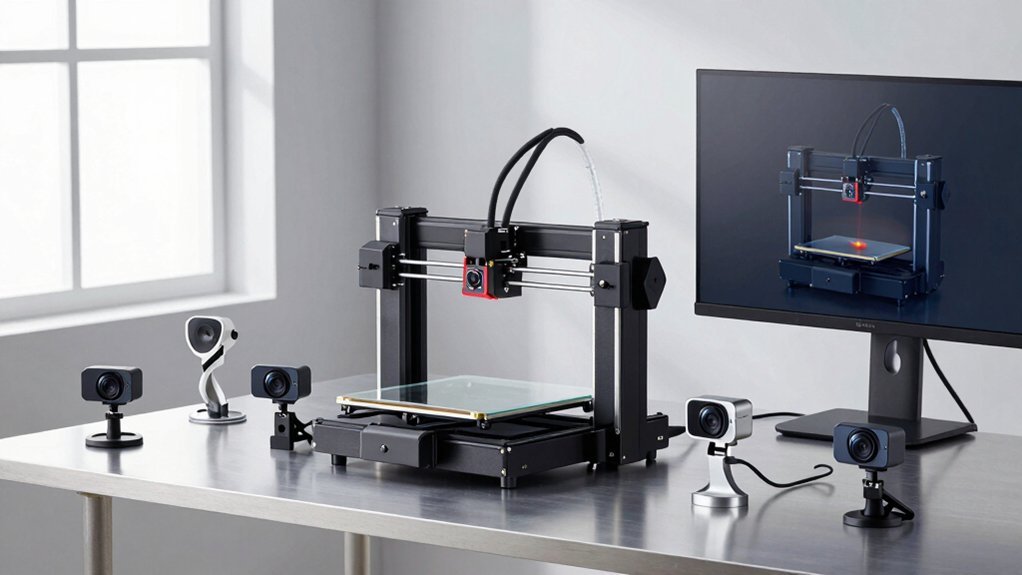
The QIDI PLUS4 stands out as an exceptional choice for beginners who want professional-grade results without the complexity typically associated with high-performance 3D printing. You’ll appreciate its impressive 600mm/s printing speed and generous 12x12x11-inch build volume, letting you tackle ambitious projects from day one. The printer’s CoreXY structure and heated chamber (65°C) guarantee consistent, high-quality prints with various materials including ABS, PLA, and engineering-grade filaments. You can start printing within 10 minutes of unboxing, thanks to its user-friendly setup. The integrated HD camera and mobile app enable convenient remote monitoring, while automatic filament detection minimizes waste and failed prints.
Best For: Beginners who want professional-grade results and high-speed printing capabilities with minimal setup complexity, as well as experienced users looking for a reliable printer that can handle both standard and engineering-grade materials.
Pros:
- Exceptional speed with 600mm/s printing capability and large 12x12x11-inch build volume for ambitious projects
- User-friendly setup with 10-minute unboxing to first print and comprehensive remote monitoring through HD camera and mobile app
- Versatile material compatibility including engineering-grade filaments like PPS-CF and PPA-CF/GF with heated chamber up to 65°C
Cons:
- Some users experience initial setup challenges and firmware update issues that can complicate the early user experience
- Quality control concerns reported by users who recommend waiting for future production runs with improved firmware
- Connectivity issues and firmware bugs may require troubleshooting despite the otherwise intuitive interface
ELEGOO Neptune 3 Pro FDM 3D Printer with Auto Bed Leveling
ELEGOO’s Neptune 3 Pro stands out among beginner-friendly 3D printers with its impressive auto bed leveling system that scans 36 points across the print surface, making it perfect for newcomers who want to skip the frustrating manual calibration process.
You’ll appreciate the dual-gear direct extruder’s enhanced filament feeding that reduces clogs, while the silent stepper motors keep noise down to just 47-48dB. The 225x225x280mm build volume gives you plenty of space for projects, and the auto-pause function saves your prints when filament runs out. Though initial setup requires some manual bed leveling and the touch screen sensitivity could be better, the heavy metal construction and user-friendly interface make this printer an excellent choice for beginners seeking reliable performance.
Best For: Beginners and hobbyists who want a reliable 3D printer with automated features like bed leveling and pause/resume functionality without dealing with complex manual calibration processes.
Pros:
- Auto bed leveling system scans 36 points for consistent first layers without manual calibration hassle
- Dual-gear direct extruder with 3:1 reduction ratio provides reliable filament feeding and reduces clogging issues
- Silent operation at 47-48dB with auto-pause functionality that saves prints during filament runouts or power outages
Cons:
- Initial setup still requires manual bed leveling before auto-leveling can function properly, with difficult access to adjustment nuts
- Touch screen sensitivity needs improvement and relies solely on microSD cards for file transfer
- Cable management concerns and user manual clarity issues that can complicate the setup process
3D Printer for Kids with 8 PLA Filament Set, Wi-Fi & App Control (X-Maker Joy)
X-Maker Joy stands out as an ideal choice for parents seeking a safe, educational 3D printer that combines advanced features with child-friendly operation. You’ll appreciate its fully enclosed design that eliminates bed leveling while maintaining 0.05mm precision at speeds up to 200mm/s. Your kids can control everything through voice commands or smartphone apps, watching prints via the built-in camera. The complete kit includes eight PLA filaments and essential tools, plus access to 1,500+ designs with weekly updates. With 4.2-star ratings and responsive customer service, you’re investing in creativity that’ll keep your children engaged for hours.
Best For: Parents looking for a safe, educational 3D printer that combines advanced features with child-friendly operation for kids and beginners.
Pros:
- Fully enclosed design with no bed leveling required and high 0.05mm precision for safe, accurate printing
- Smart features including voice commands, app control, built-in camera, and access to 1,500+ designs with weekly updates
- Complete starter kit with 8 PLA filaments and all necessary tools, plus responsive customer service support
Cons:
- Some users experience connectivity and initial setup issues that may require troubleshooting
- Print monitoring is necessary and design selection requires careful consideration for optimal results
- At 14.33 pounds and specific dimensions, it may require dedicated space and isn’t easily portable
Factors to Consider When Choosing Beginner-Friendly 3D Printers That Won’t Frustrate You
When you’re shopping for your first 3D printer, you’ll want to evaluate several key factors that directly impact your printing experience. Consider the print volume you’ll need for your projects, whether the printer offers auto-leveling to simplify setup, and how much assembly work you’re comfortable tackling. You should also examine the software’s ease of use and check which filament types the printer supports to guarantee it matches your creative goals.
Print Volume Requirements
Print volume determines how large objects you can create in a single print job, and choosing the right size prevents countless headaches down the road. You’ll want dimensions around 12 x 12 x 11 inches or 225 x 225 x 280mm to handle diverse projects without splitting larger designs into frustrating multi-part assemblies.
Smaller print volumes severely limit your creativity, especially when you’re experimenting with cosplay accessories, educational models, or decorative pieces. You don’t want to discover your printer can’t accommodate that perfect project you’ve been planning.
Consider your available space too. You’ll need to balance print capacity with the printer’s footprint to guarantee it fits comfortably in your workspace. A printer with adequate volume that grows with your advancing skills prevents expensive upgrades later.
Auto Leveling Features
Auto leveling features eliminate one of the most frustrating barriers that turn enthusiastic beginners away from 3D printing. You’ll find that manually leveling a print bed requires patience and precision that many newcomers lack. Instead, choose printers with high-precision sensors that scan multiple hotbed points, automatically compensating for surface irregularities.
These systems greatly reduce your setup time, letting you start printing with minimal adjustments. You won’t struggle with the confusing manual leveling process that often leads to failed prints and wasted filament. Advanced models also offer auto-pause functionality when filament runs out or breaks, preventing print failures.
Auto leveling transforms your printing experience from frustrating to enjoyable, ensuring better accuracy and considerably higher success rates for your projects.
Assembly Difficulty Level
Although some 3D printers arrive as complete kits requiring hours of meticulous assembly, you’ll want to prioritize models with pre-assembled components that get you printing within minutes rather than days. Look for printers that come 85-95% assembled, leaving only basic connections like plugging in cables or attaching the filament spool holder.
Choose models with extensive setup guides featuring step-by-step video tutorials alongside printed manuals. You’ll appreciate clear visual instructions when you’re unfamiliar with 3D printing terminology and components.
Heavy-duty, stable designs contribute to easier assembly since sturdy frames align properly without constant adjustment. Touch screen interfaces simplify initial calibration by guiding you through setup menus with intuitive prompts, eliminating guesswork during your first printing experience.
Software User Interface
The software interface serves as your primary gateway to 3D printing success, making intuitive design absolutely essential for beginners who can’t afford to waste hours deciphering confusing menus. You’ll want clear sections for printing, preparing, and settings that streamline your workflow without overwhelming complexity.
Look for touchscreen interfaces with responsive sensitivity—laggy controls will frustrate you during vital adjustments. Well-organized menus reduce your learning curve greatly, letting you access features without constant searching.
Smartphone app control adds tremendous convenience, allowing you to monitor prints remotely and manage processes from anywhere. Don’t overlook thorough user manuals and video tutorials either—they’re invaluable when you’re stuck troubleshooting issues or exploring advanced features for the first time.
Filament Compatibility Options
Once you’ve mastered your printer’s interface, filament compatibility becomes your next major consideration since it directly impacts what materials you can print and how successful your projects will be. You’ll want a printer supporting multiple filament types like PLA, ABS, PETG, and specialized materials such as TPU and nylon. This variety lets you experiment with different properties—flexibility, strength, and temperature resistance—enhancing your learning experience.
Look for printers featuring dual-gear extruders that reduce clogging and improve filament feeding. Additionally, make sure your chosen printer includes pre-configured settings for various filaments in its slicing software, simplifying the printing process. Finally, select models with thorough manuals or online resources detailing filament compatibility and best practices to minimize setup frustration.
Price Vs Performance
How much should you spend on your first 3D printer without compromising the performance you’ll need as a beginner? Entry-level models typically range from $200 to $1,500, and finding the sweet spot requires careful consideration of your specific needs.
Budget printers around $200-400 often sacrifice build volume and speed for affordability, while higher-end models offer larger printing areas and faster capabilities—some achieving up to 600 mm/s. Consider how quickly you’ll need prints completed versus your available budget.
Don’t overlook user experience features like auto-leveling and easy setup, which can justify higher costs by reducing beginner frustration. Models supporting multiple filament types may also warrant extra investment due to increased project versatility. Balance immediate affordability with long-term performance needs.
Safety Features Included
Beyond cost considerations, safety features deserve serious attention when selecting your first 3D printer. Look for models with fully enclosed structures that protect you from hot components and reduce fume exposure. Thermal runaway protection is essential—it’ll automatically shut down your printer if overheating occurs, preventing fire hazards.
A reliable filament detection system saves materials and prevents damage by pausing prints when filament runs out or breaks. You’ll appreciate clear assembly instructions and thorough safety guidelines that eliminate setup frustration.
Consider printers with smart monitoring features like built-in cameras. These let you supervise prints remotely, ensuring you’re not constantly hovering over hot machinery. These safety features transform 3D printing from a potentially hazardous hobby into an enjoyable, secure creative outlet.
Technical Support Availability
When you’re starting your 3D printing journey, reliable technical support can make the difference between success and abandoning your new hobby in frustration. Look for manufacturers that offer responsive customer service through multiple channels like phone, email, and live chat. This accessibility guarantees you’ll get help when setup problems or technical issues arise.
Don’t overlook the value of extensive online resources. Quality manufacturers provide video tutorials, detailed FAQs, and active user forums where you can find solutions to common problems. These self-help tools often resolve issues faster than waiting for direct support.
Also consider community support through social media groups and dedicated websites. Fellow users share real-world experiences and troubleshooting tips that supplement official documentation, creating a collaborative learning environment.
Frequently Asked Questions
How Much Space Do I Need in My Home for a 3D Printer?
You’ll need at least 2-3 feet of clearance around your printer for access and ventilation. Most desktop models fit on a sturdy table, but guarantee you’ve got adequate space for filament storage and post-processing work nearby.
What Safety Precautions Should Beginners Take When Operating 3D Printers?
You’ll want proper ventilation when printing, avoid touching heated components, keep fingers away from moving parts, use eye protection, maintain clean workspace, and never leave your printer unattended during long prints.
How Long Does It Typically Take to Print Basic Objects for Beginners?
You’ll typically wait 1-4 hours for basic beginner objects like keychains or small figurines. Simple designs print faster, while detailed items take longer. Your printer’s speed settings and object size directly affect printing time.
What’s the Average Monthly Cost of Filament for Casual 3D Printing?
You’ll typically spend $15-30 monthly on filament for casual printing. This covers small projects, prototypes, and hobby items. Your costs depend on print frequency, object size, and whether you choose basic PLA or premium materials.
Can 3D Printers Work Reliably in Cold Garages or Basements?
You’ll face printing challenges in cold spaces. Temperatures below 60°F cause filament adhesion issues, warping, and extruder jams. Consider adding insulation, space heaters, or enclosures to maintain consistent temperatures for reliable prints.

Leave a Reply