

You should level your 3D printer bed every 5-10 prints to maintain ideal print quality, though this varies based on your specific setup. Manual leveling systems require more frequent checks than auto-leveling printers, which can extend intervals to 20+ prints. Factors like printer movement, temperature changes, and different filament types all affect how often you’ll need to re-level. Monitor for signs like uneven first layers or poor adhesion to determine when immediate leveling is necessary. Understanding your printer’s unique patterns will help you enhance this essential maintenance schedule.
Understanding Bed Leveling Fundamentals and Importance
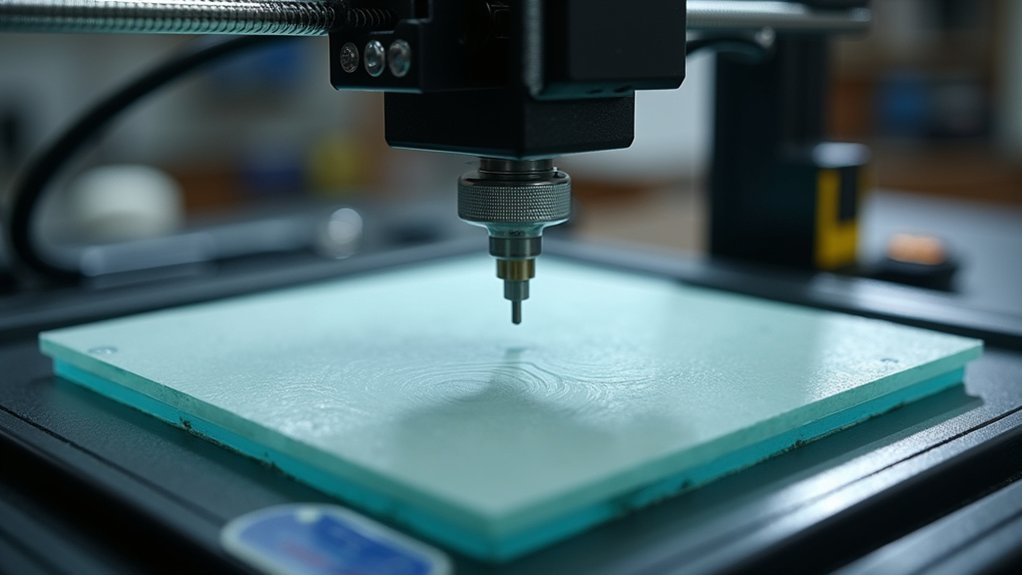
Although 3D printing technology has advanced considerably, bed leveling remains one of the most critical skills you’ll need to master for consistent print success.
Bed leveling involves adjusting the distance between your nozzle and print bed to guarantee uniformity across the entire build surface. You’re fundamentally making the build plate parallel to your printhead gantry, not level relative to the floor.
Proper bed leveling creates a parallel relationship between your build plate and printhead gantry for consistent first-layer adhesion.
When you properly level your bed, the first layer adheres evenly, preventing warping, shifting, or detachment during printing. An unlevel bed creates uneven extrusion, gaps, or excessive squishing that compromises adhesion and structural integrity.
You’ll also reduce material waste and printing time by avoiding failed prints. Proper leveling eliminates the need for additional surface treatments or adhesives to improve print stickiness. This process directly affects overall print quality by ensuring dimensional accuracy and surface finish across your entire model.
Recommended Frequency Guidelines for Different Printing Scenarios
Determining how often you should level your 3D printer bed depends on several key factors including your printer type, usage patterns, and environmental conditions.
For general maintenance, check bed leveling after every 10-15 prints to maintain consistent quality. Manual leveling printers require more frequent attention—roughly every 5-10 prints—while auto-leveling systems can extend intervals to 20+ prints.
Glass beds hold their level longer than flexible alternatives due to reduced deformation. Large or complex prints warrant pre-leveling checks to prevent failures, while high-precision work demands leveling before each print.
Environmental factors like vibrations, temperature fluctuations, and workshop settings increase leveling frequency needs. Regular bed leveling prevents warping and defects that can compromise your print quality and waste valuable materials.
Schedule monthly full re-leveling for frequently used printers.
Key Factors That Affect Bed Level Stability

While establishing a regular leveling schedule is important, understanding the underlying factors that affect your bed’s stability helps you anticipate when adjustments become necessary.
Your printer’s mechanical components play a vital role in bed stability. Loose springs, worn thumbscrews, and mounting hardware gradually shift over time, requiring more frequent adjustments.
The bed material’s flatness and rigidity also determine how well it maintains level across multiple prints.
Environmental factors considerably impact stability too. Temperature changes cause component expansion, while vibrations from motors or movement can shift your bed.
Moving your printer or applying excessive force during print removal often necessitates re-leveling.
Your print settings matter as well. Different filaments require varying first-layer heights, and finer layers reveal leveling inconsistencies more readily than thicker ones. Even if your bed appears skewed with a bubble level, you can still achieve successful prints as long as the nozzle maintains consistent distance from the build surface.
Signs Your Printer Bed Needs Immediate Re-leveling
Recognizing when your printer bed has fallen out of level can save you hours of failed prints and wasted filament. Watch for uneven first layer adhesion, especially poor sticking at edges or corners. You’ll notice visible gaps or inconsistent squish across the print surface, indicating nozzle-to-bed distance variations.
| Visual Signs | Physical Tests |
|---|---|
| Warping or curling in initial layers | Paper test shows excessive ease or resistance |
| Distorted, uneven layer lines | Loose bed leveling screws or springs |
| Print detachment during process | Audible clicking during manual adjustments |
Frequent print failures despite correct settings demand immediate re-leveling. If you’re constantly adjusting every print, check for mechanical issues like unstable bed mounts or thermal expansion effects. Additionally, always recheck your bed level after moving the printer, as physical relocation can disrupt the careful calibration you’ve established.
Essential Tools and Techniques for Proper Bed Leveling

Several fundamental tools can transform your bed leveling from guesswork into precise calibration.
The traditional paper method uses copy machine paper to gauge nozzle-to-bed distance through tactile friction feedback. While accessible, this approach lacks precision due to subjective feel variations. Feeler gauges and E-levelers offer superior accuracy with calibrated thickness measurements, eliminating touch sensitivity variability.
Always preheat your bed and nozzle before leveling since thermal expansion affects material dimensions and gap measurements. This guarantees you’re calibrating under actual printing conditions.
Combine manual leveling with software-assisted tools like mesh bed leveling for best results. Manual adjustment handles gross corrections while software maps surface irregularities for fine compensation.
Hardware leveling probes, found on higher-end printers, provide automated multi-point measurements and dynamic height adjustments during printing. If your printer bed shows warping despite initial adjustments, consider upgrading to a glass bed which provides a flatter surface and compensates for metal bed irregularities.
Manual Vs Automatic Leveling System Maintenance Requirements
Two distinct maintenance philosophies define modern bed leveling systems, each demanding different time investments and technical approaches.
Manual leveling requires your constant attention, demanding adjustments every 10-15 prints and immediate recalibration after moving your printer or changing extruders.
You’ll need to check corner springs regularly and maintain consistent gaps using feeler gauges or paper.
Automatic bed leveling (ABL) systems handle most work independently, performing quick 5-point checks before each print and triggering full scans when detecting variations.
However, you’ll still need to:
- Keep sensors clean and debris-free for accurate readings
- Monitor firmware updates for ideal sensitivity
- Inspect mechanical components periodically for wear
- Perform occasional manual recalibration after hardware changes
ABL reduces daily intervention while manual systems offer direct tactile control. Frequent failures in the 5-point check may indicate underlying bed irregularities that require mechanical adjustment or replacement.
Impact of Filament Types and Print Materials on Leveling Frequency
While your leveling system handles mechanical adjustments, the filaments you choose create their own unique challenges that directly affect how often you’ll need to recalibrate your bed.
High-temperature materials like ABS and PETG cause significant thermal expansion, requiring more frequent leveling checks due to bed warping. These filaments also demand precise first-layer adhesion, making you more sensitive to minor bed inconsistencies.
Carbon fiber and nylon composites shrink during cooling, altering your perceived bed level. When switching between materials, you’ll need Z-offset adjustments that impact leveling frequency.
Filament residues contaminate your build surface differently, affecting adhesion patterns and requiring periodic recalibration. Temperature adjustments can impact the accuracy of leveling probes, making it essential to perform leveling checks at your actual printing temperatures.
Flexible filaments like TPU stay stable once leveled, while moisture-sensitive materials create indirect leveling needs through inconsistent extrusion affecting first-layer quality.
Troubleshooting Common Bed Leveling Problems and Solutions
Even when you’ve mastered the fundamentals of bed leveling, specific problems will inevitably arise that require targeted troubleshooting approaches.
Understanding these common issues helps you maintain consistent print quality.
Recognizing frequent bed leveling challenges enables you to sustain optimal printing performance and avoid frustrating failed prints.
When you notice uneven first layers, start by manually adjusting bed screws until paper slides under the nozzle with slight resistance.
If your bed dips in the center, tighten spring-loaded screws beneath low spots to raise problematic areas.
Poor bed adhesion often manifests as corner lifting or warping, which can be resolved by adjusting bed temperature and ensuring the surface is properly cleaned.
Common solutions include:
- Recalibrating Z-offset to guarantee proper nozzle-to-bed distance
- Cleaning probe contact points and updating firmware for auto-leveling sensors
- “Wobbling” Z-axis components during assembly to confirm proper seating
- Adding shims to compensate for frame misalignment or warped bed plates
Regular maintenance prevents most leveling drift issues.
Developing Your Personal Maintenance Schedule Based on Usage Patterns
Creating an effective bed leveling schedule starts with understanding your unique printing habits and recognizing when problems occur.
You’ll need to track how often you print, what types of projects you tackle, and which specific issues signal it’s time to level your bed.
Most experienced users find that leveling every 5 to 10 prints provides the right balance between maintaining print quality and avoiding unnecessary maintenance time.
Track Your Print Frequency
Developing a personal maintenance schedule starts with honestly tracking how often you actually use your 3D printer. Your usage patterns directly determine how frequently you’ll need to level your bed.
Heavy users running multiple prints weekly require more frequent leveling than occasional hobbyists who print monthly.
Start documenting your printing habits to identify patterns:
- Log print frequency – Note dates, print duration, and any quality issues you observe
- Track maintenance events – Record when you move the printer, change components, or perform aggressive print removal
- Monitor automatic bed leveling triggers – Pay attention to when your printer performs full mesh scans versus quick checks
- Note print failures – Document failed prints and whether bed leveling resolved the issue
This data helps you establish ideal leveling intervals. Remember that proper bed leveling should maintain consistent measurements over time, so if you find yourself constantly readjusting, there may be underlying mechanical issues with spring tension or bed stability that need addressing.
Monitor Failure Patterns
Three distinct failure patterns can signal when your bed leveling has drifted beyond acceptable limits.
First-layer adhesion problems consistently indicate leveling issues—you’ll notice poor adhesion, uneven extrusion, or gaps in early layers.
Second, listen for excessive nozzle scraping or clicking noises during initial printing phases, which suggest bed tilt or surface irregularities.
Third, sudden print quality changes after moving your printer or performing maintenance typically stem from bed leveling errors.
Track these failure types and frequencies to identify your printer’s specific patterns.
Log how often your automatic bed leveling system requires full recalibration versus simple point checks.
Compare mesh bed maps across multiple jobs to detect subtle warping or shifts. Weekly leveling helps maintain consistent print quality and reduces the frequency of these failure patterns.
Recording maintenance activities alongside print results helps you correlate causes with leveling failures, enabling you to develop a predictive maintenance schedule.
Frequently Asked Questions
Can Temperature Changes in My Room Affect How Often I Need to Level?
Yes, temperature changes in your room directly affect leveling frequency. When temperatures fluctuate, your printer’s bed and frame expand or contract, warping the surface and requiring more frequent adjustments.
Should I Level Differently for Overnight Prints Versus Quick Daytime Prints?
You should level more thoroughly for overnight prints since they’re longer and failures waste more time. For quick daytime prints, you can rely on automatic leveling checks if conditions haven’t changed.
Does Printer Age Affect How Frequently the Bed Loses Its Level?
Yes, your printer’s age substantially affects leveling frequency. Older printers lose level faster due to worn springs, loosened screws, and frame degradation. You’ll need to check leveling before nearly every print as components age.
Can Using Different Bed Surfaces Change My Leveling Maintenance Schedule?
Yes, different bed surfaces dramatically change your leveling schedule. Glass stays flat longer, while flexible PEI sheets shift more frequently. Textured surfaces develop wear spots, and adhesive coatings require cleaning that disturbs leveling.
Should I Level More Often When Switching Between Brand New and Old Nozzles?
You should level more often when switching between brand new and old nozzles since they have different tip lengths and wear patterns that affect nozzle-to-bed distance and first layer adhesion.




Leave a Reply