
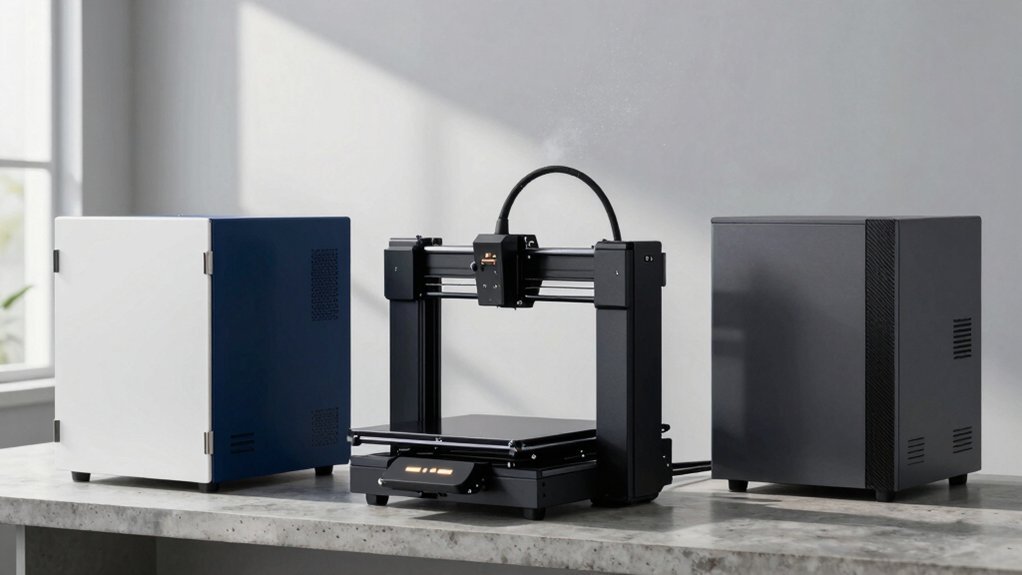
You’ve probably noticed how temperature swings and lingering fumes can ruin a resin print, especially when you’re pushing for fine details. Modern enclosures now combine sturdy frames, UV‑blocking windows, and multi‑layer filtration to keep the environment stable and the air clean. Whether you’re using a Photon Mono, a Bambu Lab A1, or any other LCD/SLA printer, the right kit can protect your work and your workspace. Curious which designs actually deliver on those promises?
Resin 3D Printer Enclosure with Ventilation Filter and Fan
The Resin 3D Printer Enclosure with Ventilation Filter and Fan is the top pick for anyone who needs a compact, fire‑proof workspace that keeps fumes at bay while maintaining a warm interior. Its 635 × 535 × 750 mm steel holds most LCD SLA/DLP printers, and the stainless‑steel pipe window resists rust while staying lightweight. A 12 V fan with speed control pushes air through a three‑layer filter that traps dust, UV rays, and VOCs. The fire‑proof, dust‑proof, waterproof liner retains heat, improving print quality. Compatible with Photon Mono, ELEGOO Saturn, Ender 3, Prusa i3 and similar models, it offers a clear view window and optional fan bracket for easy monitoring.
Multifunctional 3D Printer Enclosure with Adjustable Ventilation Kit
Looking for a printer enclosure that lets you keep fumes and temperature in check while still seeing every layer? The DORUNDEA multifunctional enclosure fits most LCD/resin 3D printers—Anycubic Photon Mono, Elegoo Saturn/Mars 3/4, Creality Halot series—if you measure the whole machine first. Its UV‑blocking window shields prints from harmful rays and lets you monitor progress. A 12 V fan with adjustable speed and three‑layer filter pulls smoke, captures dust, and neutralizes gases. You’ll get a stainless‑steel frame, optional longer pipe, and a power adapter (100‑240 V → 3‑12 V 2 A). The kit excludes the printer itself.
3D Printer Enclosure with LED and Smoke Exhaust Kit A Bambu Lab A1/A1 Mini
Need you’re printing with a Bambu Lab A1 or A1 Mini and need to tame fumes, dust, and temperature swings, this LED‑lit enclosure with a high‑speed smoke exhaust kit is the perfect upgrade. The kit adds a 4000 RPM fan and a three‑layer composite pipe that pulls odors and particles out while preventing residue buildup. Temperature and humidity sensors keep the chamber steady, boosting first‑layer adhesion and cutting PLA edge curling. Soft white LEDs diffuse across the interior, improving visibility for camera monitoring and delayed shooting. A multi‑window design with an openable side pane lets you service the printer quickly, and the iron frame holds accessories securely. The enclosure fits the A1/A1 Mini at 840 × 580 × 580 mm, delivering clean air and consistent temperature for reliable prints.
Bambu Lab A1 Mini Printer Enclosure with Ventilation & LED
If you’re printing temperature‑sensitive filaments or worried about fumes, the Bambu Lab A1 Mini Enclosure with Ventilation & LED is the clear pick. Its solid aluminum‑reinforced case shields the printer from dust, while a bottom heat vent stabilizes the chamber and protects the mainboard from overheating. The optional ventilation cutout lets you attach a filtration hose, keeping the air clean for you and any curious pets. You can place the AMS Lite on the top or side, freeing desk space for tools or a laptop. The enclosure also cuts noise by roughly 20 dB, making your workspace quieter and more efficient.
Smart Control 3‑Layer Ventilation Filter Kit with 5000RPM Fan
The Smart Control 3‑Layer Ventilation Filter Kit, with its 5000 RPM brushless fan and 1.5 m exhaust pipe, is the go‑to solution for anyone who wants a clean, safe printing environment without sacrificing enclosure integrity. You’ll value the three‑layer filter that traps dust and harmful gases while the 12 V fan runs up to 5000 RPM, pulling fumes through the 1.5 m pipe. Installation is straightforward: attach the plastic adaptor, cut a hole if needed, and connect the AC‑to‑DC power adapter (100‑240 V input, 3‑12 V output). The lightweight 90 g unit fits most 3D printer and laser‑engraver enclosures, delivering reliable smoke extraction.
Factors to Consider When Choosing 3D Printer Enclosures for Temperature and Fume Control
When you pick an enclosure, check its ventilation filtration efficiency to keep fumes out while maintaining airflow. Look for temperature‑stability mechanisms and fire‑resistant materials that protect both the printer and your workspace. Finally, consider window visibility with UV protection and how fan speed and noise levels will affect your workflow.
Ventilation Filtration Efficiency
How well your enclosure filters fumes hinges on three key factors: the filtration system’s layers, the fan’s speed and type, and the airflow path design. A three‑layer filter captures large particles, volatile organic compounds, and odors, dramatically cutting smoke and resin fumes. Pair it with a 12 V DC brushless fan that lets you dial airflow from 3000 to 5000 RPM; higher speeds pull emissions faster but raise noise and can push heat back into the chamber if the filter isn’t robust. Optimize the pipe layout—smooth, multi‑section ducts prevent odor adhesion and keep air moving consistently. Adjustable fan controls let you match airflow to enclosure size, while UV‑blocking windows let you watch prints without compromising filtration. Balancing these elements ensures clean, safe operation without sacrificing performance.
Temperature Stability Mechanisms
If you want a printer that stays at the right temperature throughout a long run, look for an enclosure that seals the chamber with dust‑proof, waterproof, and insulated walls while still allowing controlled ventilation. Insulation curtails heat loss, keeping the build area warm and steady. Adjustable‑speed fans let you dial in airflow, removing excess heat without dropping the internal temperature too much. Multi‑layer filtration pipes capture fumes, preventing them from heating the air further. Integrated temperature and humidity sensors feed real‑time data, so the system can tweak airflow automatically for PLA, ABS, or PETG. A dedicated bottom vent and separate heat‑management circuits protect the printer’s electronics and ensure the first layer adheres consistently, even during marathon prints.
Material Fire‑Resistant Properties
A tightly sealed chamber keeps temperature steady, but the material of the enclosure walls decides whether that stability turns into a fire hazard. When you pick an enclosure, look for fire‑resistant panels that can endure high heat without igniting. Many models layer a fire‑proof coating over a metal frame, often iron or stainless steel, which slows heat transfer while keeping the interior warm enough for resin or laser prints. These interiors help you monitor jobs safely, cutting the chance of smoke‑induced damage and reducing venting needs. Choose units that also meet dust‑proof and waterproof standards, because those extra seals often come with the same fire‑resistant construction, giving you a robust, all‑round safety package.
Window Visibility and UV Protection
Ever wondered why a clear, UV‑protected window matters in a printer enclosure? You’ll see the print’s progress without opening the box, keeping temperature steady and fumes sealed. A UV sheet blocks harmful rays while still letting you watch, which is essential when you work with UV‑curable resins or laser‑engraved parts. Some models pair three‑layer filtration with these windows, adding eye protection and contaminant capture. Fire‑resistant fabrics surrounding the pane boost safety, especially for resin jobs that generate heat. Multi‑window designs let you open a small pane for a quick glance, yet the UV barrier stays intact, preserving both visibility and containment. Choose a window that balances clarity, UV blocking, and durability for reliable, safe printing.
Fan Speed and Noise Levels
How much airflow do you really need to keep fumes at bay? You’ll want a fan that can spin up to 5,000 RPM for heavy‑smoke prints, but you also need a way to dial it back when noise matters. Most enclosures use 12 V DC brushless fans paired with 100‑240 V‑to‑3‑12 V adapters, so you get steady performance worldwide. Adjustable speed controls let you balance rapid extraction against quieter operation, especially in smaller chambers. Look for models that combine three‑layer filtration with optimized airspeed; they keep temperature stable while pulling out volatile compounds. If noise is a concern, choose enclosures with solid walls or built‑in sound‑dampening features, which can cut the fan’s roar without sacrificing airflow.
Compatibility With Printer Models
Wondering whether a given enclosure will truly fit your printer? Start by checking the manufacturer’s compatibility list; many enclosures name specific models like Anycubic Photon Mono, ELEGOO Saturn/Mars, Creality Halot Series, or Bambu Lab A1/A1 Mini. If it only claims “most LCD/resin printers,” measure your machine’s width, depth, and height before you buy. Pay attention to interior clearance—multi‑window designs and openable panels can clash with tall gantries or larger frames. Verify that any vent kit or filter aligns with your printer’s exhaust port and that the enclosure’s cutouts match. By confirming dimensions, form factor, and venting requirements, you’ll avoid costly mismatches and keep temperature and fume control effective.
Frequently Asked Questions
Can I Use a Standard House Filter in a 3D Printer Enclosure?
You can use a standard house filter, but it won’t capture fine particles or volatile compounds efficiently; consider a HEPA or activated‑carbon filter designed for printer fumes to protect health and maintain print quality.
How Often Should the Ventilation Fan Be Cleaned?
You should clean the ventilation fan every 3‑4 weeks if you print daily, or at least once a month for occasional use, checking for dust buildup and replacing the filter when it looks clogged.
Do LED Lights Affect Filament Temperature Stability?
LED lights can raise filament temperature a few degrees, especially if they’re close or high‑wattage, so you’ll notice slight stability shifts; positioning them farther or using low‑heat LEDs minimizes the effect.
Is It Safe to Run an Enclosure in a Garage With Gasoline Fumes?
No, you shouldn’t run an enclosure in a garage with gasoline fumes; the heat and potential sparks can ignite vapors, creating a serious fire or explosion risk. Use a well‑ventilated, flame‑free space instead.
What Power Rating Is Required for a 5000 Rpm Fan?
You’ll need roughly 80‑100 watts for a 5000 rpm fan, depending on blade size and airflow. Check the fan’s specifications; a 12 V model typically draws about 0.7‑0.9 amps, which equals 8‑11 watts per amp. Ensure your power supply can handle the total load safely.



