
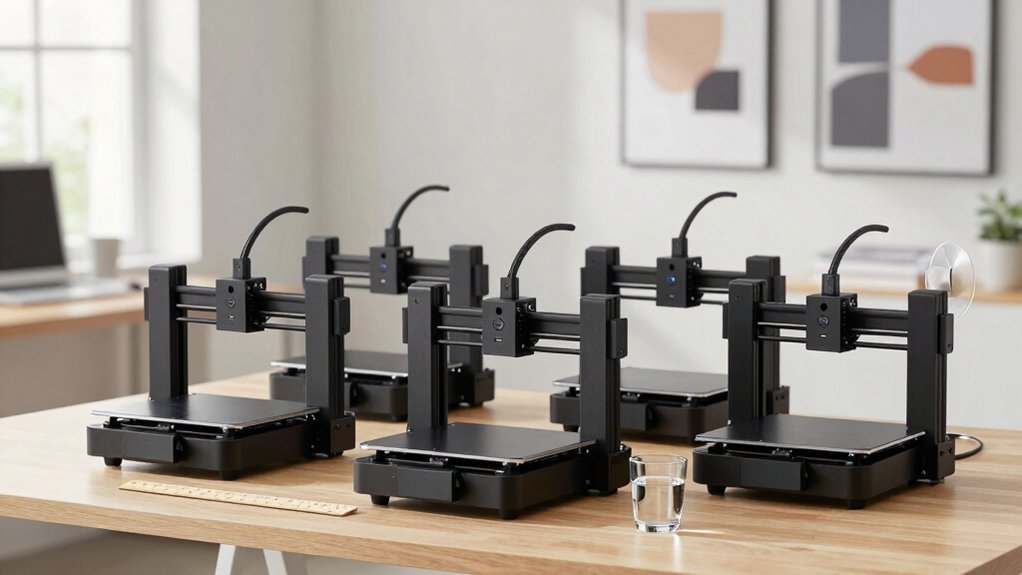
You’re looking to squeeze a high‑quality 3D printer onto a cramped desk without sacrificing precision or safety. In 2026 the market offers compact models that auto‑level, sport magnetic beds, and connect via Wi‑Fi or SD cards—all within a footprint that fits a bookshelf. The right choice hinges on whether you need a ready‑to‑use unit, a kid‑friendly kit, or a versatile green‑themed version with extra filament. Let’s compare the top five options and see which one aligns with your space and workflow.
| Entina Mini 3D Printer – Auto Leveling Safe High Precision |  | Beginner’s Choice | Auto‑Leveling: Magnetic one‑touch leveling | Build Volume: 100 × 105 × 100 mm | Connectivity: Offline via TF card, LCD | CHECK ON AMAZON | Read Our Analysis |
| Entina TINA2S 3D Printer with WiFi and Auto‑Leveling |  | Wi‑Fi Pro | Auto‑Leveling: Auto‑leveling with magnetic plate | Build Volume: 3.9 × 4.7 × 3.9 in (≈ 100 × 120 × 100 mm) | Connectivity: Wi‑Fi, USB, TF card, Poloprint Cloud | CHECK ON AMAZON | Read Our Analysis |
| Mini 3D Printer Kit for Kids – Auto Leveling Filament SD Card | Kids’ Kit | Auto‑Leveling: One‑button auto‑leveling | Build Volume: 250 mm s speed, volume not specified (≈ 100 mm³) | Connectivity: Offline via SD card only | CHECK ON AMAZON | Read Our Analysis | |
| Geeetech Mini 3D Printer for Kids & Beginners | Open‑Source Star | Auto‑Leveling: 16‑point full auto‑leveling | Build Volume: 3.94 × 4.33 × 3.94 in (≈ 100 mm³) | Connectivity: Offline via TF card, optional USB | CHECK ON AMAZON | Read Our Analysis | |
| Mini 3D Printer Kit with Auto Leveling PLA Filament WiFi (Green) |  | Compact Performer | Auto‑Leveling: Dual‑Z auto‑leveling | Build Volume: 100 × 105 × 100 mm (same as #1) | Connectivity: Wi‑Fi, USB, SD card, compatible with multiple slicers | CHECK ON AMAZON | Read Our Analysis |
More Details on Our Top Picks
Entina Mini 3D Printer – Auto Leveling Safe High Precision
Entina’s Mini 3D Printer is the perfect pick for beginners and educators who need a safe, plug‑and‑play device that fits on a crowded desk. You’ll love its magnetic, removable build plate and one‑touch auto‑leveling, which keep the surface flat without fiddling. Dual Z‑axis rails deliver high‑precision layers, while the 2.4‑inch LCD and MicroSD slot let you print offline. Setup takes about five minutes; the included TF card and WiiBilder slicer get you printing right away. Its compact 8.3 × 8.3 × 11.4‑inch frame and 3 kg weight make it ideal for classrooms, homes, or small offices, and the open‑source design invites endless upgrades.
- Auto‑Leveling:Magnetic one‑touch leveling
- Build Volume:100 × 105 × 100 mm
- Connectivity:Offline via TF card, LCD
- Filament Loading:One‑button filament in/out
- Print Precision:High precision (unspecified)
- Build Plate Type:Magnetic removable plate
- Additional Feature:Magnetic removable build plate
- Additional Feature:One‑button filament in/out
- Additional Feature:Open‑source design
Entina TINA2S 3D Printer with WiFi and Auto‑Leveling
If you need a compact, plug‑and‑play 3D printer that fits on a desk and starts printing right away, the Entina TINA2S delivers exactly that. Its fully assembled design, built‑in LED, and dual Z‑axis guide give stable, quiet operation, while the quick‑change nozzle and spring‑steel plate cut maintenance time. You’ll enjoy 0.04 mm precision and up to 200 mm/s speed, plus auto‑leveling and a heated bed for reliable first layers. Connect via Wi‑Fi, USB, or TF card, and use Poloprint Cloud, Cura, Simplify3D, or Slic3r. The 3.9 × 4.7 × 3.9‑inch build volume suits homes, classrooms, and offices.
- Auto‑Leveling:Auto‑leveling with magnetic plate
- Build Volume:3.9 × 4.7 × 3.9 in (≈ 100 × 120 × 100 mm)
- Connectivity:Wi‑Fi, USB, TF card, Poloprint Cloud
- Filament Loading:Quick‑change nozzle, manual loading
- Print Precision:Up to 0.04 mm
- Build Plate Type:Spring steel flexible plate
- Additional Feature:Built‑in LED lighting
- Additional Feature:Quick‑change nozzle
- Additional Feature:5× faster Wi‑Fi transfer
Mini 3D Printer Kit for Kids – Auto Leveling Filament SD Card
Looking for a compact, kid‑friendly printer that’s ready out of the box? This fully assembled mini 3D printer kit from XZN drops straight onto your desk, complete with auto‑leveling, a one‑button filament load, and a pre‑sliced G‑code file on an SD card. Its direct‑drive extruder delivers 0.01 mm precision at 250 mm/s, while the PEI heated bed lets you peel prints effortlessly. You’ll get a test PLA roll, a 1 kg filament holder, and accessories, plus 30‑day returns, a year of free repairs, and 24‑hour support. At 10.6 × 10.1 × 15.9 in and 6.6 lb, it fits tiny spaces perfectly.
- Auto‑Leveling:One‑button auto‑leveling
- Build Volume:250 mm s speed, volume not specified (≈ 100 mm³)
- Connectivity:Offline via SD card only
- Filament Loading:One‑touch filament loading
- Print Precision:0.01 mm
- Build Plate Type:PEI heated bed
- Additional Feature:Direct‑drive extruder
- Additional Feature:Automatic nozzle cleaning
- Additional Feature:1 kg filament holder
Geeetech Mini 3D Printer for Kids & Beginners
Who needs a compact, beginner‑friendly printer that still delivers speedy, reliable prints? You’ll love the Geeetech Mini 3D Printer for kids and beginners. Its 3.94 × 4.33 × 3.94‑inch build area fits tight desks, while the 250 mm/s direct‑drive extruder handles 0.5 kg TPU or PLA with torque from a 1:5 gear ratio. Sixteen‑point auto‑leveling and a heated magnetic plate keep warping low and removal easy. The 2.4‑inch LCD, one‑button filament loading, and plug‑and‑play TF‑card interface make setup painless. Fully assembled, open‑source, and backed by 30‑day returns, a year of free repairs, and lifetime tech support, it’s a solid STEM gift.
- Auto‑Leveling:16‑point full auto‑leveling
- Build Volume:3.94 × 4.33 × 3.94 in (≈ 100 mm³)
- Connectivity:Offline via TF card, optional USB
- Filament Loading:One‑button filament loading
- Print Precision:High precision (unspecified)
- Build Plate Type:Flexible magnetic plate
- Additional Feature:16‑point auto‑leveling
- Additional Feature:Dual‑drive metal gear extruder
- Additional Feature:50 W heating rod
Mini 3D Printer Kit with Auto Leveling PLA Filament WiFi (Green)
Need compact, fully assembled 3‑D printer that’s ready out of the box? This green mini printer arrives pre‑built, so you skip any tinkering. Its 8.3 × 8.3 × 11.4‑inch footprint fits desks, dorms, or classrooms, and the 6.4‑pound weight makes it easy to move. Auto‑leveling on a dual Z‑axis rail guarantees precise layers, while a 2.4‑inch LCD and magnetic build plate simplify monitoring and part removal. One‑touch filament loading accepts 1.75 mm PLA, PLA Pro, or TPU, and the included 10 m spool gets you printing right away. Wi‑Fi connectivity works with macOS, Windows, and Linux, and you can slice via Cura, Simplify3D, or WiiBuilder. USB or microSD workflow is ready out of the box, and the starter kit bundles designs and software for instant projects.
- Auto‑Leveling:Dual‑Z auto‑leveling
- Build Volume:100 × 105 × 100 mm (same as #1)
- Connectivity:Wi‑Fi, USB, SD card, compatible with multiple slicers
- Filament Loading:One‑touch filament loading
- Print Precision:High precision (unspecified)
- Build Plate Type:Flexible magnetic plate
- Additional Feature:Active pause & resume
- Additional Feature:Wi‑Fi compatible with Mac/Linux
- Additional Feature:Flexible magnetic build plate
Factors to Consider When Choosing Mini 3D Printers for Small Spaces and Desktop Setups
When you pick a mini 3D printer for a cramped desk, a compact footprint is essential so it fits without crowding your workspace. You’ll also want a machine that runs quietly and offers easy bed leveling, so you can print without constant interruptions. A user‑friendly interface and reliable Wi‑Fi connectivity round out the features that make daily use hassle‑free.
Compact Footprint Design
Looking for a printer that fits on a crowded desk without hogging space? A compact footprint usually measures between 8.3 × 8.3 in and 10.63 × 10.12 in, letting you slot it onto a shelf or beside a monitor without dominating the area. Keep an eye on height—most mini models sit between 11.4 in and 15.9 in, offering a low‑profile presence while still letting you see the build. Weight matters too; 6–8 lb units move easily between classrooms, dorms, or home offices. Folded or open‑frame designs with small enclosures cut clutter and improve airflow, essential for safe operation. Integrated features like a 2.4‑inch color LCD, magnetic build plate, and auto‑leveling let you stay within the compact form factor without adding external accessories.
Quiet Operational Noise
How much quieter could your workspace be if your mini printer barely rattles while it works? You’ll want a model that swaps noisy motherboards for low‑noise equivalents and lets you dial fan speeds down. Look for dual Z‑axis guides and a rigid frame; they curb vibration that otherwise turns into a constant hum. If you print at moderate speeds, the stepper motors stay smoother, cutting sound without sacrificing detail. Enclosed or semi‑enclosed housings, paired with vibration‑damping feet, trap residual noise and keep it from echoing across a desk. Finally, check for quiet‑mode firmware or fan‑ramping options that automatically lower noise during long jobs, giving you a truly peaceful desktop setup.
Easy Bed Leveling
Ever wondered why a perfectly leveled bed makes every print flawless? You’ll love a printer that handles leveling automatically, so you skip tedious manual tweaks. Look for an auto‑leveling sensor or contact probe that runs a 16‑point routine; it maps the surface and adjusts the Z‑axis in seconds. Dual Z‑axis rails add vertical stability, keeping the first layer consistent across the whole plate. A magnetic, removable build plate lets you swap models fast and reduces warping, while a heated bed further flattens early layers, especially with higher‑temp filaments. Quick‑change nozzles complement the workflow, letting you resume printing without re‑calibrating. All these features together give you reliable, repeatable prints in a compact desktop setup.
User‑Friendly Interface
A perfectly leveled bed sets the stage, but the real shortcut to hassle‑free printing lies in a user‑friendly interface. You’ll want a knob‑based control panel and a one‑button filament loading system so you can start a job without digging through menus. A 2.4‑inch color LCD or larger lets you monitor progress and tweak settings directly on the printer, eliminating the need for a laptop. Plug‑and‑play designs arrive fully assembled; you just plug them in and print, which is perfect for beginners or classroom use. Open‑source firmware paired with Cura, Simplify3D, or Slic3r gives you customization freedom and broad software compatibility. Finally, auto‑leveling that uses a magnetic, removable build plate and dual Z‑axis guidance ensures the first layer sticks, even in cramped desktop setups.
Wi‑Fi Connectivity Options
Plugging into Wi‑Fi lets you skip the USB stick and send files straight from your laptop or phone, which is a huge time‑saver in cramped desktop setups. When evaluating connectivity, check whether the printer uses a dedicated high‑speed Wi‑Fi module or relies on a basic router link; faster modules reduce upload lag for large STL or G‑code files. Look for cloud and app integration that lets you browse libraries, start prints, and monitor progress from any device, and ensure firmware updates can be pushed over the network. If you work in a classroom or shared office, stable signal strength is critical—interruptions can pause jobs or corrupt uploads. Finally, confirm the printer still prints from TF or SD cards for offline use, but prioritize Wi‑Fi for seamless, cable‑free operation.
Fast Print Speeds
How fast can a mini printer really go before quality suffers? You’ll see manufacturers brag about 200–250 mm/s peaks, but real‑world speeds drop once acceleration, jerk limits, and layer adhesion kick in. For short jobs, a fast‑reflow hotend and strong cooling let you hit those top numbers, especially with direct‑drive extruders that handle quick infill and layer shifts. Yet high speed in a tiny build volume often raises noise and thermal stress, so choose a board with low‑noise drivers and effective heat dissipation. Quick‑change nozzles and fast Wi‑Fi data transfer shave setup time, keeping the workflow smooth. Remember, speed can sacrifice first‑layer adhesion and surface finish; auto‑leveling beds and a rigid dual Z‑axis help preserve precision when you push the printer.
Safety Features for Kids
Ever wondered how to keep a mini 3D printer safe for kids in a cramped desk space? Look for auto‑leveling beds and magnetic removable build plates; they cut manual handling, lowering the chance of user error and burns. Choose an enclosed, low‑noise design with safety‑focused cooling so hot surfaces stay hidden and acoustic levels stay kid‑friendly. A heavily protected power system that resumes automatically after outages prevents surprise restarts that could startle or injure. Prioritize printers with well‑rated heated beds and precise Z‑axis control to avoid adhesion failures that trigger jams or filament snap‑backs. Finally, opt for models with one‑button operation and clear LED indicators—these simple cues make supervision easier and reduce handling mistakes for young users.
Frequently Asked Questions
How Noisy Are These Printers During Operation?
You’ll notice they’re fairly quiet, typically ranging from 45‑55 dB, so they sound like a soft conversation. The newer models even include silent‑mode fans, keeping desktop noise to a minimum.
Can They Print Flexible or TPU Filaments?
Yes, you can print flexible TPU filaments on most mini 3D printers; just guarantee the extruder supports a hardened steel nozzle, adjust temperature to 210‑230 °C, and lower print speed for best results.
What Is the Average Print Speed for These Mini Models?
You’ll find most mini printers average 40–80 mm/s, with higher‑end models hitting 100 mm/s. Expect around 60 mm/s as a typical speed, though flexible TPU prints often run slower for better quality.
Do They Support Remote Monitoring via Smartphone Apps?
Yes, they let you monitor prints from your phone. Most models include Wi‑Fi or Bluetooth, and their companion apps show real‑time temperature, progress, and even allow pause or cancel.
Are Replacement Parts Readily Available for DIY Repairs?
You’ll find most models ship spare nozzles, belts, and firmware boards, and manufacturers keep online stores stocked, so you can order parts quickly and fix your printer yourself without long delays.



