

You’ll need to balance retraction speed and distance based on your extruder type: direct drive systems work best with 0.5-2mm distance at 20-60mm/s, while Bowden setups require 4-7mm at 40-100mm/s. Start with moderate settings like 2mm at 40mm/s for direct drive or 5mm at 50mm/s for Bowden, then adjust based on results. If you’re seeing stringing, increase distance first, then speed. TPU and flexible materials need gentler settings around 20-30mm/s to prevent buckling. Systematic testing with these parameters will reveal the ideal combinations for your specific printer and materials.
Understanding Retraction Fundamentals in 3D Printing
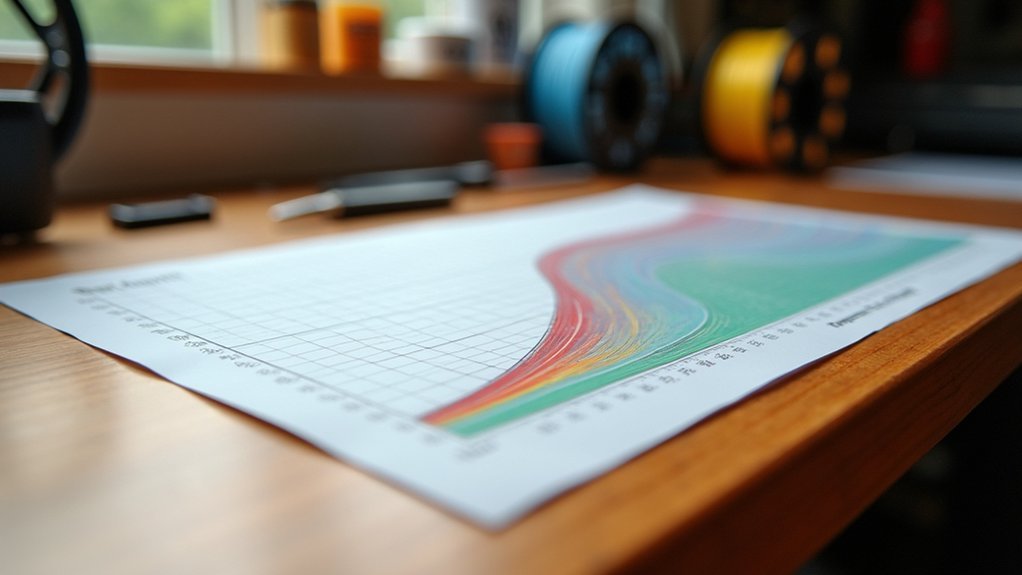
When your 3D printer moves between different areas without extruding material, retraction prevents unwanted plastic from oozing out of the nozzle and creating unsightly strings across your print.
Retraction stops molten filament from oozing during non-printing moves, eliminating unsightly strings that compromise print quality.
This fundamental process works by pulling filament back into the hot end during non-printing movements, creating a vacuum that stops molten plastic from dripping.
Your printer’s extruder type determines ideal settings.
Direct-drive systems typically need 2-5mm retraction distance, while Bowden setups require 4-7mm due to longer filament paths.
Speed settings range from 20-100 mm/s, with flexible materials needing slower speeds to prevent jamming and rigid filaments handling faster retractions well.
Proper calibration prevents both stringing from insufficient retraction and filament damage from excessive pulling, ensuring clean, professional prints.
Key Parameters That Define Retraction Performance
Although successful retraction depends on multiple variables working together, four core parameters determine whether your prints emerge clean or covered in strings.
Retraction distance controls how far the filament pulls back into the hot end, with direct-drive systems performing efficiently at 2-5mm while Bowden configurations require 4-7mm due to their extended filament paths.
Retraction speed governs how quickly this pullback occurs, typically ranging from 20-100 mm/s depending on your filament’s properties and extruder capabilities.
Minimum retraction distance prevents unnecessary retractions during small movements, usually set between 0.5-1mm to protect your filament from excessive wear.
These retraction settings work synergistically—faster speeds often pair with shorter distances to maintain consistent flow and prevent filament slippage or breakage.
Bowden Vs Direct Drive Retraction Requirements
Your extruder type fundamentally determines your retraction requirements, with Bowden and direct drive systems needing vastly different approaches.
You’ll need to configure longer distances for Bowden setups (4-7mm) compared to direct drive systems (0.8-2mm) due to the extended filament path.
Speed settings also differ considerably, as Bowden extruders can handle faster retraction speeds (40-100mm/s) while direct drive systems perform better at moderate speeds (20-60mm/s).
Extruder Type Differences
Since extruder design fundamentally affects how filament travels from the drive gear to the hotend, you’ll need different retraction strategies for Bowden and direct drive systems.
Bowden setups require longer retraction distances of 4-7mm and faster speeds up to 100mm/s to compensate for the extended filament path.
Direct drive extruders work best with shorter distances around 0.8-2mm and moderate speeds of 30-60mm/s since the filament path is minimal.
Your retraction parameters must also account for filament type.
Flexible materials like TPU demand gentler settings regardless of extruder type—use minimal distances and slower speeds to prevent jamming.
Getting these settings wrong creates stringing with insufficient retraction or under-extrusion from excessive retraction.
Distance Setting Ranges
Two distinct extruder designs demand dramatically different retraction distance approaches to achieve clean prints without defects.
Direct drive extruders require shorter retraction distance settings between 0.5 to 2 mm since the filament path is minimal. You’ll achieve quick, effective retractions without excessive filament movement that could cause jams.
Bowden extruders need longer retraction distance values of 4 to 7 mm to compensate for the extended filament path between extruder and hot end. The additional tubing length requires more filament withdrawal to prevent oozing.
You’ll need to adjust these ranges based on your filament type. Flexible materials like TPU require minimal retraction distance to avoid jamming.
Test different values systematically, since your specific printer model and print complexity will influence ideal settings.
Speed Configuration Guidelines
Retraction speed settings work hand-in-hand with distance values to enhance your printer’s performance across different extruder configurations.
For both Bowden and direct drive systems, you’ll want to target retraction speeds between 30-60 mm/s as your starting point.
Direct drive extruders can handle faster speeds more effectively due to their immediate response to commands, making them excellent at reducing stringing.
You should consider slower speeds for Bowden setups to prevent filament jamming during retraction cycles. The extended tube length requires more careful speed management.
When working with specialty materials like TPU, reduce your retraction speed considerably to avoid feeding issues.
Always test different speed combinations with your specific printer model and filament type for ideal results.
Optimal Distance Settings for Different Filament Types
Your filament choice directly impacts the retraction distance you’ll need to prevent stringing and achieve clean prints.
PLA works well with shorter distances, while flexible materials like TPU require minimal retraction to avoid jams.
High-temperature filaments such as ABS, PET-G, and nylon typically need longer distances due to their flow characteristics and tendency to string.
PLA Distance Recommendations
When you’re dialing in retraction settings for PLA filament, distance becomes the most critical factor in eliminating stringing while maintaining print quality.
You’ll typically want to set your retraction distance between 2-5mm, with 3.2mm serving as an excellent starting point for most printers.
Your extruder type greatly impacts these settings. If you’re using a direct-drive system, you can get away with shorter distances around 0.8-2mm since the filament path is shorter.
However, Bowden setups require longer distances of 4-7mm due to the extended tube between extruder and hotend.
Don’t forget that minimum retraction distances vary by printer model and environmental conditions, so testing different values remains essential for ideal results.
Flexible Filament Considerations
While PLA offers generous retraction tolerances, flexible filaments like TPU demand a completely different approach to prevent catastrophic jams and printing failures.
You’ll need to drastically reduce your retraction settings to accommodate these materials’ unique properties. For flexible filaments, you should establish a minimum distance of just 1-2 mm to prevent the filament from buckling inside your extruder.
Here’s your essential flexible filament retraction guide:
- Set retraction distance between 1-2 mm maximum
- Use slower retraction speeds of 20-30 mm/s to prevent slippage
- Test with your specific TPU brand since properties vary considerably
- Monitor for jamming if you exceed recommended distance limits
Excessive retraction will cause flexible materials to compress and jam, making these conservative settings absolutely critical for successful prints.
High-Temperature Material Adjustments
High-temperature materials present unique challenges that require precisely calibrated retraction settings to maintain print quality without compromising material flow. You’ll need to adjust your retraction distance based on each material’s thermal properties and viscosity characteristics.
| Material | Retraction Distance | Retraction Speed |
|---|---|---|
| PET-G | 4-7 mm | 30-40 mm/s |
| ABS | 2-5 mm | 40-60 mm/s |
| Nylon | 3-5 mm | 30-50 mm/s |
| PEEK/Ultem | 3-6 mm | 30 mm/s |
PET-G requires longer retraction distances due to its tendency to string at elevated temperatures. ABS benefits from moderate settings that account for its shrinkage behavior, while nylon’s viscous nature demands careful balance. For advanced materials like PEEK, you’ll want conservative speeds to prevent flow disruption while maintaining adequate retraction distance for clean travels.
Speed Configuration Guidelines for Various Materials
Setting appropriate retraction speeds requires careful consideration of your filament’s material properties and flow characteristics.
You’ll need to match your speed settings to how each material behaves during printing to prevent common issues like stringing and jamming.
Different materials require specific speed configurations for peak performance:
- PLA: Use 30-60 mm/s retraction speed with moderate retraction distance settings for clean prints
- TPU: Slower speeds of 20-30 mm/s prevent flexible filament from buckling in the extruder
- PET-G: Configure 30-50 mm/s speeds to manage this material’s tendency to ooze
- High-temperature materials: Generally require faster speeds due to increased flow rates
Your extruder type also influences speed selection.
Direct-drive systems can handle faster speeds more effectively than Bowden setups, which need gentler acceleration to prevent filament grinding.
Creating Your Custom Retraction Settings Chart
You’ll need to systematically test different material types with varying speed and distance combinations to build an effective retraction chart.
Start by recording each combination you test, noting the specific filament type, retraction distance, and speed settings for every print.
Track your print quality results carefully, documenting any stringing, blobs, or clogs that occur so you can identify the ideal settings for each material.
Testing Different Material Types
When creating your custom retraction settings chart, each material type demands its own unique approach to achieve ideal print quality.
You’ll need to establish baseline parameters and systematically test each filament to prevent minimum extrusion issues and stringing.
Start your material testing process with these guidelines:
- Direct-drive extruders: Begin with 2-5 mm retraction distance;
- Bowden setups: Start with 4-7 mm
- Flexible filaments (TPU): Use slower retraction speeds of 20-40 mm/s to prevent jamming
- Rigid materials (PLA/ABS): Apply faster speeds of 60-100 mm/s for best performance
- Environmental factors: Adjust settings based on ambient temperature—warmer conditions require shorter distances
Document every test result meticulously, noting changes in print quality and stringing behavior.
Use your slicer’s visualization tools to preview retraction impacts before printing, enabling faster optimization across different material types.
Recording Speed Distance Combinations
Building on your material-specific testing foundation, systematic documentation of speed and distance combinations forms the backbone of an effective retraction settings chart.
Start by recording various combinations of retraction speed between 20-100 mm/s and distance settings of 2-5 mm for direct-drive extruders or 4-7 mm for Bowden setups. Test each combination incrementally while monitoring print quality for stringing or oozing.
Maintain a detailed log documenting how each speed-distance pairing impacts your final print quality, establishing a reliable baseline for future projects.
Don’t forget to record ambient conditions and filament type alongside your data points, as these factors greatly influence ideal settings.
Use your slicer’s visualization tools to analyze retraction effects and refine your custom chart over time.
Tracking Print Quality Results
After establishing your baseline combinations, transform raw test data into actionable insights by systematically evaluating each print’s visual quality and performance metrics.
You’ll need to assess each test print carefully, documenting how different retraction settings affect your results.
Create a thorough evaluation system that captures:
- Visual defects – Note stringing severity, oozing patterns, and surface finish quality for each retraction distance and speed combination
- Print anomalies – Record any unusual behaviors like clicking sounds, inconsistent extrusion, or layer adhesion issues during testing
- Environmental factors – Document temperature, humidity, and filament condition that might influence your retraction performance
- Comparative analysis – Rate prints on a consistent scale to identify clear winners and ideal setting ranges
This systematic approach helps you identify patterns and refine your custom retraction chart effectively.
PLA Retraction Speed and Distance Recommendations
Since PLA filament behaves differently from other materials during printing, you’ll need specific retraction settings to achieve ideal results.
Set your retraction distance between 2-5mm, with 3.2mm serving as an excellent starting point for most printers. Your retraction speed should range from 30-60mm/s, favoring slower speeds to prevent filament breakage or slippage, particularly with direct-drive systems.
Lower speeds maintain filament integrity while faster settings work better for rigid materials and quicker printing. Test various combinations systematically to find your printer’s best balance.
Excessive retraction distance and speed can increase stringing and cause print defects. Monitor your print quality closely and make incremental adjustments to both settings, especially when working on detailed or complex designs requiring precise material flow control.
ABS and PETG Retraction Parameter Adjustments
You’ll need different retraction approaches when working with ABS and PETG compared to PLA.
ABS typically requires longer retraction distances of 4-6mm with speeds around 40-60mm/s, while PETG works best with shorter 1-3mm distances at slower 20-40mm/s speeds due to its higher viscosity.
Temperature conditions also play an essential role, especially with ABS where higher ambient temperatures can increase stringing and require fine-tuned retraction adjustments.
ABS Retraction Speed Requirements
When setting up retraction parameters for ABS filament, you’ll need to balance speed and distance to prevent stringing without compromising filament integrity.
ABS requires ideal retraction speed settings to maintain print quality while avoiding mechanical stress on the filament.
For effective ABS printing, consider these retraction speed guidelines:
- Set your retraction speed between 40-60 mm/s for peak performance
- Start with 50 mm/s and adjust based on your specific printer’s behavior
- Monitor for filament grinding or jamming if speeds are too aggressive
- Test incrementally to find the sweet spot for your setup
You’ll want to fine-tune these settings through iterative testing, as printer configurations vary greatly.
Pay attention to stringing patterns during test prints and adjust accordingly to achieve clean, professional results.
PETG Distance Configuration Guidelines
While ABS retraction settings focus on speed enhancement, PETG demands a different approach that prioritizes distance configuration due to its higher viscosity and tendency to ooze.
You’ll need to set your retraction distance between 4 to 7 mm for PETG, which is typically higher than other materials. This increased distance compensates for PETG’s sticky nature and prevents stringing between print sections.
Keep your retraction speed slower at 30 to 40 mm/s to avoid filament jamming or breaking. Set your minimum retraction distance around 0.5 mm to prevent excessive retractions that can stress the filament and cause clogs.
You’ll need to test different combinations since each printer and filament batch may require specific adjustments for ideal results.
Temperature Impact Adjustments
Beyond distance configuration, temperature variations greatly affect how both ABS and PETG respond to retraction commands. When ambient temperatures drop, you’ll need to adjust your settings to prevent filament jams and maintain print quality.
Lower temperatures impact both materials differently:
- ABS requires slower retraction speeds (closer to 30 mm/s) in cooler environments to prevent nozzle blockages.
- PETG needs increased retraction distance (up to 6 mm) when temperatures fluctuate to combat stringing.
- Both materials benefit from gradual speed adjustments rather than dramatic changes during temperature shifts.
- Monitor your first layers closely as they’re most affected by ambient temperature variations.
You’ll achieve ideal results by making incremental adjustments based on your specific environmental conditions and observing how each material responds.
Flexible Filament Retraction Considerations
Since flexible filaments like TPU behave differently than rigid materials, you’ll need to adjust your retraction settings considerably to avoid jams and print failures.
Keep your retraction distance between 1 to 3 mm – any longer risks jamming the extruder. Set your retraction speed slower, around 20 to 30 mm/s, to prevent stretching or breaking the filament during pulls.
Excessive retraction creates under-extrusion and clogs, so balance is essential. Minimize retractions altogether by optimizing your model’s orientation and print settings. This reduces stress on the flexible material and improves overall print quality.
Test different speed and distance combinations since ideal settings vary between filament brands and printer configurations. Start conservative with shorter distances and slower speeds, then adjust based on your results.
Minimum Travel Distance and Retraction Limits
When your printer moves between different areas of a model, you’ll want to control exactly when retractions occur to prevent over-processing your filament.
Setting a minimum travel distance guarantees retractions only happen when necessary, avoiding excessive material stress during detailed printing sections.
Your retraction limits work together to maintain ideal filament flow:
- Minimum travel distance – Set between 1-5mm to trigger retractions only on longer moves
- Maximum number of retractions – Limit to 10-20 within a specified window to prevent jams
- Minimum extrusion distance window – Typically 5-10mm of filament length for applying limits
- Balance optimization – Fine-tune both settings to prevent clogs while maintaining surface quality
These settings prevent filament obstruction while guaranteeing your prints maintain excellent detail and finish quality throughout complex geometries.
Testing and Calibrating Your Retraction Settings
After establishing your baseline retraction limits, you’ll need to test and refine these settings through systematic calibration.
Start with a retraction distance of 2-5 mm for direct-drive extruders and 4-7 mm for Bowden systems, adjusting based on your specific filament.
Direct-drive extruders need 2-5 mm retraction distance while Bowden systems require 4-7 mm for optimal filament control.
Next, gradually modify the retraction speed within 20-100 mm/s ranges while monitoring for stringing or oozing after each adjustment.
Use your slicer software to fine-tune parameters like minimum retraction distance and maximum retraction count, ensuring they match your model’s complexity.
Keep a detailed log of settings and print outcomes—this documentation helps you make informed adjustments based on previous experiences.
Through careful observation and systematic testing, you’ll optimize your retraction settings for consistently high-quality prints.
Common Retraction Problems and Chart-Based Solutions
Even with systematic testing, retraction issues can still plague your prints, but identifying these problems becomes straightforward when you use a diagnostic chart approach.
You’ll encounter specific symptoms that point directly to your retraction settings needing adjustment.
- Stringing between parts: Increase retraction distance gradually (0.5mm increments) or boost speed from 20-100mm/s depending on your filament type.
- Nozzle clogs or jams: You’ve likely over-retracted, so reduce the retraction distance, especially with flexible filaments like TPU requiring only 0.5-2mm.
- Oozing during travel moves: Your current settings aren’t sufficient—adjust both distance and speed using your tracking chart.
- Extended print times: Excessive retraction distances slow everything down, so find your filament’s minimum effective distance through systematic testing.
Advanced Retraction Parameters for Complex Prints
Complex prints with intricate geometries demand fine-tuned retraction parameters that go beyond basic distance and speed adjustments. You’ll need to balance retraction distance and retraction speed while incorporating advanced parameters for ideal results.
For direct-drive extruders, use 2-5 mm retraction distance with 30-60 mm/s retraction speed. Bowden setups require 4-7 mm distance. Set minimum retraction travel between 0.5-1 mm to control frequency on detailed parts.
| Parameter | Recommended Range |
|---|---|
| Min Retraction Travel | 0.5-1.0 mm |
| Max Retraction Count | 5-10 per 10mm |
| Retraction Speed | 30-60 mm/s |
| Z-Hop Distance | 0.1-0.3 mm |
| Coasting Distance | 0.2-0.5 mm |
Test different combinations systematically to find your printer’s sweet spot for complex geometries.
Monitoring and Adjusting Settings Based on Print Results
When you notice stringing, oozing, or poor layer adhesion in your prints, it’s time to systematically adjust your retraction settings and monitor the results.
Print defects like stringing and poor adhesion indicate it’s time to systematically fine-tune your retraction settings for optimal results.
These print defects signal that your current configuration needs refinement to achieve ideal quality.
Here’s how to effectively monitor and adjust your settings:
- Track print outcomes – Keep a detailed log of retraction speed and distance settings paired with observed results to identify effective patterns.
- Make incremental changes – Reduce retraction distance by 0.2-0.5 mm or increase speed by 5-10 mm/s when addressing stringing issues.
- Test systematically – Experiment with different speed combinations (20-100 mm/s) and distances (2-5 mm for direct drives) to find your ideal configuration.
- Consider environmental factors – Monitor humidity and temperature changes that can affect retraction performance and require adjustments.
Frequently Asked Questions
What Should My Retraction Distance and Speed Be?
You should start with 1-2mm distance for direct-drive or 4-6mm for Bowden extruders, paired with 40-50mm/s speed. Test incrementally by adjusting distance first, then speed, until you eliminate stringing without causing clogs.
Should Retraction and Deretraction Speed Be the Same?
You don’t need to set retraction and deretraction speeds the same. You’ll often get better results using faster retraction speed to prevent stringing and slower deretraction speed for smoother filament flow.
What Happens When Retraction Speed Is Too High?
You’ll experience filament slippage and inconsistent extrusion when retraction speed’s too high. Your extruder motor can overheat, filament may break, and you’ll get more stringing since there’s insufficient time for proper retraction.
Does Higher Retraction Reduce Stringing?
Yes, you’ll reduce stringing with higher retraction speeds because they quickly pull filament back into the nozzle, minimizing heat exposure and preventing oozing during travel moves between print areas.



