
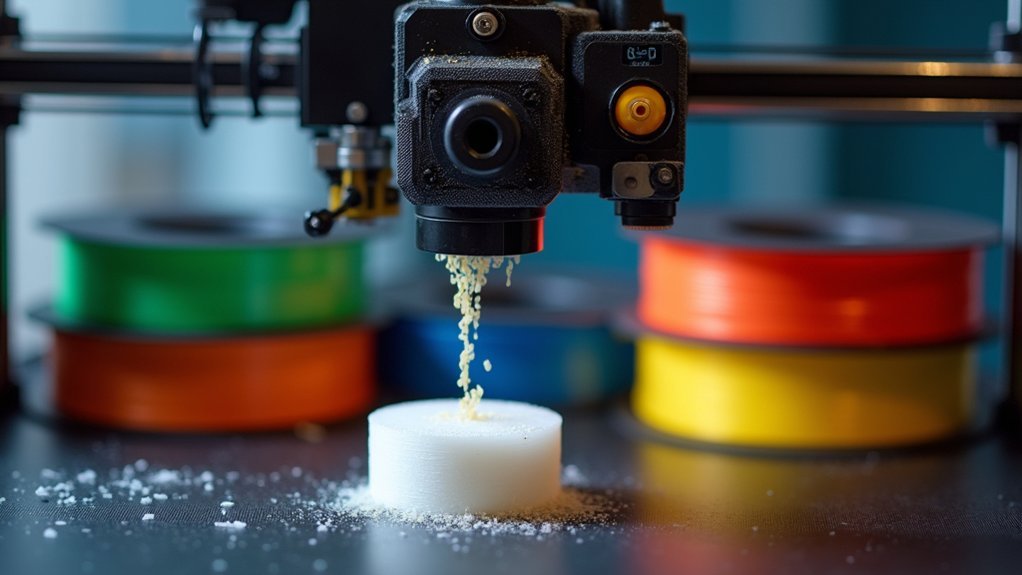
You’ll need different retraction settings depending on your filament type. For PLA, use 2-5mm distance at 40-60mm/s speed. ABS requires 4-6mm distance at similar speeds, while PETG needs 5-7mm at slower 20-40mm/s speeds. Flexible filaments work best with minimal 1-3mm retraction at 20-30mm/s to prevent jamming. Direct-drive extruders generally need shorter distances than Bowden setups. Start with these baseline settings, then conduct stringing tests to fine-tune for your specific printer and achieve perfect results.
Understanding Retraction Parameters and Their Impact on Print Quality
When your 3D printer’s nozzle moves between different areas of a print, retraction settings determine how the extruder pulls filament back to prevent unwanted oozing and stringing.
Retraction distance typically ranges from 2-5 mm for direct-drive extruders and 4-7 mm for Bowden setups, with materials like PETG requiring longer distances.
Direct-drive extruders need 2-5 mm retraction distance while Bowden systems require 4-7 mm, with PETG demanding even longer pulls.
Retraction speed plays a vital role, generally set between 30-60 mm/s—faster speeds reduce oozing but risk filament slippage.
You’ll need a minimum distance of 0.5-1 mm to prevent excessive retractions that cause filament wear.
When adjusting retraction settings, consider the maximum number of retractions—experts recommend limiting consecutive retractions to 20 per filament length to avoid exhausting material and causing print failures.
PLA Filament Retraction Settings for Optimal Performance
PLA filament demands specific retraction settings that differ from other materials due to its unique thermal and flow characteristics.
You’ll want to set your retraction length between 2 to 5 mm, with 3 mm being the sweet spot for most setups. Configure your retraction speed around 40 to 60 mm/s to maintain efficiency without grinding the filament.
Set your minimum retraction distance to 0.5-1 mm to prevent unnecessary retractions that wear down your filament. Enable “Wipe While Retracting” to clean the nozzle and further reduce stringing issues.
You should run a stringing test with different settings to find what works best for your specific PLA brand and color. Start with these baseline settings, then make gradual adjustments based on your test results.
ABS and PETG Retraction Configuration Guidelines
ABS and PETG filaments require different retraction approaches than PLA due to their distinct thermal properties and viscosity characteristics. You’ll need to adjust your retraction settings carefully to prevent stringing while maintaining print quality.
| Setting | ABS Filament | PETG |
|---|---|---|
| Retraction Length | 4-6 mm | 5-7 mm |
| Retraction Speed | 40-60 mm/s | 20-40 mm/s |
Set your minimum retraction distance to 1 mm for both materials to avoid excessive retractions that could damage the filament. Use cooling fans with PETG to help solidify the material quickly, while maintaining ambient temperature for ABS prevents warping. You should test different configurations using a temperature tower in small increments to find ideal settings for your specific printer and environmental conditions.
Flexible Filament Retraction Adjustments and Considerations
Although flexible filaments offer unique printing possibilities, they demand markedly different retraction strategies compared to rigid materials.
Flexible filaments require completely different retraction approaches than standard materials due to their unique physical properties and printing behaviors.
You’ll need to reduce your retraction distance to just 1-3 mm to prevent filament slipping and jamming in your extruder. Set your retraction speed much lower at 20-30 mm/s to avoid grinding or damaging these softer materials.
Increase your minimum extrusion distance window to 2-3 mm, which reduces retraction frequency and minimizes filament wear.
Consider disabling retraction during travel moves entirely for flexible filaments, as this eliminates unnecessary strain on the material.
Make sure you’re regularly checking your flexible filament’s condition and keeping it dry.
This simple maintenance step markedly improves print quality while reducing annoying stringing issues that plague flexible material prints.
High-Temperature Material Retraction Settings
Moving from flexible materials to rigid high-temperature filaments requires a complete shift in your retraction approach. High-temperature materials like ABS and PETG demand specific retraction distance settings: 4-7 mm for Bowden setups and 2-5 mm for direct-drive extruders. Your retraction speed should stay between 30-50 mm/s to prevent filament grinding or slippage.
When stringing becomes problematic, you’ll need to increase your retraction distance up to 15 mm and test systematically.
Maintaining consistent ambient temperature around your printer enhances retraction effectiveness, as these materials react sensitively to environmental changes.
Don’t overlook cooling fan adjustments—proper cooling considerably reduces stringing and improves overall print quality with high-temperature materials.
Testing and Fine-Tuning Your Retraction Settings
You’ll need to run systematic stringing tests using dual-tower models to identify your printer’s ideal retraction settings for each filament type.
Start with your printer’s recommended retraction distance and adjust in small increments while carefully monitoring the results.
Make precise changes to both retraction length and speed settings, documenting each test’s performance to build a reliable reference for future prints.
Stringing Test Methods
When you’re ready to dial in your retraction settings, stringing test prints become your most valuable diagnostic tool.
These tests reveal exactly how your printer pulls filament back during travel moves, helping you find the ideal distance for each material.
Here’s your systematic approach to testing retraction settings:
- Print dual-tower models – Use test prints with two vertical towers to create multiple travel moves and clearly show stringing issues.
- Adjust distance incrementally – Start with your current settings and modify retraction distance by 1mm intervals until you eliminate stringing.
- Test speed variations – Experiment with retraction speeds between 30-60 mm/s to find the best balance without grinding your filament.
- Document everything – Keep detailed logs of each test’s settings and results for future reference and troubleshooting.
Incremental Setting Adjustments
Once you’ve established your testing framework, the real work begins with methodical adjustments to your retraction parameters.
Start with baseline retraction length settings: 5mm for PLA and 6-7mm for PETG. Make incremental 1mm adjustments while documenting each change’s impact on your stringing test results.
Next, focus on retraction speeds beginning at 50mm/s. Adjust in 5mm/s increments, carefully monitoring how each modification affects print quality.
You’ll need to balance speed with effectiveness—too fast can cause filament grinding, while too slow won’t eliminate stringing.
Record every test outcome, noting retraction length, speed, and observed changes. This documentation becomes your reference guide for future prints.
Once you’ve minimized stringing, fine-tune secondary settings like minimum extrusion distance and extra prime amount for ideal results.
Frequently Asked Questions
What Is the Best Filament Retraction Setting?
You’ll need different retraction settings for each filament type. PLA works best with 2-5mm length at 30-50mm/s, while PETG requires 4-7mm. Flexible filaments need shorter 1-3mm distances to prevent grinding.
What Is the Recommended Retraction Distance?
For retraction distance, you’ll want 2-5mm with direct-drive extruders or 4-7mm for Bowden setups. Start at 5mm for Ender 3 printers, then adjust in 1mm increments until stringing disappears.
How to Tell if Retraction Is Too High?
You’ll notice irregular extrusion, under-extruded prints, or clogs in your nozzle. Watch for increased stringing despite high settings, plus blobs or zits on surfaces indicating excessive filament pull-back.
Does Higher Retraction Reduce Stringing?
Yes, higher retraction reduces stringing by pulling more filament back into the nozzle during travel moves. However, you’ll need to balance this with potential downsides like increased print times and clogging risks.



